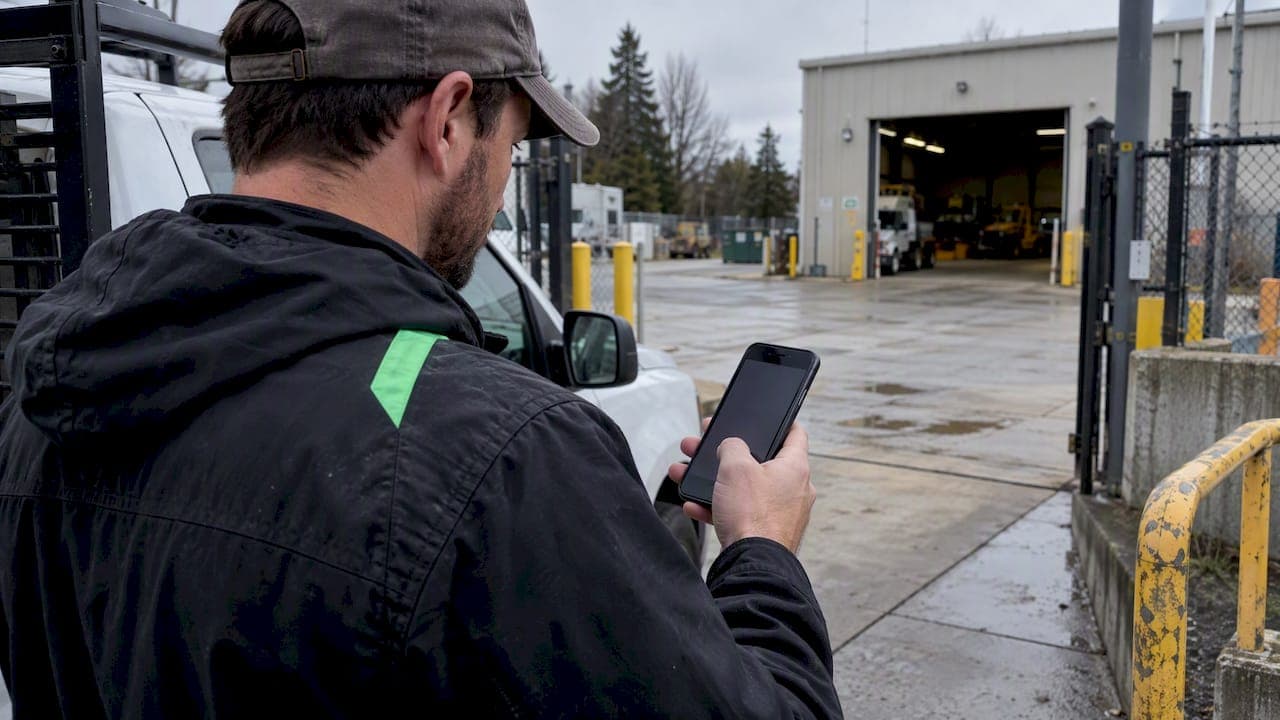
You can't make GPS spoofing impossible on an employee's phone, but you can make it hard, visible and not worth the risk. Prevention for a time clock comes from layers: device integrity checks, server-side validation of every punch, sensible geofences, a second proof of presence for high-stakes shifts, and a clear policy. No single "GPS-verified" badge does the job.
This guide is for managers and owners of hourly and field teams. It covers how fake locations happen, what detection can and can't catch, and how to set up a clock-in process that holds up when payroll or a client dispute is on the line.
TL;DR
- Most fake clock-ins are software tricks: mock location apps, emulators, VPNs or rooted phones. These are detectable.
- Radio-level spoofing (counterfeit satellite signals) is rare in workplaces, and software checks can't catch it alone. Cross-checks against other signals can.
- Validation must happen on the server. Anything that runs only on the employee's phone can be tampered with.
- "GPS-verified" means a device reported a coordinate inside a boundary. It does not prove a person was holding the phone.
- Pair technical checks with a written policy, manager review of flagged punches, and a fallback for when GPS fails.
Table of Contents
- What GPS spoofing means on a time clock
- Why a geofence alone doesn't stop it
- How fake locations get detected
- What "GPS-verified" really proves
- Set geofences that reduce false alarms
- A layered setup you can run this week
- Plan for GPS failing, not just being faked
- Legal and records points for US employers
- Our view: verify the punch, keep a human in the loop
- Where Heyhive fits
- FAQ
- Sources
What GPS spoofing means on a time clock
In aviation and navigation, spoofing means broadcasting counterfeit satellite signals. On a mobile time clock it usually means something much simpler: the phone is told to report a location it isn't at.
The Android developer documentation splits GNSS interference into two categories. Jamming drowns out the weak satellite signals with strong radio noise. Spoofing feeds a receiver false signals so it computes a wrong position. Both are real, but they are different problems from the one most managers face.
In a shift-driven business, the common methods look like this:
| Method | What the employee does | Relative effort |
|---|---|---|
| Mock location app | Turns on a developer setting and a fake-GPS app | Low |
| Emulator or simulator | Runs the time clock app on a virtual phone | Low to medium |
| VPN or proxy | Masks network location to defeat IP-based checks | Low |
| Rooted or jailbroken device | Overrides the operating system's location data | Medium |
| Modified app build | Edits the app so its location check always passes | High |
| Radio-layer spoofer | Broadcasts counterfeit satellite signals | High, and often illegal |
The first rows account for nearly all the cases a restaurant, retail chain or service crew will see. That is good news, because they leave traces.
Why a geofence alone doesn't stop it
A geofence is a virtual boundary around a job site. When someone clocks in, the system checks whether the reported coordinate falls inside. It's a useful control. It is not a security control.
The reason is where the decision is made. Peabody Compliance's detection guide notes that standard geofencing assumes the operating system reports the truth. If someone compromises the OS, for example through root or jailbreak, they can inject false data before your app ever sees it.
The same guide describes the "Liar at the Edge" problem. When validation runs on the user's phone, the person you're trying to check can see and probe your defenses. The stronger approach is to make the server the source of truth, where cross-device and contextual checks are much harder to reverse-engineer.
The practical lesson: ask any time clock vendor, including us, where the location decision is made and what else is compared against the raw coordinate.

How fake locations get detected
Detection is a scoring exercise, not a yes/no test. Peabody Compliance describes robust systems as combining several signals, because no single metric is conclusive. Here are the layers that matter for a time clock.
1. Mock location and device integrity flags
Phones expose signals about whether location data has been overridden. On Android, the mock-location flag and the Play Integrity API can reveal mock providers, emulators and rooted devices. On iOS, direct detection is harder, though a property exists that flags locations simulated by developer tools such as Xcode, according to published research on attendance fraud. The same paper reports that a fraud-mitigation library detected all of the Fake GPS apps tested on Android, with response times under 430 ms.
Two caveats. These checks catch software faking only. And a flag that reads "false" isn't proof of honesty: SDK documentation from a fraud-prevention vendor points out that spoofers cycle these settings, so durable detection profiles device signals continuously, such as overlays, debuggers and unusual install sources.
2. Velocity and plausibility checks
A phone that was at a depot at 7:58 a.m. and "arrives" at a site 40 miles away at 8:01 a.m. has teleported. Checking speed and distance between consecutive fixes catches lazy fakes. Offline Protocol's explainer frames detection as looking for evidence that a position doesn't fit the real world, including motion sensor data and basic physics.
3. Network cross-checks
Compare the GPS coordinate against where the phone's cell tower or nearby Wi-Fi networks say it is. Peabody calls this hybrid positioning and describes it as a strong sanity check. If GPS says "job site" and the network says "home across town," the punch deserves a look.
4. Signal-level checks
Specialized receivers analyze signal strength and noise to spot counterfeit satellite signals. Android has work in this area too, but it is mostly relevant to navigation, aviation and critical infrastructure. For an hourly workforce, layers 1 to 3 plus good policy cover almost all of the real risk.
5. Pattern analysis over time
One odd punch is noise. The same employee clocking in at the exact same coordinates to the sixth decimal place every day, always with weak accuracy readings, or always from a different device ID, is a pattern. This is where manager review of flagged punches matters more than any single check.
What "GPS-verified" really proves
This is the misconception that costs managers the most. Location security researchers cited by Offline Protocol make the point that spoofing prevention can show a device is reporting a coordinate within a boundary. It cannot prove a person is holding the phone at that spot.
That means a phone left in a truck, handed to a coworker or sitting on a desk can still produce a clean, in-boundary punch. This is buddy punching, and it needs different controls:
- A selfie at clock-in for sites or shifts where it matters
- Rotating or one-time site codes
- Supervisor confirmation for high-value jobs
- Auditing patterns, such as two employees always punching in within seconds of each other
Layering a second proof is the recommended practice for high-stakes field check-ins, and you don't need it everywhere. Use it where a missed shift is costly: a client-billable job, a safety-sensitive site, a first week of a new hire.
Set geofences that reduce false alarms
A strict geofence is not a more secure one. GPS accuracy drifts, especially near tall buildings, in basements, parking structures and dense urban blocks. If your radius is too tight, honest employees get rejected and learn to distrust the system. If it's too loose, you'll accept clock-ins from the parking lot next door.
We've written up the trade-offs in detail:
- Set geofences at 50 to 100 m for attendance verification
- Why those radii need accuracy records stored with each punch
- A manager's guide to geofencing time tracking
Storing the reported accuracy with each punch gives you an audit trail. When a punch is disputed, you can see whether the phone reported a tight fix or a vague one, instead of arguing from a dot on a map.
A layered setup you can run this week
You don't need a security team. Work through these steps in order.
- Map your risk. List which roles clock in away from a fixed location, and which sites are billable to clients. Start your strictest controls there.
- Set realistic geofences. Use a 50 to 100 m radius for most sites, and widen it for large campuses or rural job sites.
- Require server-side validation. Choose a time clock that evaluates each punch on the server and stores coordinates, accuracy and timestamp.
- Turn on device integrity checks. Block or flag punches from devices running mock location providers, emulators or rooted builds.
- Add a second proof for high-stakes shifts. A selfie or on-site code closes the "phone without the person" gap.
- Review flags weekly. Spend 15 minutes on flagged punches before payroll closes. Approve, correct or ask a question.
- Write the policy. Tell employees what is collected, when, and what happens when a punch is flagged. Our six-step policy for US HR shows how to frame GPS as attendance verification, not surveillance.
- Run a pilot. Test for two weeks with one team before rolling out. See our two-week GPS pilot.
Plan for GPS failing, not just being faked
Sometimes the problem isn't fraud. Signals get interfered with, phones lose service in basements and rural areas, and batteries die. The FAA's GPS and GNSS interference resource guide stresses early recognition of interference and having alternate procedures ready, rather than relying on a tool that only works when satellite signals are perfect.
Translate that to a shift operation:
- Define a manual override: the employee messages a supervisor, who approves the punch with a note.
- Make sure the clock still records punches without a signal and syncs later. See features to require for offline tracking.
- Mark overridden punches clearly so they're easy to audit.
A system that fails closed with no fallback pushes employees to work off the clock or fudge times, which creates a bigger problem than the one you were solving.
Legal and records points for US employers
Jammers are not a fix. Some managers wonder about blocking signals on site. Don't. The FCC says the use, marketing, manufacture or sale of GPS jamming devices is prohibited in the United States, with penalties that include fines, equipment seizure and criminal sanctions. In one 2013 enforcement action, a forfeiture of $31,875 was imposed for a jammer operated near Newark Liberty International Airport.
Keep accurate time records. Under the Fair Labor Standards Act, covered employers must keep accurate records of hours worked for non-exempt employees, and the Department of Labor says time cards must be retained for at least two years. Flagged and corrected punches belong in that record with a note on what changed and who approved it.
Check state rules. Employee location data and biometric data such as face images can be regulated differently by state. Talk to employment counsel before you require selfies or collect location outside work hours. Our guide on HR-audit-grade GPS clock-ins covers the documentation side.
Don't punish on a single flag. A flag means "look at this," not "this person cheated." Treat it as a prompt for a conversation, then decide. That protects both the employee and you.

Our view: verify the punch, keep a human in the loop
We build Heyhive for managers of hourly and field teams, and we think about spoofing the way we think about scheduling: automation does the heavy lifting, and you stay in control.
Here is what we believe:
- Location is evidence, not a verdict. A GPS-verified clock-in tells you where a device was. It's a strong signal when combined with others, and a weak one alone.
- Honest employees shouldn't pay for dishonest ones. Overly strict fences and constant rejections damage trust faster than a few bad punches cost you.
- Attendance, not vehicle tracking. The goal is proof that someone arrived and left. We wrote about why field GPS should prove attendance, not vehicles.
- Managers decide. Flagged punches go to a person who can see the context, just as AI-generated schedules go to a manager for approval before they're published.
- Pick your battles. Most teams are best served by clear rules, reasonable geofences, and review of exceptions rather than a technical arms race.
— Heyhive
Where Heyhive fits
Heyhive brings scheduling, a GPS time clock, field check-ins and payroll-ready hours into one platform. Employees clock in with GPS arrival and departure tracking against the sites on their schedule, and you get real-time attendance instead of end-of-week surprises. Managers review hours before they go to payroll, so a questionable punch gets a human look first.
If you manage mobile or multi-site teams, you can see how it works at useheyhive.com and start with a free trial.
FAQ
Is GPS spoofing illegal?
It depends on the method. Broadcasting counterfeit satellite signals or using a jammer is prohibited under FCC rules. Using a fake-location app on your own phone isn't a crime in itself, but using it to claim hours you didn't work can be timekeeping fraud and grounds for discipline or termination under your policy. Employers should consult counsel before pursuing legal action.
Can GPS spoofing be detected?
Software-based spoofing usually can. Mock location flags, emulator and root detection, impossible-speed checks and comparisons with cell or Wi-Fi location all expose fake locations. Sophisticated radio-layer spoofing is harder to catch with software alone, which is why server-side validation and several signals together work better than one check.
How do I tell if an employee is faking their location?
Look for patterns rather than single events: identical coordinates every day, punches that jump between distant places in minutes, poor accuracy readings, or punches that disagree with network location. Then talk to the employee before concluding anything. A clock-in that fails on a poor signal is far more common than deliberate fraud.
Do geofences stop fake clock-ins?
Not on their own. A geofence confirms that the reported coordinate sits inside a boundary, but if the device reports false data, the fence accepts it. Combine geofences with device integrity checks, server-side validation and, for important shifts, a selfie or site code.
Sources
- Detect GNSS jamming and spoofing, Android Developers
- The Definitive Guide to GPS Spoofing Detection, Peabody Compliance
- A Reusable Library for Secure Attendance Systems: Fraud Mitigation Based on QR Code and Geolocation
- Darwinium SDK release notes
- How is GPS spoofing detected? Offline Protocol
- Detecting GNSS Jamming and Spoofing on Android Devices, NAVIGATION
- GPS and GNSS Interference Resource Guide, FAA
- FCC enforcement action FCC-13-106
- Fact Sheet #21: Recordkeeping Requirements under the FLSA, U.S. Department of Labor