
Geofencing time tracking is defined as a GPS-based method that automatically records employee clock-ins and clock-outs when workers enter or leave a virtual geographic boundary around a work site. The technology uses GPS, Wi-Fi, or mobile data to enforce these digital perimeters, replacing manual punch cards and paper sign-in sheets with location-verified attendance records. For managers overseeing field crews, retail staff, or multi-site teams, this approach directly cuts payroll errors and eliminates buddy punching without requiring continuous surveillance. The industry term for the broader category is "location-based time tracking," and geofencing is its most widely deployed form in American workforce management today.
How does geofencing work in employee time tracking?
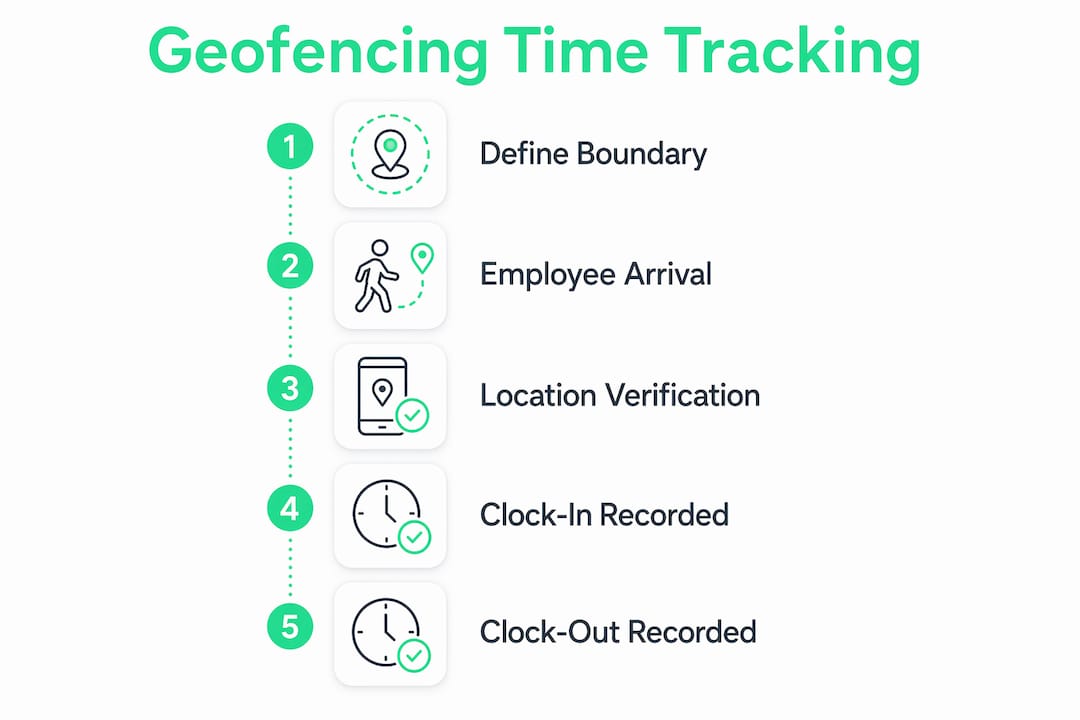
Geofencing creates a virtual boundary around a physical location. When an employee's mobile device crosses that boundary, the system triggers a clock-in or clock-out event automatically.
The technology relies on three signal sources: GPS satellites, Wi-Fi networks, and cellular data. GPS delivers the most accurate positioning outdoors, while Wi-Fi assists in dense urban areas or indoor environments where satellite signals weaken. Most production systems use all three in combination to reduce location errors.
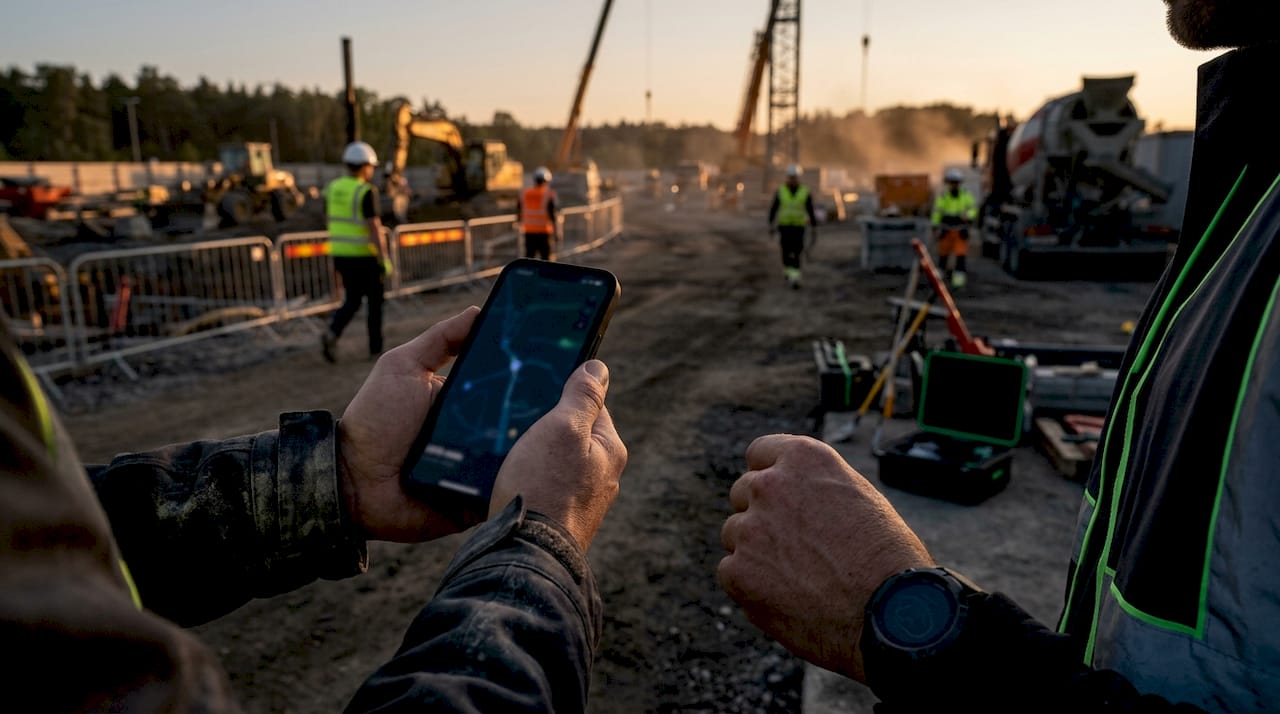
Radius settings typically fall between 100–500 meters, depending on the site type. A standard office or retail location works well at roughly 200 meters. Construction sites often need tighter or multiple overlapping boundaries to exclude adjacent parking lots and public streets from the active zone.
Key design decisions for your geofence setup include:
- Radius size: Match the boundary to the physical footprint of the work area, not the property line.
- Multi-site configurations: Assign separate geofences to each location so employees working across sites get accurate records for each.
- Signal environment: Dense buildings or underground areas may require Wi-Fi anchors to compensate for weak GPS reception.
- Event-based triggers: The system checks location only at the moment of clock-in or clock-out, not continuously throughout the shift.
The event-based approach is a critical design choice. Location verification at punch moments avoids the legal and privacy problems that come with continuous background tracking. Employees are not monitored between punches, which keeps the system focused on attendance rather than surveillance.
One technical risk worth understanding is GPS spoofing, where a device submits an outdated or falsified location fix. Systems that validate GPS fix age at the exact moment of the clock-in event close this loophole. When evaluating any GPS time clock solution, confirm that the platform checks the timestamp of the location data, not just the coordinates.
Pro Tip: Set your geofence radius 10–15% larger than the actual work area boundary. This accounts for normal GPS drift without allowing employees to clock in from a parking lot or neighboring business.
What are the legal and privacy considerations for geofencing time tracking?
Location-based time tracking is legal across the United States, but legality depends entirely on how you implement it. Three requirements apply in every state: disclosure, consent, and scope limitation.
Disclosure means telling employees that the system exists, what data it collects, and how that data is used. Consent means obtaining written acknowledgment before the system goes live, particularly for employees using personal devices. Scope limitation means restricting tracking to clock-in and clock-out moments during scheduled work hours, not outside them.
State laws add complexity beyond these federal baselines:
- California: Requires explicit written consent for any location data collection on personal devices. The California Consumer Privacy Act adds data retention and deletion rights.
- Texas: No state-specific employee monitoring statute, but common law privacy claims apply if tracking extends beyond work hours.
- Delaware: Requires employers to notify employees in writing before monitoring electronic communications or location data.
Written policies reviewed by legal counsel are the clearest protection a manager has. The policy should name the technology, describe what data is collected, specify how long records are retained, and confirm that tracking stops outside work hours. Employees should sign the policy before their first GPS clock-in.
The distinction between geofencing and continuous GPS tracking matters legally and practically. Continuous tracking records an employee's location throughout the entire shift. Geofencing records only the entry and exit events. Courts and regulators treat these very differently. Employee-owned device tracking carries the highest legal exposure, so written consent and strict off-hours deactivation are non-negotiable for BYOD policies.
What are the key benefits of geofencing time tracking for managers?
The most direct financial benefit is the elimination of buddy punching and early clock-ins. Consider a 10-person team where each employee clocks in just 8 minutes early. That pattern costs over 340 work hours per year, which translates to roughly $5,780 annually at $17 per hour. Geofencing removes that loss entirely because the system will not accept a clock-in until the employee is physically on site.
Beyond payroll savings, location-verified attendance records simplify compliance audits. Every punch carries a GPS-confirmed timestamp, giving you a defensible record if a wage dispute or Department of Labor audit arises. Manual timesheets cannot provide that level of documentation.
The operational benefits for field and mobile teams are equally significant:
- Multi-site accuracy: Each location gets its own geofence, so labor costs are automatically allocated to the correct job site.
- Reduced administrative work: Managers spend less time reviewing and correcting timesheets when the system validates presence automatically.
- Hybrid work support: Geofences can be configured conditionally, activating only on days when on-site attendance is required.
- Faster payroll processing: Verified clock data feeds directly into payroll without manual reconciliation.
The GPS time clock model also improves accountability without creating a surveillance culture. Employees know the system checks location only at punch time, not throughout the day. That transparency reduces resistance and builds acceptance faster than continuous monitoring tools do.
How to implement geofencing time tracking in your organization
A successful rollout follows a defined sequence. Skipping steps, particularly the policy and consent stages, creates legal exposure and employee distrust that is difficult to recover from.
- Draft a written policy. Document the technology, data collected, retention period, device coverage (company-owned vs. personal), and the specific hours during which tracking is active. Have legal counsel review it before distribution.
- Notify employees and collect consent. Distribute the policy at least two weeks before go-live. Collect signed acknowledgments. For personal device users, obtain separate written consent.
- Configure geofence boundaries. Set radius sizes based on site type. Use 200 meters for standard office or retail locations. Adjust tighter for construction sites to exclude streets and parking areas.
- Enable event-based tracking only. Confirm the system triggers location checks at clock-in and clock-out events exclusively. Disable any background location features.
- Verify anti-spoofing controls. Confirm the platform validates GPS fix age at punch time. This prevents employees from submitting stale location data to fake an on-site clock-in.
- Integrate with payroll and scheduling. Connect the time tracking system to your payroll processor so verified hours flow through without manual entry. Platforms like Useheyhive combine AI scheduling with GPS-verified clock-ins, which cuts the gap between scheduling and payroll to near zero.
- Run a pilot with one team or site. Identify radius issues, signal gaps, or workflow friction before a full deployment.
Pro Tip: Hold a 15-minute Q&A session with each team before go-live. Employees who understand what the system does and does not track accept it far faster than those who receive only a policy document.
The table below summarizes the key configuration decisions and their recommended defaults:
| Configuration decision | Recommended default |
|---|---|
| Geofence radius (office/retail) | 200 meters |
| Geofence radius (construction) | 100 meters or custom per site |
| Tracking mode | Event-based only (clock-in/out) |
| Off-hours tracking | Disabled |
| GPS fix age validation | Required |
| Personal device consent | Written, signed before activation |
Attendance tracking accuracy improves most when the configuration matches the physical reality of each site. A single radius setting applied across all locations is the most common implementation mistake.
Key Takeaways
Geofencing time tracking reduces payroll losses and attendance fraud by verifying employee presence at the exact moment of clock-in, using event-based GPS checks rather than continuous monitoring.
| Point | Details |
|---|---|
| Event-based verification | Check location only at clock-in and clock-out to minimize privacy risk and legal exposure. |
| Radius calibration | Set boundaries at 200 meters for office sites and tighter for construction to exclude adjacent areas. |
| Legal compliance | Obtain written consent, disclose data practices, and disable tracking outside work hours before going live. |
| Payroll impact | A 10-person team clocking in 8 minutes early loses over 340 hours and roughly $5,780 per year. |
| Anti-spoofing controls | Select systems that validate GPS fix age at punch time to prevent falsified location submissions. |
Why transparency matters more than the technology itself
The managers I have seen struggle most with geofencing rollouts are not the ones who picked the wrong radius or chose the wrong platform. They are the ones who treated the technology announcement as a policy memo rather than a conversation.
Employees do not resist location verification because they plan to commit time fraud. They resist it because they picture continuous surveillance, a manager watching their every move on a map all day. That fear is understandable, and it is almost always wrong about how these systems actually work. Event-based location verification means the system looks at where you are for one second at clock-in, then stops. That is a fundamentally different thing than being tracked, and most employees accept it immediately once they understand the distinction.
The second mistake I see is treating the written policy as a legal formality rather than a communication tool. A policy that reads like a legal document and gets buried in an onboarding packet does nothing for trust. A policy that gets explained in plain language, with time for questions, does everything for adoption.
My prediction for 2026 and beyond: the managers who build the most accurate workforce data will be the ones who invested in employee understanding first and technology configuration second. The GPS clock-in is only as reliable as the culture that surrounds it.
— Aubrey
Useheyhive's approach to GPS-verified workforce management
Managing field teams across multiple sites gets complicated fast. Useheyhive combines AI-powered scheduling with GPS-verified clock-ins so managers get accurate labor data without building two separate systems.

The platform generates full shift schedules in seconds, respects employee availability and overtime limits, and lets managers approve shifts before they publish. GPS clock-ins attach location verification to every punch, so payroll pulls from confirmed attendance records rather than self-reported hours. For teams that need to fill open shifts fast while keeping labor costs in check, Useheyhive connects scheduling and attendance in one place. See the full platform at Useheyhive.
FAQ
What is geofencing time tracking?
Geofencing time tracking is a location-based attendance method that automatically records clock-ins and clock-outs when employees enter or leave a GPS-defined virtual boundary around a work site. It replaces manual timesheets with location-verified records.
Is geofencing time tracking legal in the United States?
Geofencing is legal in the U.S. when employers disclose the system, obtain written consent, and restrict tracking to clock-in and clock-out events during work hours. State laws in California, Texas, and Delaware add specific requirements, particularly for personal devices.
How large should a geofence radius be?
A standard office or retail site works well at 200 meters. Construction sites typically need a tighter boundary, around 100 meters, to exclude adjacent parking lots and public streets from the active zone.
Does geofencing track employees all day?
No. Properly configured geofencing checks an employee's location only at the moment of clock-in or clock-out. It does not monitor location continuously during the shift, which is the key difference from continuous GPS tracking.
How does geofencing prevent time clock fraud?
The system requires physical presence within the designated boundary before accepting a clock-in. Platforms that validate GPS fix age at punch time add a second layer of protection against spoofed or outdated location data.