
GPS attendance verification confirms an employee is physically at the right location when they clock in or out, using smartphone location data checked against a defined work perimeter. It gives managers location-validated records that cut down on time fraud, speed up payroll, and hold up if an employee disputes their hours. Hourly, field, and multi-site teams benefit most, and the best implementations verify on demand rather than tracking workers all day.
TL;DR:
- Most GPS time clock systems verify employee presence on demand at clock-in and clock-out, reducing battery drain and privacy concerns compared to continuous tracking.
- Accurate geofence settings should range between 50 and 100 meters to minimize false negatives or defeats in location precision, with site-specific adjustments.
- Multiple GPS validation points, accuracy thresholds under 100 meters, and cross-referencing with Wi-Fi or cellular data are necessary to prevent spoofing or fake location reports.
- Clear employee policies are essential, limiting tracking to clock actions, explaining data use, and ensuring compliance with local laws to maintain trust and legal soundness.
- Running a two-week pilot at both strong and weak reception sites, with gradual rule adjustments, is crucial for successful full-scale implementation.
Table of Contents
- How Does GPS Attendance Verification Work?
- What Components Make Up a GPS Verification System?
- What Business Benefits Does GPS Verification Deliver?
- How Should You Configure and Roll Out GPS Verification?
- How Do You Stop GPS Spoofing and Fake Locations?
- What Privacy Rules Should Govern GPS Tracking at Work?
- What Does a Two-Week GPS Attendance Pilot Look Like?
- Verification Should Prove Presence, Not Police People
- Get GPS-Verified Attendance Without the Surveillance Overhead
- Sources
- FAQ
How Does GPS Attendance Verification Work?
The mechanics are simpler than most managers expect. When an employee taps "clock in" on their phone, the device captures its GPS coordinates and a timestamp at that exact moment. The app sends that data to a server, which checks it against a geofence, a virtual boundary drawn around a job site, store, or office. If the coordinates fall inside the boundary, the punch is approved. If not, the system either blocks it or flags it for manager review.
A few technical details matter more than they seem. Every GPS reading comes with a horizontal accuracy figure, usually measured in meters, that tells you how much the reported location could be off. A phone in an open parking lot might report accuracy within 5 meters; the same phone inside a steel-frame warehouse might read 40 meters off. Better systems also run reverse geocoding, translating raw coordinates into a readable street address, so a manager glancing at a report sees "214 Industrial Way" instead of a string of decimal numbers.
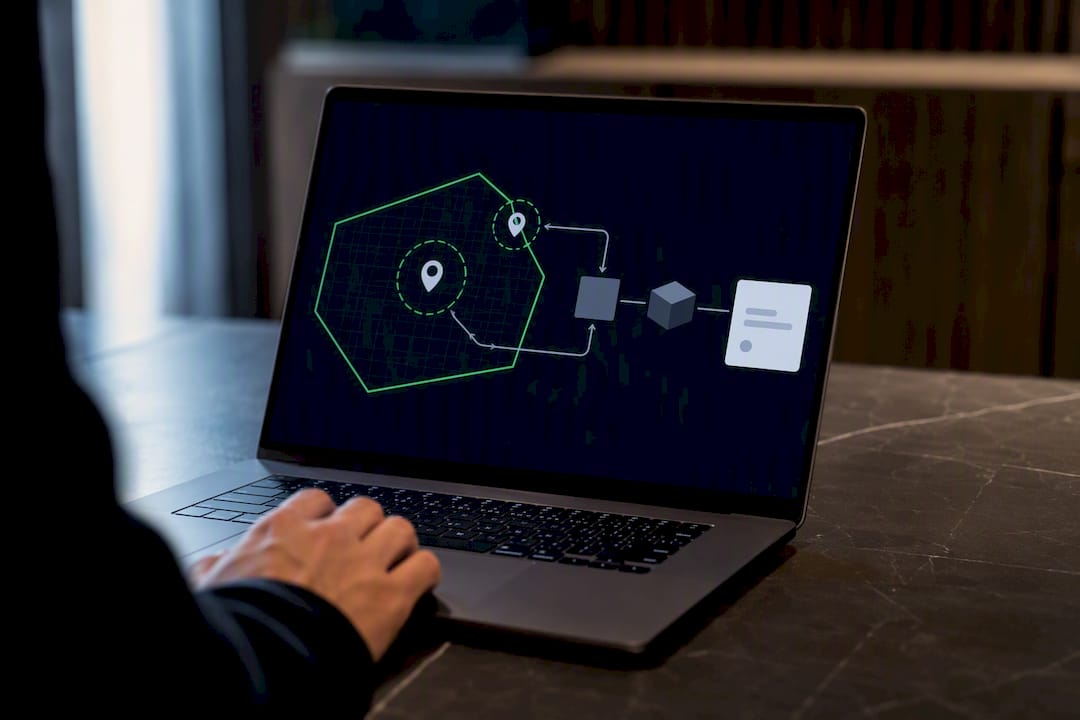
This is also where the on-demand versus continuous distinction matters. On-demand verification captures location only at the moment of a work action, clock-in, clock-out, or a break. Continuous background tracking monitors a device's position throughout the shift. Vendor documentation for GPS time clock systems generally favors the on-demand model because it respects employee privacy and avoids draining battery life.
A complete verified attendance record typically includes:
- Latitude and longitude coordinates
- Horizontal accuracy in meters
- Timestamp down to the second
- Device identifier
- Geofence match result (inside or outside the boundary)
That combination is what turns a simple punch into an audit-ready record, one a payroll manager can defend if a dispute ever reaches HR or a labor board.
What Components Make Up a GPS Verification System?
A working GPS attendance verification system has three layers: the device side, the admin side, and the backend that ties them together.
On the device side, both iOS and Android require explicit location permission from the employee. The app has to request "while using the app" access at minimum, and the request itself should explain why, tied to clocking in, not open-ended tracking. Poorly designed permission flows are one of the top reasons pilots stall: employees deny access when the request feels vague or invasive.
On the admin side, managers need a geofence editor inside the dashboard, a map interface where you draw a circle or polygon around each work site and set its radius. Some implementation modules default to a 100-meter radius as a starting point, with settings exposed for tuning per site.
Behind both sits the backend: a database storing every punch, a live map showing where team members are checking in real time, and export tools that turn raw attendance data into payroll-ready formats. Look for:
- CSV export for manual payroll upload
- API access for direct integration with payroll or HR platforms
- Audit logs showing every check-in with its geofence result
- Optional identity layers: a selfie photo, a QR code fallback, or a PIN for shared devices
That last category matters more than most vendors advertise. A geofence confirms location, not identity. If buddy punching is a real risk at a site, pairing GPS verification with a quick selfie check closes that gap without adding much friction.
What Business Benefits Does GPS Verification Deliver?
The clearest payoff is fraud prevention. Buddy punching, where one employee clocks in for another who hasn't arrived, is nearly impossible when the system requires a matching device location inside the geofence. Remote clock-ins from home while an employee is scheduled on-site get flagged automatically instead of slipping through on the honor system.
Payroll accuracy is the second win, and arguably the bigger one operationally. Industry practitioners point to payroll accuracy as the primary driver behind the shift to automated GPS verification, since verified location data cuts the administrative hours spent chasing down disputed punches every pay period.
Pro Tip: Track disputed hours per pay period before and after rollout. That single number, not adoption rate or app downloads, is the clearest signal of whether GPS verification is paying for itself.
Operational visibility rounds out the case, as seen in The Build’s detailed look at earned value construction which helps managers optimize jobs, crews, and material bids efficiently. A live attendance map lets a multi-site manager see who's checked in where, right now, without calling each location. Late alerts fire automatically when a scheduled shift passes its start time with no valid punch. Per-site reporting shows which locations have the most exceptions, which is often the fastest way to spot a training gap or a site with unreliable GPS reception.
During a pilot, track a short list of metrics:
- Disputed hours per pay period, before and after
- Number of payroll adjustments requiring manual correction
- Percentage of punches flagged for geofence mismatch
- Average time to resolve a flagged punch
How Should You Configure and Roll Out GPS Verification?
Configuration choices made in week one determine whether a pilot succeeds or gets abandoned by week three. A few decisions carry outsized weight.
- Set the geofence radius between 50 and 100 meters as a starting point. Practical guidance from GPS tracking specialists warns that radii under 20 meters generate false negatives from ordinary GPS drift, while radii over 200 meters defeat the purpose of location precision entirely. Start with a moderate radius and adjust per site based on building density and GPS reception.
- Default to on-demand verification, not continuous tracking. Capturing location only at clock-in and clock-out avoids the battery drain and privacy concerns that come with monitoring a device all shift long.
- Present the permission request clearly during onboarding. Tell employees exactly when location is captured (only at clock actions) and why (to confirm work-site presence for payroll accuracy), before they ever see the permission prompt on their phone.
- Build in fallbacks for unreliable GPS. Underground parking, steel warehouses, and rural sites with weak signal all need a backup, typically a QR code posted at the site or a manager-issued PIN, along with offline caching that syncs the punch once connectivity returns.
- Run a two-week pilot before full rollout. Two weeks is long enough to capture a full pay cycle's worth of punches but short enough to course-correct fast if the geofence radius or permission messaging needs adjusting.
Pro Tip: Run your pilot at your worst-reception site first, not your best one. If GPS verification holds up in a basement break room or a rural jobsite, it will hold up everywhere else.
How Do You Stop GPS Spoofing and Fake Locations?
A single GPS ping is easy to fake. Mock-location apps, widely available on Android in particular, let a device report coordinates it isn't actually at, and GPS signals drift naturally by 10 to 20 meters even under good conditions. Any system relying on one reading to approve a punch is trusting data that's unreliable by design.
The fix is layered validation, not a single check. Technical research on location-based attendance systems documents algorithms built specifically to resist this kind of manipulation. In practice, that means:
- Requiring at least two GPS points per check-in rather than one
- Setting an accuracy threshold, commonly under 100 meters, and rejecting readings that exceed it
- Running Haversine distance calculations between reported coordinates and the geofence center
- Flagging devices reporting mock-location settings enabled
- Cross-referencing GPS against Wi-Fi or cellular positioning when available, since spoofing all three simultaneously is far harder than spoofing GPS alone
When a punch gets flagged, it shouldn't auto-reject silently. Route it to a manager for a quick look, most flags turn out to be legitimate GPS drift near a geofence edge, not fraud, and an audit trail of every flag and its resolution protects you if the pattern ever needs a closer look.
What Privacy Rules Should Govern GPS Tracking at Work?
Employees push back on GPS verification when it feels like surveillance. Employees generally accept it when it's scoped tightly and explained clearly. The difference comes down to policy, not technology.
Capture location only at clock-in and clock-out, and retain only what payroll and compliance genuinely require, a principle sometimes called purpose limitation. Continuous tracking of personal time, weekends, or breaks invites both morale problems and unnecessary legal exposure.
Put the policy in writing before rollout, covering:
- What data is captured and when (clock actions only, not continuous tracking)
- How long records are retained and who can access them
- Whether the employee consents as a condition of using the app
- How a flagged or disputed punch gets resolved
Rules on employee location tracking vary by state, and some jurisdictions have specific consent or disclosure requirements. Loop in HR or legal counsel before finalizing your policy rather than after a complaint arrives. During onboarding, walk new hires through the policy directly rather than burying it in a handbook page nobody reads. A six-step policy framework for GPS tracking can help structure that conversation for a US-based team.
What Does a Two-Week GPS Attendance Pilot Look Like?
A pilot succeeds or fails based on how tightly it's scoped. Before you turn anything on, define what success looks like: fewer disputed hours, faster payroll close, or fewer manual corrections. Pick two or three sites, ideally one with strong GPS reception and one with a known challenge, and set your geofence radius at each based on the guidance above.
- Week one: Enable on-demand verification at clock-in and clock-out only. Set validation rules requiring at least two GPS points per punch, an accuracy threshold under 100 meters, and a Haversine distance check against each geofence.
- Week two: Review flagged punches daily. Adjust any geofence that's generating repeated false negatives before it erodes trust in the system.
- Close of pilot: Export payroll-ready hours and compare the disputed-hours count against your pre-pilot baseline.
Build a simple manager approval workflow for exceptions from day one. A punch flagged for low accuracy or a borderline geofence match shouldn't block payroll, it should route to a manager who can approve it with one tap after a quick look at the map.
Pro Tip: Document every exception approval during the pilot, even the obvious ones. That log becomes your policy's proof of consistent, fair enforcement if anyone ever questions how a decision was made.
Heyhive's approach to this is built around exactly this philosophy: GPS-verified clock-ins for field employees, manager approval before anything gets published to payroll, and policy templates that keep the rollout from feeling improvised.
Verification Should Prove Presence, Not Police People
GPS attendance verification works best when it's treated as a narrow, purposeful tool: confirm someone was at the right place at the right moment, then get out of the way. The moment it expands into constant tracking, it stops solving a payroll problem and starts creating a trust problem.
The strongest setups pair this kind of moment-based verification with AI-driven scheduling, so the system already knows who's supposed to be where and flags only genuine mismatches instead of generating noise. That combination cuts administrative overhead without turning a time clock into a surveillance tool. Managers who keep retention short, scope capture to clock actions, and stay transparent about what's collected keep the accountability benefits without the morale cost. The technology is only as good as the restraint built around it.
— Heyhive
Get GPS-Verified Attendance Without the Surveillance Overhead
If you've read this far, you already know the hard part isn't picking a geofence radius, it's finding a system that verifies location without turning into an all-day tracking tool your team resents. Heyhive built its GPS Time Clock around exactly that constraint: location is captured only at clock-in and clock-out, never continuously, and every punch feeds directly into payroll-ready hours instead of a spreadsheet someone has to clean up later.

The platform pairs GPS-verified clock-ins with manager approval workflows, so flagged punches route to you instead of auto-rejecting or auto-approving on their own. Field Ops Check-In extends that same on-demand verification to multi-site and mobile crews, while AI Scheduling means the system already knows who's supposed to be where, cutting down on the false flags that come from guessing. If your team runs hourly, field, or distributed shifts, start a pilot with Heyhive and see how quickly disputed hours drop once every punch comes with a verified location attached.
Sources
Technical grounding for geofencing and multi-point validation comes from IEEE research on location-based attendance systems and practitioner implementation modules like the Odoo live employee tracker. For rollout planning, Heyhive's geofencing time tracking guide and attendance tracking guide cover configuration and policy in more depth.
- Tracking trust: how GPS monitoring transforms employee accountability without micromanaging
- GPS-Enabled Attendance Tracking System: A Location-Based Approach for Enhanced Accuracy and Security
- Live Employee tracker | Odoo Apps Store
FAQ
How Can Employees Fake a GPS Location?
Mock-location apps and developer settings, mostly on Android, let a device report false coordinates. Systems that require multiple GPS points, check accuracy thresholds, and cross-reference Wi-Fi or cellular data catch most spoofing attempts a single-ping system would miss.
What Is GPS Attendance?
GPS attendance verification uses a smartphone's location data to confirm an employee is inside a defined work perimeter, called a geofence, when they clock in or out. It creates a timestamped, location-validated record instead of relying on manual sign-in sheets.
What's the Best App for Verifying Attendance?
The right choice depends on whether you need standalone time tracking or a full workforce platform. Heyhive combines GPS-verified clock-ins with AI scheduling and payroll-ready exports in one system, which suits managers who want verification tied directly to scheduling and payroll rather than a separate tool.
Is GPS Attendance Tracking Legally Required?
No federal law requires GPS attendance tracking, but employers are legally required to keep accurate time records for hourly employees. Rules on employee location tracking and consent vary by state, so review your policy with HR or legal counsel before rollout.