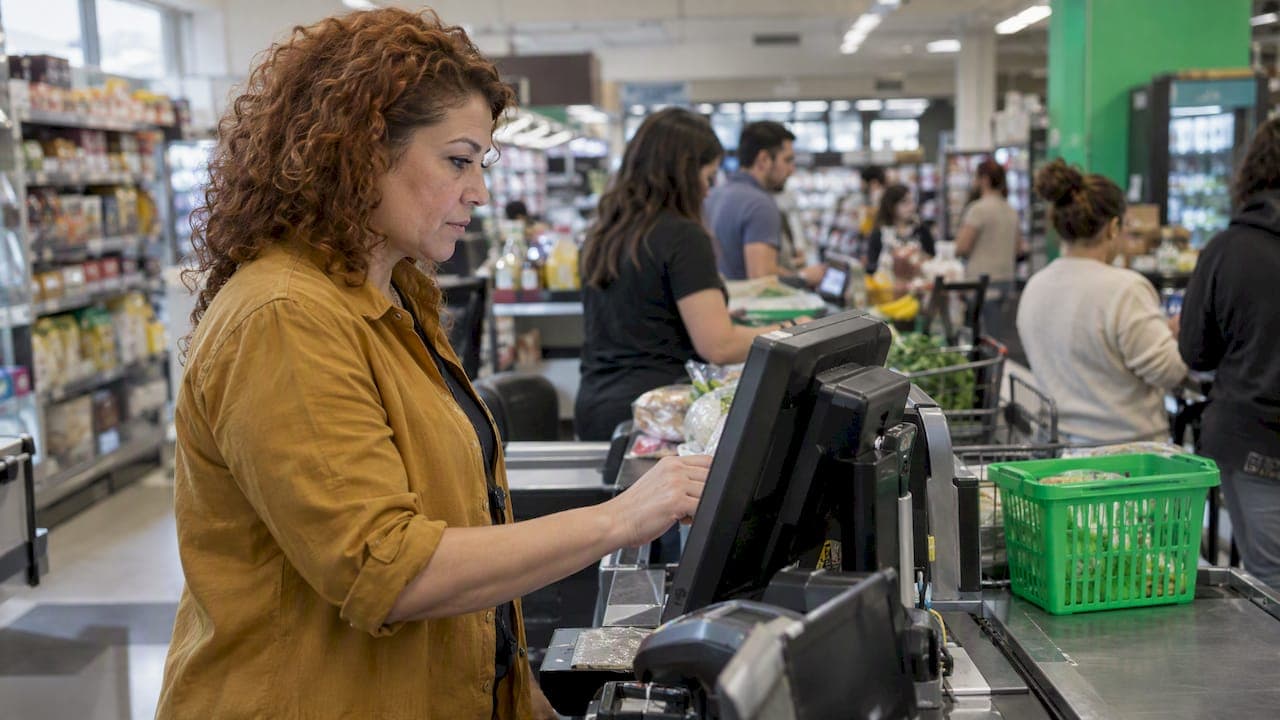
Retail labor forecasting is the practice of predicting how many labor hours your store needs in each part of the day, then turning that number into a schedule. You start with demand (sales, transactions, foot traffic), convert it into workload, and only then assign people. Do it well and you stop paying for empty hours on a quiet Tuesday and stop running short on a busy Saturday afternoon.
This guide walks through the inputs, a simple method any store manager can run, a worked example, and the legal and human factors that a spreadsheet alone will miss.
TL;DR
- Forecast demand first, labor second: predict sales or transactions by hour, then convert to labor hours using a standard for your store.
- Use at least a year of history where you have it, and layer on known events: promotions, holidays, weather, local happenings.
- Pair the numbers with manager judgment. The best forecast combines data with what you know about your street, your team and your customers.
- In cities with Fair Workweek laws, a bad forecast can trigger premium pay for schedule changes, so accuracy is also a compliance tool.
- Review forecast versus actual every week and adjust. A forecast is a living number, not a one-time setup.
Table of Contents
- What retail labor forecasting actually is
- The inputs that drive a good forecast
- A step-by-step method you can run this week
- A worked example
- Where data stops and judgment starts
- Why forecasting is also a compliance tool
- Common forecasting mistakes
- Choosing a forecasting approach
- Our perspective: forecasts should end in a schedule you approve
- Put your forecast to work with Heyhive
- Frequently asked questions
- Sources
What retail labor forecasting actually is
A forecast answers one question: how much work will walk through the door, and how many hours does it take to handle it? Scheduling comes after. Many stores skip the first step and copy last week's schedule, which quietly bakes last week's mistakes into this week.
The stakes are real because retail is a huge, labor-heavy sector. The Bureau of Labor Statistics reports that retail trade employed about 16.1 million people in 2025, and productivity moved very differently between sub-sectors. Jewelry, luggage and leather goods stores saw labor productivity fall 11.6%, while electronics and appliance stores gained 6.8%. The lesson is not to memorize those figures. It is that a rule of thumb from one kind of store rarely transfers to another, so your forecast should be built on your own store's data.
A store also does not have a constant level of work through the day. As Ariadne's retail scheduling guide puts it, a Tuesday morning and a Saturday afternoon are different shops with different problems. One has a delivery to put out and a few customers. The other has queues, fitting rooms and questions. Forecasting is how you staff each of those shops on purpose.

The inputs that drive a good forecast
You do not need a data science team. You need a handful of reliable inputs, collected consistently.
Historical demand
Pull sales and transaction counts by hour (or by 15-minute block if your point-of-sale system allows) for the past 12 months, and for two years if you have them. Year-over-year comparisons show seasonality that a single quarter hides. Transaction counts are often more useful than dollars, because a day with a few large sales needs fewer hands than a day with many small ones.
Foot traffic and conversion
If you have a door counter, you can compare visitors with transactions. A drop in conversion at certain hours often means you are understaffed on the floor, not that demand is weak. Without a counter, transactions per hour is a workable stand-in.
Known events
List everything that shifts demand and is known in advance:
- Promotions, sales and product launches
- Holidays and the days around them
- Paydays, school calendars and local events
- Weather patterns that reliably affect your location
- Truck deliveries and planned inventory work
Workload that is not customer-driven
Receiving, restocking, cleaning, price changes and cash handling take hours that no sales number predicts. Estimate them separately and place them in the slow periods.
Labor standards
A labor standard turns demand into hours. A common starting metric is sales per labor hour: total store sales divided by total labor hours worked. Comparing it across stores helps flag locations that look over- or understaffed, and dividing labor hours by customer visits adds a second view. Treat these as benchmarks to refine, not targets to chase blindly.
A step-by-step method you can run this week
- Collect 12 months of hourly data. Sales, transactions and, if available, traffic. Clean out days when you were closed or had unusual disruptions.
- Find the baseline pattern. Average each hour of each weekday. This gives you a typical Monday 10:00, Saturday 15:00 and so on.
- Adjust for trend. If the store is growing or shrinking compared with last year, scale the baseline up or down by that percentage.
- Layer on events. Add or subtract for promotions, holidays and local happenings. Use how similar events performed in the past, not a guess.
- Convert demand to labor hours. Apply your labor standard: the number of transactions one associate can handle per hour, plus minimum coverage for safety and service.
- Add non-selling work. Place restocking, receiving and cleaning in low-demand blocks.
- Check against budget. Compare total forecast hours with your labor budget. If they clash, decide deliberately which service levels to trim.
- Build the schedule from the forecast. Match skills, availability and certifications to the hours you need.
- Compare forecast with actual every week. Note where you missed, and why.
For a deeper look at the two-stage approach (forecast demand, then schedule to it), see our guide to demand based scheduling.
A worked example
The numbers below are hypothetical and meant only to show the arithmetic.
Say a small apparel store averages 30 transactions between 2:00 and 3:00 p.m. on Saturdays. Last year's trend suggests traffic is up 10% this year, and a weekend promotion has historically added another 15% on promotion days.
- Baseline: 30 transactions
- Trend adjustment: 30 × 1.10 = 33
- Promotion adjustment: 33 × 1.15 = 37.95, or about 38 transactions
If one associate can comfortably serve 12 transactions an hour while also helping on the floor, you need 38 ÷ 12 ≈ 3.2 associates. You would schedule three, plus a fourth for a shorter overlap window, and make sure the fitting room is covered. Compare that with the Tuesday 10:00 hour, where 8 expected transactions need one person on the floor and one on the delivery, and the difference between the two shops becomes obvious.
The point is not the exact ratio. It is that the schedule is now an answer to a question, instead of a habit.
Where data stops and judgment starts
Quantitative models are powerful, but they must be complemented by qualitative inputs. Shopify's demand forecasting guide makes the distinction between the two approaches: historical data and regression on one side, manager experience, local events and team feedback on the other.
Here is what that looks like on the floor:
- You know the street festival always drives a morning rush, even if last year's data was thin.
- A nearby office relocation will quietly cut lunchtime traffic starting next month.
- Your team tells you customers keep asking for a product that is perpetually out of stock, which will spike demand when it arrives.
No algorithm sees these signals until they show up in the numbers, by which point you have already staffed wrong. Treat the model's output as a first draft and let the manager edit it.
Technology also changes the work itself. If you add self-service tools such as a retail chatbot for routine customer questions, the mix of in-person versus online inquiries shifts, and your labor standards should shift with it. Revisit them whenever you change how customers get help.
Why forecasting is also a compliance tool
In several US cities and states, predictive scheduling or Fair Workweek laws require employers to publish schedules in advance and pay a premium for late changes. As SHRM explains, these laws generally apply to larger businesses and aim to give workers more predictable hours and income. Employers may owe extra pay for last-minute changes or for "clopenings," shifts with too little rest between them, and enforcement intensity varies by jurisdiction.
That makes forecast errors expensive. If you under-forecast and add shifts at the last minute, or over-forecast and cut them, you may pay for it directly.
The broader picture is less alarming than many employers fear. A 2026 study of more than 87,000 hourly workers at 217 large employers, summarized by SHRM, found these rules raised the share of workers receiving at least two weeks' notice by 13 percentage points, with little evidence that employers cut pay or benefits to compensate. Stable schedules and good forecasts go together.
Rules differ by city and by employer size, so check the law where each store operates. Our guides on Fair Workweek laws, advance notice schedules and the 2026 compliance playbook cover the details. For legal questions about your specific locations, talk to an employment attorney or your state or city labor agency.

Common forecasting mistakes
Forecasting from the old schedule
Last week's schedule reflects last week's constraints, not demand. Always forecast from sales and transactions.
Averaging away the peaks
A daily average hides the lunch rush and the after-work surge. Forecast by hour, or at least by daypart.
Ignoring non-selling work
Stores that forecast only customer-facing hours end up with associates restocking during peak traffic.
Treating every store the same
One chain, many micro-markets. A mall store, a street store and an outlet location follow different rhythms. If you manage multiple locations, keep a separate forecast for each. McKinsey's research on store operations identifies labor scheduling and budgeting as a major opportunity, precisely because of the complexity of doing it across many stores.
Never closing the loop
If you do not compare forecast with actual, you cannot improve. Spend ten minutes each week on the biggest misses and ask what you knew, or could have known, ahead of time.
Choosing a forecasting approach
There is a ladder of options, and you can start on the lowest rung.
| Approach | Best for | Limits |
|---|---|---|
| Spreadsheet with hourly averages | Single stores, stable demand | Manual, slow to update, easy to break |
| Rules-based forecast with event adjustments | Stores with clear promotions and seasons | Depends on the manager remembering to update it |
| AI-assisted forecast tied to scheduling | Multi-location or fast-changing demand | Needs clean data and a manager who reviews the output |
Our article on labor forecasting models explains how to pick among them, and the retail scheduling guide shows how to turn the result into hourly shifts. If you are still building schedules by hand, a retail schedule template is a reasonable bridge.
Our perspective: forecasts should end in a schedule you approve
We build Heyhive because we see the same pattern in shift-driven businesses: a forecast gets made in one place, a schedule in another, hours get tracked in a third, and the lessons never travel back. Each gap costs time and accuracy.
Our view is simple:
- Forecasting and scheduling belong together. A prediction that does not become a schedule is a report. A schedule that does not start from a prediction is a guess.
- AI should do the heavy lifting, and you should hold the pen. Heyhive generates a full week of shifts in seconds while respecting availability, certifications and overtime limits. You review and approve before anything is published.
- Actuals are the best training data. Verified clock-ins and attendance tracking show what really happened, so next week's forecast starts from fact.
- Managers know things the data does not. Local events, team feedback and your own instincts should always be able to override the model.
The goal is not to remove judgment from scheduling. It is to give you more time to use it.
— Heyhive
Put your forecast to work with Heyhive
If you want forecasting and scheduling in one place, Heyhive combines sales and labor forecasting with AI scheduling, a GPS-verified time clock, team messaging, shift swapping and payroll-ready hours export. You approve every schedule before it goes out, and you can adjust on the fly when the day does not go to plan. You can start with a free trial and see how your own week would look.
If you are comparing tools first, see our roundup of the best retail scheduling software. Planning for the busiest weeks of the year? Our retail holiday scheduling guide covers that, and our piece on four retail scheduling strategies covers cutting labor costs while keeping staff.
Frequently asked questions
What is the difference between labor forecasting and scheduling?
Forecasting predicts how many labor hours you will need, based on expected demand. Scheduling assigns specific people to specific shifts to cover those hours. Doing them in order, forecast first, keeps the schedule tied to real demand.
How far ahead should a retail store forecast?
Most stores need two horizons: a rolling view of several weeks for budgeting and hiring, and a detailed weekly forecast that feeds the schedule. If you operate where predictive scheduling laws apply, the notice period in your local rules sets how early the detailed forecast must be ready. Many such laws use a 14-day window, but check your own jurisdiction.
How much history do I need?
Twelve months is a practical minimum because it captures seasons and holidays, and two years lets you compare year over year. New stores can borrow patterns from similar locations and update quickly as their own data builds.
What metric should I forecast: sales or transactions?
Transactions are usually the better driver of labor, because workload follows the number of customers served more than the dollar total. Track both, and use sales per labor hour as a check on productivity.
Can AI replace the manager's judgment in forecasting?
No, and it should not. AI is good at crunching history and generating a first draft fast. A manager knows about the festival down the street, the staff member leaving next month and the product that is about to sell out, and should have the final say before a schedule is published.
Sources
- BLS: Recent labor productivity, unit labor costs, and related data, 2025
- SHRM: What Employers Should Know About Predictive Scheduling Laws
- SHRM: Study Finds Fair Workweek Laws Improve Schedule Predictability
- Shopify: Demand Forecasting: Methods and Retail Examples
- Umbrex: Store Labor Productivity Analysis
- Ariadne: Demand Based Scheduling in Retail
- McKinsey: Smarter schedules, better budgets