
Yes: employers should adopt a written GPS time tracking policy that names scope, permitted uses, notice and acknowledgment, retention, access controls, and payroll handling. A written policy isn't just best practice — several states require it by statute before you can lawfully monitor employees. The essentials fit in one sentence: define what devices you track, why, what data you keep and for how long, who can see it, and how it feeds payroll. Skip ahead to the template below and start filling in the blanks.
TL;DR:
- GPS tracking should be limited to data directly supporting specific business needs like attendance verification or mileage reimbursement, not continuous real-time monitoring.
- State laws often require prior written notice and signed acknowledgment before GPS monitoring, especially for personal vehicles or non-company devices.
- Data retention should be based on the purpose of collection, with sensitive information like location data protected through access controls and timely deletion.
- A clear, plain-language policy covering scope, permitted uses, and data handling reduces legal risk and builds employee trust.
- Using manager approval before payroll and conducting pilot programs help ensure compliance, gather employee feedback, and prevent disputes.
Table of Contents
- GPS Time Tracking Policy Template You Can Adapt Today
- When Does GPS Tracking Actually Make Sense?
- What Do Federal and State Laws Require?
- How Do You Roll Out a GPS Tracking Policy?
- How Long Should You Keep GPS and Time Data?
- How Heyhive Supports a Compliant GPS Policy
- What Principle Should Guide Every GPS Policy?
- Try a GPS Time Tracking Pilot With Heyhive
- Sources
- FAQ
GPS Time Tracking Policy Template You Can Adapt Today
A GPS time tracking policy works best as a short, plain-language document your legal counsel reviews before it reaches employees. Structure it around five clauses.
- Header and purpose. State the business reason for tracking (attendance verification, dispatching, safety, mileage substantiation) and cite the legal basis, including any state notice statute that applies to your workforce.
- Scope. Specify which vehicles and devices are covered — company-owned vehicles, company-issued phones, or personal devices under a bring-your-own-device arrangement — and which roles fall under the policy. Field technicians and delivery drivers usually need different language than office staff who occasionally travel.
- Permitted uses. List exactly what the data supports: dispatch routing, clock-in verification, safety compliance, theft recovery, or mileage reimbursement. Anything outside that list is off-limits by default.
- Work hours and off-hours handling. Clarify whether tracking runs only during scheduled shifts or continuously, and describe any geofencing or privacy mode that suspends location capture after clock-out. Add a tamper clause covering disabled or spoofed GPS signals.
- Data, retention, and appeals. Name what's collected (location pings, timestamps, mileage), how long you keep it, who can access it, and how an employee disputes a flagged discrepancy. Close with a signature block for acknowledgment.
A written GPS tracking policy that spells out these five clauses gives you a real defense if a wage dispute or privacy complaint ever lands on your desk.
When Does GPS Tracking Actually Make Sense?
GPS tracking earns its place when it answers a specific business question. Billing clients by job site, verifying attendance for remote crews, protecting expensive equipment, or substantiating mileage reimbursements are all legitimate, measurable reasons to track location.
The model you choose should match the need, not exceed it:
- Geofence-only tracking confirms an employee arrived at a job site or client location without logging continuous movement. This fits retail, healthcare visits, and single-site attendance verification.
- Clock-in GPS captures a location stamp only at punch-in and punch-out, similar to how Heyhive's GPS Time Clock verifies attendance for field teams. This is the right default for most hourly and multi-site staff.
- Continuous telematics tracks movement throughout a shift and belongs in delivery, long-haul trucking, or fleet operations where route efficiency and safety are the point.
If none of your business reasons require real-time location during the workday, don't turn on continuous tracking. It adds legal exposure without adding value.
What Do Federal and State Laws Require?
Federal law doesn't regulate GPS tracking directly, but it does set the recordkeeping floor your policy has to satisfy. The Department of Labor requires payroll records to be kept for at least three years and time records for at least two, and every record has to be complete and accurate. GPS.gov notes that location tracking raises privacy questions that federal law leaves largely to the states, which is where your real compliance work happens.
Statistic Callout: Payroll records must be retained for at least several years and time records for a shorter period under FLSA recordkeeping rules.
State notice statutes vary sharply. California's Penal Code §637.7, Connecticut's §31-48d, New York's Civil Rights Law §52-c, and Delaware's 19 Del. C. §705 all require some form of prior notice before electronic monitoring. If you operate in any of these states, written notice and signed acknowledgment aren't optional extras. They're the compliance baseline.
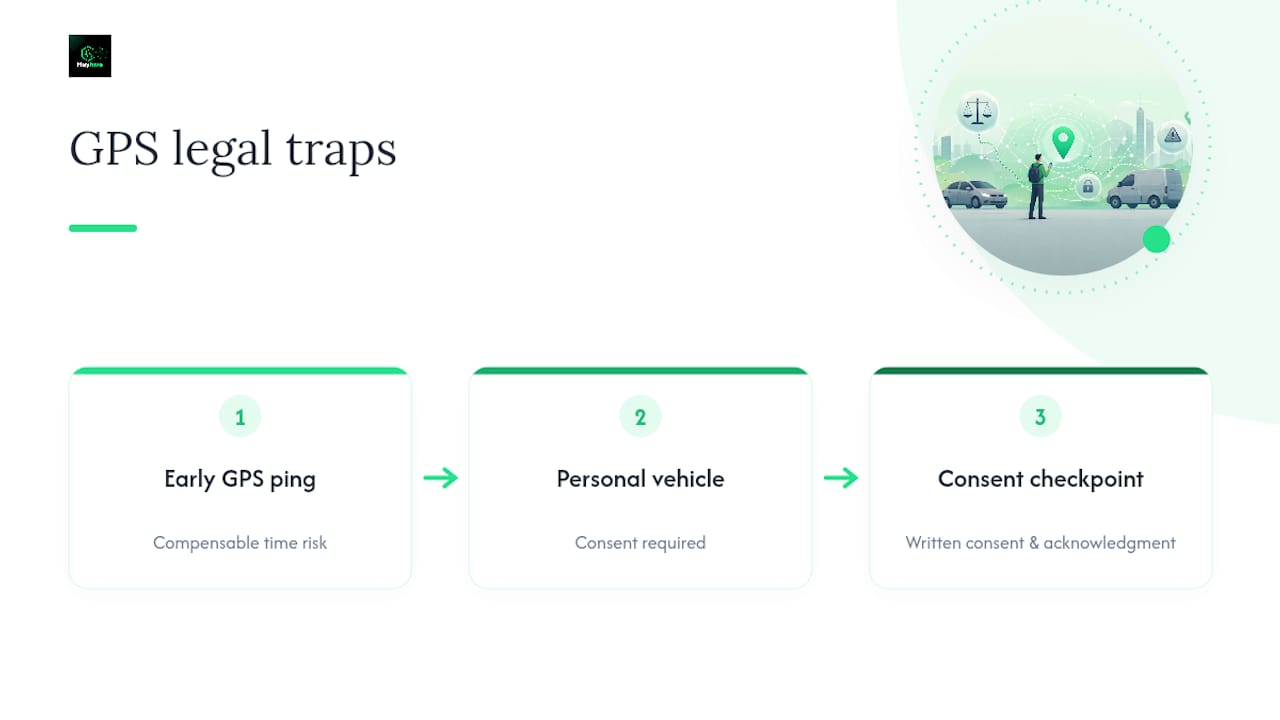
Two practical traps deserve attention. First, GPS timestamps can create compensable time you didn't intend to pay for — if a device pings before an employee formally clocks in, that gap can trigger an FLSA claim. Second, tracking any vehicle you don't own or lease without consent risks criminal exposure in many states, since tracking someone else's property without consent falls under stalking or device statutes in a growing number of jurisdictions. Never extend a company policy to an employee's personal vehicle without a separate, explicit consent process.
How Do You Roll Out a GPS Tracking Policy?
A phased rollout protects you legally and keeps employee trust intact. Follow this sequence:
- Draft with counsel. Write the policy using the template above, then have employment counsel confirm it satisfies your state's notice statute.
- Define scope and settings. Decide which devices, roles, and hours are covered, and configure geofencing or privacy mode accordingly.
- Set vendor contract minimums. Require encryption, audit logs, and breach notification commitments in writing before signing with any tracking vendor.
- Run a two-week pilot. Notify the pilot group in advance, limit data review to a small group of managers, and collect feedback before a full rollout.
- Collect signed acknowledgment. No employee should be tracked before they've signed off on the policy.
- Route approvals before payroll. Managers should review flagged discrepancies before GPS data becomes final payroll hours.
- Audit quarterly. Check for off-the-clock tracking issues, rounding errors, and outdated device lists every quarter.
Pro Tip: Run your pilot with the same two managers who'll own the full rollout — they'll spot friction points a policy document never reveals, and their buy-in carries weight when you present results to the rest of the team. Heyhive's own two-week pilot playbook follows this exact sequence for field teams.
How Long Should You Keep GPS and Time Data?
Retention should match the reason you collected the data in the first place, not a single blanket rule. Payroll and timekeeping records follow the DOL's three-year and two-year minimums. Mileage data kept for reimbursement or tax substantiation should follow IRS recordkeeping expectations for expense documentation. Data collected purely for theft or asset recovery can be purged faster once the asset is confirmed safe.
- Assign role-based access so only payroll, HR, and direct managers can view raw location data.
- Require multi-factor authentication and encryption at rest and in transit from any vendor.
- Keep audit logs of who accessed tracking data and when.
- Set an automatic deletion schedule, with a documented litigation-hold process that pauses deletion when a dispute is active.
Role-based access and contractual vendor safeguards reduce your exposure if data ever becomes part of a legal discovery request.
How Heyhive Supports a Compliant GPS Policy
A GPS time clock solution can verify arrival and departure at job sites and route those hours to a manager for approval before they touch payroll. That approval step matters: it gives you a documented human checkpoint, not just a raw data feed.
- GPS-verified clock-ins can confirm attendance without requiring continuous location tracking.
- Manager approvals can be configured to happen before hours become final payroll records.
- Exporting payroll-ready hours can reduce the manual reconciliation step for HR teams.
If you're building a pilot, Heyhive's six-step policy framework and geofence setup guidance are worth reading alongside your own draft.
What Principle Should Guide Every GPS Policy?
The employers who get this right collect the least data necessary, name every permitted use in writing, and let employees see exactly what's tracked and why. Plain language and a signed acknowledgment do more for trust than any privacy disclaimer buried in fine print. Review the policy every time your state's laws or your tracking technology changes — not once and never again.
— Heyhive
Try a GPS Time Tracking Pilot With Heyhive
If you're ready to move from policy draft to practice, Certain workforce platforms provide field and multi-site teams GPS-verified clock-ins to reduce the manual guesswork of paper timesheets or spreadsheet reconciliation.

Every clock-in ties to a verified location, every shift routes through manager approval before payroll, and every approved hour exports in a payroll-ready format. That combination — verification plus human sign-off — is what makes a pilot easy to explain to your team and easy to defend if questions come up later. Heyhive's Workforce OS brings scheduling, attendance, and payroll-ready hours into one place, so your GPS policy doesn't live in a separate system from the rest of your workforce data. Start a two-week pilot with one team, document the results, and decide from there whether to expand. Visit Heyhive to see how GPS-verified clock-ins fit into your existing payroll process.
This article is general information, not a substitute for advice from a qualified lawyer. Consult a qualified legal professional about your own circumstances before acting on anything here.
Sources
- Recordkeeping requirements under the Fair Labor Standards Act (FLSA) | U.S. Department of Labor
- Gps
- GPS Tracking Laws by State: Is it legal to put a tracker on a car? | Recording Law
- Employee GPS Tracking Policy: Rules and Legal Limits - LegalClarity
FAQ
Is It Illegal to GPS Track an Employee?
Tracking a company-owned vehicle or device is legal in all 50 states, but several states require prior written notice before you monitor employees electronically. Tracking a personal vehicle without consent can trigger criminal stalking or device statutes in many states, so scope your policy to company property only.
Who Is Responsible for Tracking Employee Hours?
Employers are responsible for maintaining accurate time records, regardless of which tool or method they use. The DOL requires time records to be kept for at least two years and payroll records for at least three, and those records must be complete and accurate.
Can You Avoid Paying Someone Who Didn't Clock In?
Generally no — if an employer knew or should have known an employee worked, that time is compensable under the FLSA even without a clock-in record. GPS data that shows an employee on-site during work hours can actually create evidence of compensable time your payroll system missed.
What Is the 7-Minute Rounding Rule?
The 7-minute rule allows employers to round time punches to the nearest quarter hour, as long as punches under 7 minutes round down and punches of 7 minutes or more round up. GPS-based clock-ins can complicate this if location pings and manual punches disagree, which is why a manager approval step before payroll matters.
Does Heyhive's GPS Time Clock Replace a Written Policy?
No. Heyhive's GPS Time Clock verifies clock-in location and routes hours through manager approval, but you still need a written policy covering scope, notice, retention, and permitted uses. The tool supports the policy; it doesn't substitute for the legal documentation your state may require.