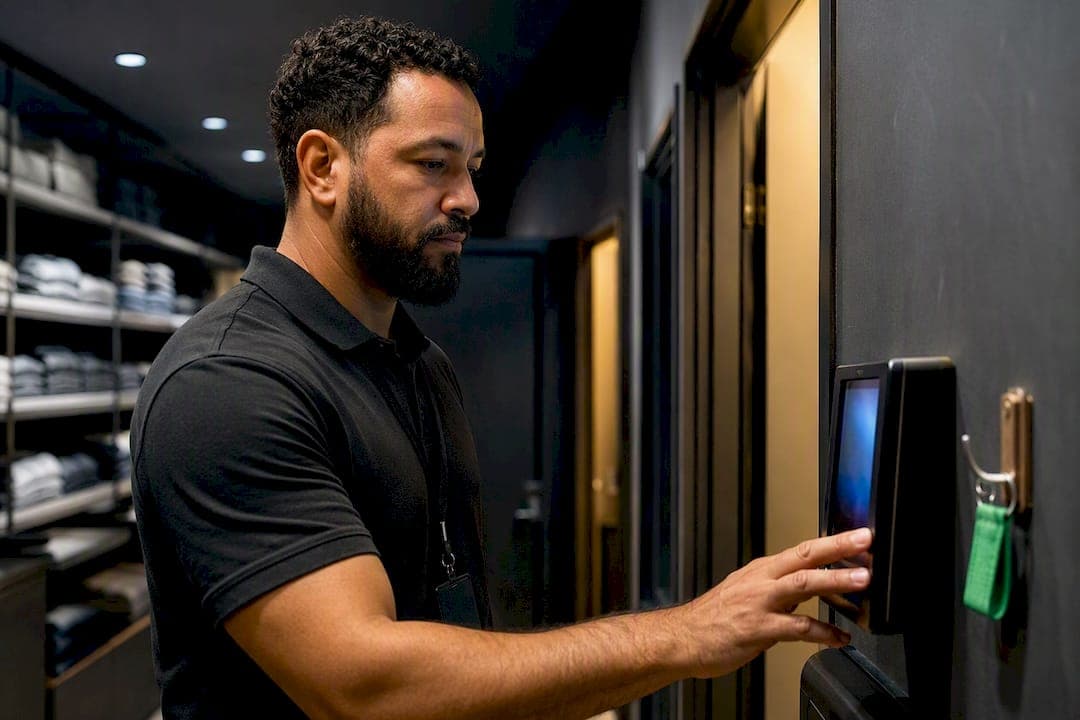
Use a time clock for straightforward hourly attendance, timesheets (or live time tracking that generates timesheets) when you need to allocate hours to projects, clients, or grants, and both together when your workforce mixes those patterns. A single platform that captures punches and rolls them into approvable timesheet exports keeps you from making employees clock in twice.
TL;DR:
- Time clocks are most accurate for payroll attendance tracking but cannot allocate hours to specific projects or clients.
- Timesheets provide detailed work allocation data necessary for billing and profitability analysis but require manual entry and are prone to rounding errors.
- Live time tracking solutions combine real-time data capture with automatic project and client allocation, reducing double entry and administrative overhead.
- Automated capture systems can save organizations between 1% and 8% of payroll annually by minimizing errors, corrections, and reconciliation time.
- The ideal platform integrates scheduling, GPS verification, and payroll-ready exports, especially for mixed workforces, to streamline operations and ensure compliance.
Table of Contents
- Timesheets vs Time Clock: What Each Method Actually Records
- Timesheets vs Time Clock: Weighing Accuracy, Overhead, and Fraud Risk
- How to Choose Time Tracking Based on Your Workforce Pattern
- What Payroll and Compliance Actually Require
- Rolling Out Time Tracking Without Creating Double Entry
- How Integrated Platforms Solve Both Problems at Once
- Treat Time Data as an Operational Asset, Not Just a Payroll Chore
- See How Heyhive Handles Both Sides of This Decision
- Sources
- FAQ
Timesheets vs Time Clock: What Each Method Actually Records
The confusion between these terms almost always comes down to granularity and purpose, not technology. A time clock captures a start and stop event. That can happen at a shared kiosk on a wall, through a mobile app with GPS verification, or with a biometric scanner. It answers one question: was this person on the clock, and for how long?
A timesheet answers a different question. It allocates hours worked to a client, project, or cost code, usually summarized over a day or week. Timesheets exist because payroll needs total hours, but billing, grant compliance, and profitability analysis need to know where those hours went.
Time tracking sits between the two. It captures work in real time, often at the task level, and can auto-generate the same summary a timesheet would show. A good time tracking tool produces both outputs from one entry, which is the whole point of using live tracking instead of retrospective logging.
Here's how the three break down in practice:
- Time clock: real-time punch, minimal detail, built for attendance and hourly payroll.
- Timesheet: retrospective or rolled-up summary, allocates hours to cost centers, built for billing and reporting.
- Time tracking: live per-task capture, feeds both attendance records and timesheet rollups automatically.
Fixed-site hourly staff mostly need the first. Agencies, contractors, and grant-funded teams need the second. Anyone who wants both without double entry needs the third.
Timesheets vs Time Clock: Weighing Accuracy, Overhead, and Fraud Risk
Time clocks win on accuracy for a simple reason: the record is created the moment work starts or stops, so there's no memory involved. That matters more than it sounds. Retrospective time entry introduces measurable rounding bias, and employees who back-fill a weekly timesheet from memory tend to round their hours up, not down. It's rarely intentional. It's just how memory works under uncertainty.
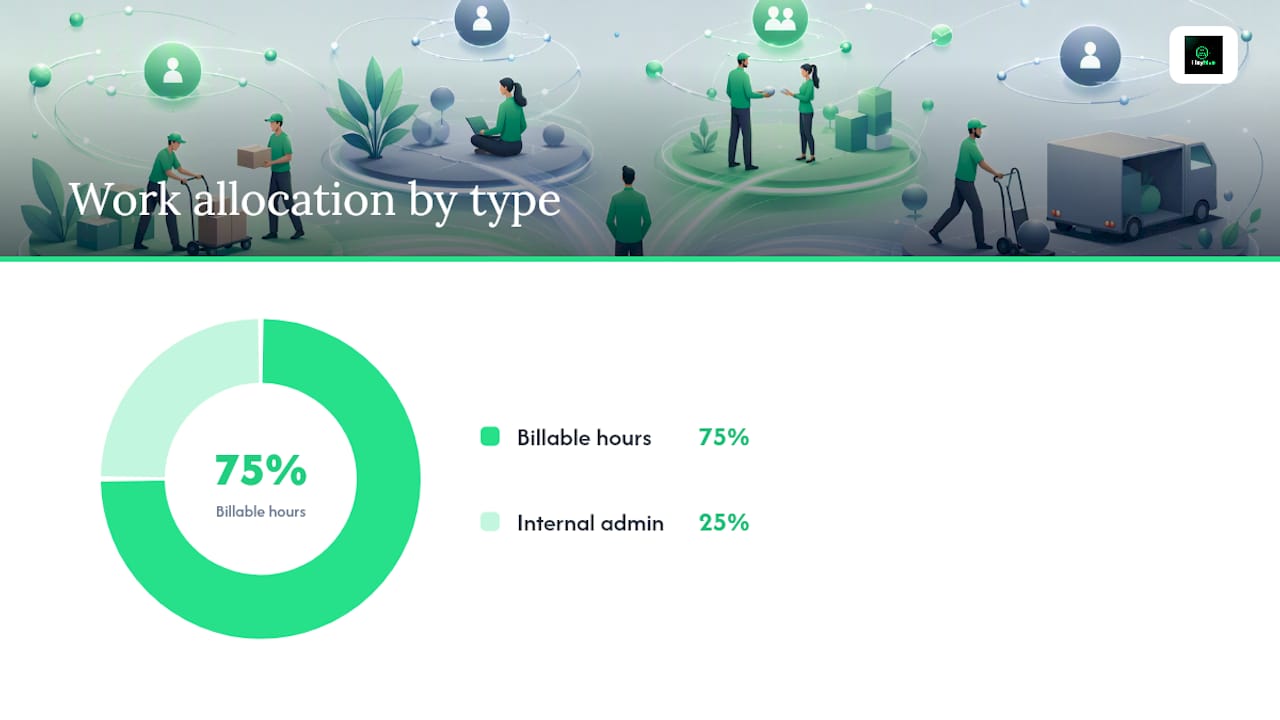
Timesheets and time tracking win on a different axis: they tell you where the labor actually went. A time clock can confirm someone worked eight hours. Only a timesheet or tracking system can tell you that six of those hours were billable to a specific client and two were internal admin, which is the data project-based and client-billing operations actually need to stay profitable.
Pros and cons at a glance:
- Time clocks: highly accurate for attendance, simple for staff to use, but blind to project allocation.
- Timesheets: rich allocation data for billing and profitability, but higher administrative load when entry is manual and retroactive.
- Live time tracking: combines both, but requires buy-in to adopt a new daily habit instead of a weekly catch-up.
The most common pitfall isn't picking the wrong tool. It's running two disconnected workflows, a clock for payroll and a separate spreadsheet for billing, which forces double entry and guarantees the two records eventually disagree.
The ROI case is concrete. Manual timekeeping errors, rounding, missed punches, and forgotten entries, can cost employers between 1% and 8% of total payroll annually. Automating capture closes that gap fast: many organizations that switch to automated timekeeping see positive ROI within about 90 days, largely from fewer payroll corrections and hours of admin time recovered every pay period.
How to Choose Time Tracking Based on Your Workforce Pattern
The right method depends less on company size and more on how your team physically works. Retail counters, restaurant kitchens, and warehouses run on fixed schedules at a fixed address, which is exactly what a shared kiosk or wall-mounted terminal was built for. Field crews, delivery drivers, and home-service technicians move between job sites, so mobile punch with GPS verification fits better than a stationary clock they'll never stand near. Agencies, consultancies, and grant-funded programs bill or report by project, which makes timesheets or task-level tracking close to mandatory.
- Fixed-site hourly teams: install a shared kiosk or badge system at the location; skip project allocation entirely unless billing requires it.
- Mobile or field teams: use GPS-verified mobile punches so arrival and departure at each job site are logged automatically, not self-reported.
- Project-based or salaried teams: use timesheets or live time tracking with cost-code mapping so hours land against the right client or grant.
- Mixed workforce: pick one platform that supports multiple capture modes and centralizes approvals, rather than running a clock system and a timesheet spreadsheet side by side.
Before rolling anything out, confirm the platform actually supports GPS punches, a shared kiosk mode, task timers, and cost-code mapping. Missing even one of those forces a workaround, and workarounds are where double entry creeps back in. As DATABASICS notes, the mixed approach, shared clocks for fixed sites, mobile for field, timers for project teams, is the standard recommendation precisely because most real organizations aren't one workforce type.
What Payroll and Compliance Actually Require
A time clock does something a memory-based timesheet can't: it creates a time-stamped record the moment a shift starts or ends. That record becomes your first line of defense in an overtime dispute, since timekeeping software that enforces overtime rules automatically reduces both compliance risk and manual calculation errors.
Timesheets become necessary, not optional, the moment a contract, grant, or client billing arrangement requires hours allocated to a specific code. Plenty of managers try to avoid timesheets because they seem like extra work, then discover halfway through an audit that the client agreement required project-level detail all along.
Whichever method you use, three controls matter more than the capture technology itself:
- Approval workflows so a manager signs off before hours reach payroll.
- Record locking once approved, so entries can't be quietly edited afterward.
- Audit trails that show who submitted, who approved, and when.
Pro Tip: Lock every approved pay period before running payroll. An unlocked record that "just needs one small correction" is how rounding bias and double entry sneak back into a system that was otherwise clean. A structured approval process closes that gap for good.
Rolling Out Time Tracking Without Creating Double Entry
Start small. Pick one team, one location, or one shift pattern, and run the new capture method alongside your current process for two to three pay cycles before switching entirely.
- Choose a pilot group that represents your hardest case, usually the mixed-pattern team, not your simplest one.
- Define the rules first: overtime thresholds, rounding policy, and who approves what, before anyone clocks in.
- Configure cost-code mapping and device choices (kiosk, mobile GPS, or biometric) to match how that team actually works.
- Measure admin hours spent reconciling records before and after, since that number is your clearest ROI signal.
Watch for two red flags during rollout: employees keeping a personal paper backup because they don't trust the new system, and supervisors approving hours without reviewing them. Both point to a training gap, not a tool failure.
Pro Tip: If your pilot team starts logging hours twice, in the app and on a sticky note, that's not stubbornness. It usually means the approval step feels invisible to them. Show them their submitted hours getting approved, not just captured. Comparing paper-based tracking against app-based capture during the pilot makes the admin-time savings obvious fast.
How Integrated Platforms Solve Both Problems at Once
The old trade-off, accurate attendance or detailed allocation, doesn't have to be a trade-off anymore. Modern workforce platforms capture the punch and the allocation in the same motion, then hand you a payroll-ready export instead of two disconnected records to reconcile by hand.
Some modern workforce platforms were built around that exact gap. A few general features worth looking for include:
- AI-generated scheduling with manager approval that builds full weeks of shifts quickly, but requires manager sign-off before publishing to maintain oversight.
- GPS-verified clock-ins that confirm field employees arrived at the job site, providing location-backed attendance records.
- Payroll-ready hours export that takes live punches and rolls them into approvable summaries automatically, so the timesheet effectively writes itself from real attendance data instead of a separate spreadsheet.
Whatever platform you evaluate, hold it to the same three criteria: does it integrate scheduling with time capture, does it preserve a manager approval step before anything locks in, and can it actually produce a clean, payroll-ready export at the end of the cycle. A tool that fails any one of those three just relocates the double-entry problem instead of solving it.
Treat Time Data as an Operational Asset, Not Just a Payroll Chore
Most managers treat time capture as a compliance box to check. That's a mistake. The same data that runs payroll correctly also tells you which shifts are overstaffed, which clients are quietly unprofitable, and which roles need to be priced differently at your next bid. Track two numbers as your real ROI measure: payroll errors caught and corrected, and admin hours no longer spent reconciling two systems. Run any new approach as a short pilot before committing company-wide. A two-week test with one team will tell you faster than any spec sheet whether a platform actually handles both attendance and allocation, or just one of them dressed up to look like both.
— Heyhive
See How Heyhive Handles Both Sides of This Decision
If the checklist in this guide sounds like a lot to manage across separate tools, that's exactly the gap Heyhive was built to close. Instead of running a time clock for attendance and a separate spreadsheet for allocation, Heyhive combines AI-generated scheduling, GPS-verified clock-ins for field teams, and payroll-ready hours export in one platform, with manager approval built into every step before anything publishes or locks in.
That means fixed-site hourly staff, mobile field crews, and project-based teams can all be captured through the same system without forcing your team into double entry. If you're currently reconciling a punch clock against a manual timesheet every pay period, that's the exact friction this setup removes. You can explore Heyhive's platform and see how AI scheduling, GPS time clock, and payroll-ready exports work together before you commit to a full rollout.
Sources
For deeper reading beyond this guide, the ClickTime ROI calculator helps quantify what automated tracking could save your specific payroll. ADP's overview of timekeeping software covers compliance and overtime enforcement in more depth. For teams billing by the hour under fixed-scope engagements, 121 Group's block-hours model shows how precise time data supports pre-paid, fixed-price arrangements.
- Time Tracking vs Timesheets — What’s the Difference - Best For Business
- Time tracking ROI calculator: How much can you save? | ClickTime Resources
- Incorrectly rounding employee time can be costly for an employer | Wilentz
- Employee Timekeeping Software | Time & Attendance Solutions | ADP
- Time Clock vs. Mobile Punch vs. Timesheet: Which Fits? | DATABASICS
FAQ
Is It "Timesheet" or "Time Sheet"?
"Timesheet" as one word is the standard, widely accepted spelling in payroll and HR software. "Time sheet" as two words still appears in casual or older usage, but it means the exact same thing.
What Is the Difference Between Timesheets and Timecards?
A timecard is typically the physical or digital record generated by a time clock punch, showing raw start and stop times. A timesheet usually adds a layer of allocation on top, assigning those hours to a project, client, or cost code for billing or reporting.
Is "Time Clock" One Word or Two?
"Time clock" is written as two words in standard American English usage, both in casual writing and in workforce management software documentation. You'll occasionally see "timeclock" as one word in older or informal contexts, but two words is the accepted form.
What Is a Time Clock for Employees?
A time clock for employees is a device or app that records the exact moment someone starts and ends a shift, whether through a shared kiosk, a mobile app, or biometric scan. Options like GPS-verified mobile clock-ins extend that concept to field and multi-site teams by confirming location at punch time, not just the timestamp.
Can One Platform Handle Both Time Clocks and Timesheets?
Yes, and for mixed workforces it's usually the better approach. A platform that supports shared kiosks, GPS mobile punches, and cost-code allocation in one system, like Heyhive, lets live attendance data roll up into payroll-ready timesheets automatically instead of requiring separate manual entry.