
If your team is under 10 people, works one location, and never touches overtime, paper timesheets can still work. Everyone else, from restaurant crews to field service teams, comes out ahead switching to an app, or at minimum running a hybrid setup where an app captures the hours and generates the timesheet automatically.
Here's the fast version of how to decide:
- Micro teams, fixed schedules, no remote work: Paper is fine, but add basic controls.
- Hourly, multi-shift, or remote/field teams: An app wins on accuracy and admin time.
- Growing teams unsure which way to go: Pilot a hybrid approach: let the app capture punches, then export a clean, payroll-ready timesheet.
Your next move today: pick one location or one shift type and run a two-week pilot with a scheduling and time-tracking app. If that feels like overkill right now, at minimum add signed daily logs and manager timestamping to your paper process. Either way, stop guessing at hours and start measuring them.
Key Takeaways
Switching from paper to an app tends to pay back faster for teams larger than about 20 employees, with multiple shifts, or remote and field workers, as the hidden costs and payroll leakage can outweigh subscription fees within a relatively short period.
| Point | Details |
|---|---|
| Match method to team size | Paper suits fixed micro teams; hourly, remote, or field teams do better with an app or hybrid setup. |
| Accuracy failures in paper | Rounding bias and buddy punching drive payroll leakage of about 2.8% of gross pay annually. |
| Admin time savings | Apps typically save managers 5 to 7 hours a week previously spent chasing and rekeying sheets. |
| Compliance edge | Timestamped, searchable digital records hold up far better than paper in audits or disputes. |
| Recommended pilot approach | Heyhive lets managers test AI scheduling, approvals, and GPS clock-ins on one location before scaling. |
Primary Sources and Further Reading
- Timesheets vs Time Tracking Software: Which One Wins?
- Digital or paper timesheets? | BrightHR
- Best Employee Time Clock Apps for 2026
- Heyhive Blog: Workforce Scheduling, Attendance & Hiring Insights
Table of Contents
- Paper Timesheets vs App: Accuracy, Time Theft, and Admin Load
- What Does It Cost to Switch From Paper to an App?
- How Do Digital Records Hold Up in an Audit?
- How Do You Pilot a Timesheet App Without Disrupting Payroll?
- Why Heyhive Fits Teams Ready to Leave Paper Behind
- The Case for Treating Timesheets as an Output, Not a Task
- Ready to Pilot a Timesheet App Instead of Chasing Paper?
- Sources
Paper Timesheets vs App: Accuracy, Time Theft, and Admin Load
The real cost of paper isn't the paper. It's what happens between the clock and the paycheck.
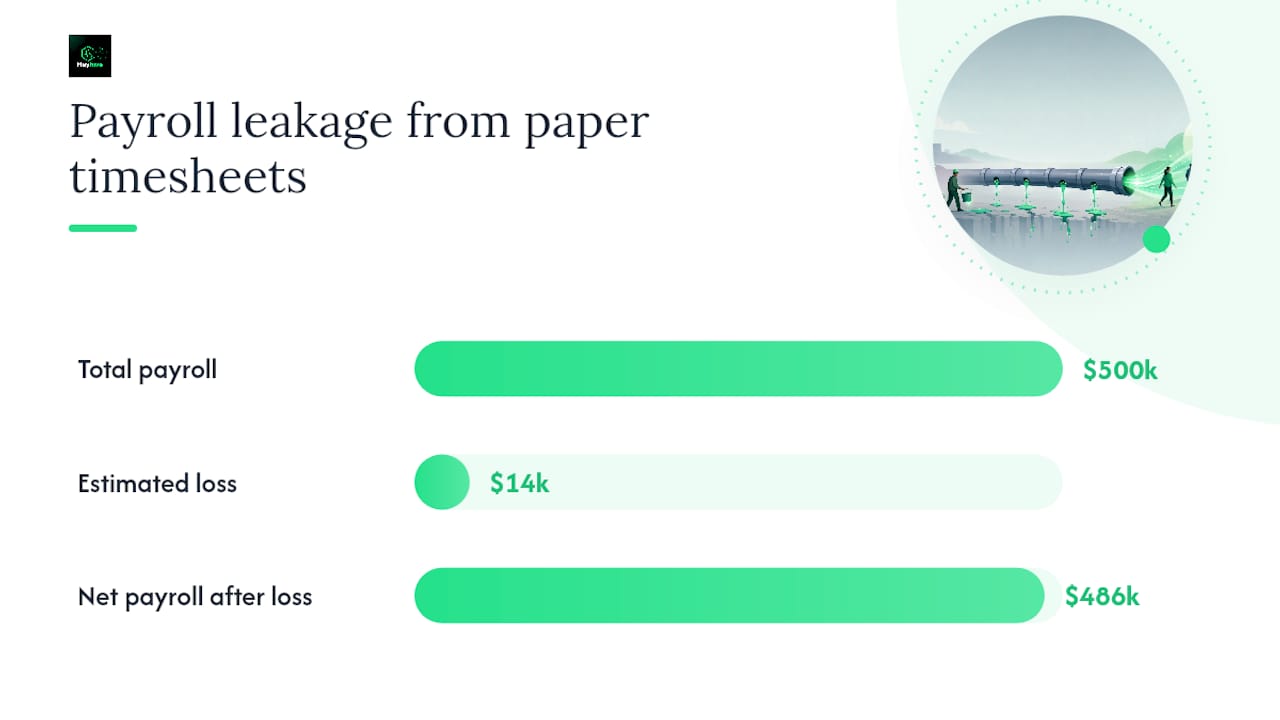
Manual timesheets invite two specific accuracy failures: rounding bias and buddy punching. An employee rounds a 7:52 AM arrival to 7:45. A coworker signs in for someone running late. Neither feels like fraud in the moment, but multiplied across a pay period and a full staff, it adds up fast. Manual timesheets allow this kind of rounding bias and buddy punching, and it costs U.S. employers roughly 2.8% of gross payroll annually.
Statistic callout: On a $500,000 annual payroll, that 2.8% leakage works out to about $14,000 a year, money that leaves through rounding and unverified punches, not through any line item you'd ever see on a budget report.
Apps close that gap with real-time capture. A timestamp records the second someone clocks in. GPS or biometric verification, where enabled, confirms who did the punching and from where. Every entry lands in a searchable audit log instead of a stack of paper in a drawer.
The admin workflow shifts just as much:
- Paper process: Collect sheets, chase down missing ones, manually approve, rekey hours into payroll software.
- App process: Manager reviews a batch, approves with one tap, hours flow directly into a payroll-ready export.
Digital timesheets reduce user error, centralize records, and save manager time through automation, and for most teams that benefit outweighs the monthly subscription fee within the first few pay cycles.
None of this means apps are frictionless. Some employees resist being tracked by GPS, and managers need to be upfront about what's being recorded and why. Adoption goes smoother when you frame tracking as protecting hours worked, not policing behavior.
What Does It Cost to Switch From Paper to an App?
Paper looks free. It rarely is.
The direct cost of paper timesheets is close to zero: a pad of forms, a filing cabinet, maybe a spreadsheet template. The hidden cost is everywhere else. Paper has minimal visible direct costs but meaningful hidden costs from rekeying, errors, and limited reporting, and those hidden costs scale with headcount, not with the price of paper.
Run the math yourself with this simple approach:
- Estimate current payroll leakage. Apply the 2.8% benchmark to your gross payroll as a starting point.
- Estimate manager hours spent on payroll admin weekly. Multiply by an hourly rate for that manager's time.
- Subtract the app's subscription cost (most platforms price per employee per month, typically in the single digits to low tens of dollars).
- Compare the net.
For a 25-employee hourly crew with a $600,000 annual payroll, 2.8% leakage is roughly $16,800 a year. Add in the fact that time-tracking software typically saves managers 5 to 7 hours a week that would otherwise go to chasing sheets and rekeying data, and the subscription cost gets absorbed within weeks, not quarters.
The threshold where switching becomes close to a sure bet: once you're running more than roughly 20 employees, multiple shifts, or any remote or field work, the hidden costs of paper almost always exceed what an app charges you monthly.
How Do Digital Records Hold Up in an Audit?
If a wage dispute or labor audit lands on your desk, paper is the format you least want to be defending.
Digital records are timestamped and searchable, which simplifies audits and compliance work in a way paper filing cannot match. You can pull an employee's full clock-in history in seconds instead of digging through a filing cabinet for last quarter's sign-in sheets.
Apps also catch problems before they become violations:
- Automatic flags when someone approaches overtime thresholds.
- Break-violation alerts tied to state or local labor rules.
- Timestamped edits, so any manual correction is logged, not silently overwritten.
If you're not ready to leave paper entirely, a few controls limit your exposure:
- Require daily signatures, not weekly or biweekly batches.
- Have a manager timestamp and initial each sheet the day it's submitted.
- Store originals in a locked, fire-safe location, with digital backups scanned weekly.
Pro Tip: If you turn on GPS or biometric verification, tell employees exactly what's tracked (arrival and departure location, not real-time movement) and why. Overreach here kills trust faster than any accuracy gain is worth.
How Do You Pilot a Timesheet App Without Disrupting Payroll?
Rolling out new time-tracking software works best as a small, measured test, not an all-at-once mandate.
- Pick a small pilot group. One location or one shift type, running 2 to 6 weeks.
- Set success metrics up front. Track manager hours spent on payroll tasks, payroll variance versus your old process, and employee adoption rate within the pilot group.
- Design the approval workflow. Decide who reviews and approves hours before they hit payroll, and get sign-off from that manager before launch.
- Train with a short script. Explain what's changing, why, and what stays the same (pay dates, pay rates, dispute process).
- Check the payroll export format against your existing payroll or HR software before the pilot ends.
- Keep a rollback plan. If integration issues surface, know how you'll revert to manual entry for that pay period without missing a deadline.
Managers piloting a digital time-capture tool often see measurable admin-hour savings within the first month, which makes the pilot itself a fast, low-risk way to build your case.
| Point | Details |
|---|---|
| Pilot length | Run 2 to 6 weeks with a small group before a full rollout. |
| Core metrics | Track manager payroll hours and pilot-group adoption rate. |
| Approval workflow | Assign one manager to review and approve hours before payroll export. |
Why Heyhive Fits Teams Ready to Leave Paper Behind
Heyhive maps directly onto the problems this guide covers. AI-generated scheduling cuts the admin hours spent building shifts, manager approval workflows catch errors before they reach payroll, and GPS-verified clock-ins solve the buddy-punching and location-accuracy problem for field and multi-site teams. Payroll-ready exports remove the rekeying step entirely.
For deeper reading on specific pieces of this workflow, Heyhive's own guides cover timesheet approval best practices, attendance tracking for hourly teams, and GPS time clock software for field crews.
A pilot that pairs manager approvals with GPS verification gives you a defensible before-and-after comparison: fewer disputed hours, faster payroll exports, and a clear read on adoption within your test group.
Pro Tip: Start your pilot with one location and one shift type, turn on manager approvals and GPS verification from day one, and confirm the payroll export matches your existing format before you scale up.
| Point | Details |
|---|---|
| Scheduling | AI builds shift schedules in seconds while respecting availability and overtime limits. |
| Approvals | Managers review and approve shifts and hours before anything publishes to payroll. |
| Field accuracy | GPS-verified clock-ins confirm location and identity for remote or multi-site staff. |
The Case for Treating Timesheets as an Output, Not a Task
Most advice on this topic treats the choice as ideological: paper is old-fashioned, apps are modern, pick a side. That framing misses the actual decision in front of you, which is operational, not philosophical. A timesheet isn't something you fill out. It's something your system should produce automatically, as a byproduct of time already being tracked accurately.
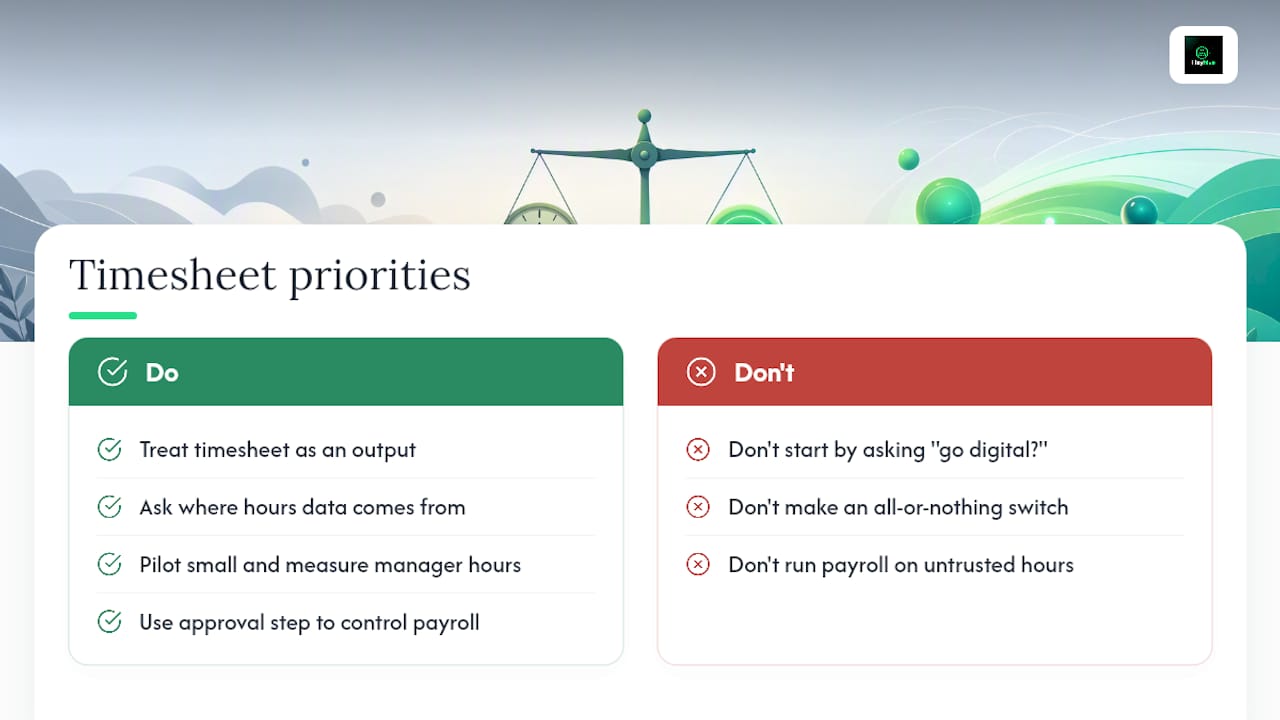
That reframing changes what you should prioritize first. Don't start by asking "should we go digital?" Start by asking where your current hours data comes from and whether you trust it enough to run payroll on it without double-checking. If the answer is no, that's your signal, not the calendar year or what a competitor is doing.
Where conventional advice falls short is treating this as an all-or-nothing switch. The teams that adopt fastest and complain least are the ones that pilot small, measure manager hours and adoption rate, and let the results make the case. Heyhive fits that pattern well for teams that need scheduling and GPS-verified time capture in one place, because the approval step keeps a human in control of what actually reaches payroll.
— Heyhive
Ready to Pilot a Timesheet App Instead of Chasing Paper?
If you're comparing the ongoing hassle of paper timesheets against the cost of switching, the math usually favors switching faster than most managers expect, especially once you count the hours spent chasing signatures and rekeying numbers by hand. Heyhive removes both problems at once: AI builds your schedule in seconds, managers approve every shift and every set of hours before payroll sees them, and GPS-verified clock-ins settle the buddy-punching question for good.

This isn't about replacing your judgment with automation. You still approve every shift and every hour before it goes anywhere near payroll. What changes is how much time it takes you to get there. Start a pilot with Heyhive on one location or one shift type, turn on approvals and GPS verification, and check your payroll export against your current format before you decide to scale it further.
Sources
- Timesheets vs Time Tracking Software: Which One Wins?
- Digital or paper timesheets? | BrightHR
- Digital Vs. Paper Timesheets: Pros and Cons to Consider
- Paper Timesheets vs Digital: Why It's Time to Make the Switch | Relentify