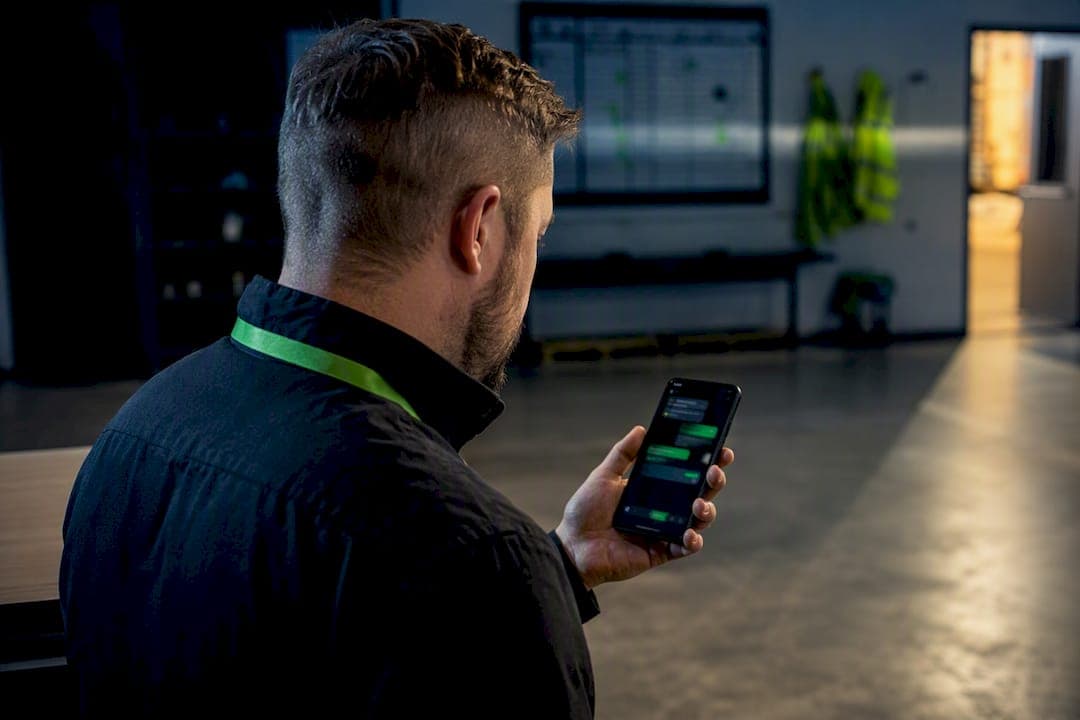
The right approach to crew dispatch messaging is a trackable, two-way SMS platform tied directly to your dispatch board and GPS time clock, not a group text chain or a personal-phone workaround. You need a shared inbox, confirmation tracking, role- and shift-based targeting, and A2P 10DLC/TCPA compliance built in from day one. Platforms like Heyhive match this spec by connecting messaging to scheduling and attendance data in one place.
TL;DR:
- Using a trackable, two-way SMS platform integrated with dispatch and GPS is essential to ensure reliable crew communication and shift coordination.
- Confirmations and message history must be timestamped and linked to specific jobs to resolve disputes and meet compliance requirements.
- Operators should focus on role-based permissions, targeted messaging, and automated follow-ups to reduce errors and improve workflow efficiency.
- Proper opt-in documentation during onboarding and A2P registration help ensure adherence to TCPA and A2P 10DLC regulations in mass messaging campaigns.
- Field operations benefit most when messaging is tied directly to scheduling and verified GPS clock-ins, rather than relying on personal phones or scattered group chats.
Table of Contents
- What Should You Require From Crew Dispatch Messaging Software?
- How Do TCPA and A2P Rules Apply to Crew Messaging?
- What Dispatcher Workflows Actually Reduce Errors?
- How Do You Roll Out Crew Dispatch Messaging Without Disrupting Operations?
- What Have Field Deployments Taught Us About Crew Messaging?
- How Does Heyhive Support Crew Dispatch Messaging?
- Where Can You Learn More About Compliance and Safety?
- Sources
What Should You Require From Crew Dispatch Messaging Software?
Treat crew dispatch messaging as infrastructure, not a convenience feature. If you're evaluating vendors or writing requirements for IT, these are the capabilities that separate a real dispatch tool from a glorified group chat.
- Two-way messaging with a shared inbox. Multiple dispatchers need to see the same conversation thread, assign incoming replies, and route messages without duplicating work or losing context between shifts.
- Confirmation tracking and an auditable message history. You need proof of delivery, proof of read receipt, and proof of reply, all timestamped and tied to a specific job or ticket. This event timeline is what settles disputes about who knew what and when.
- Targeted delivery, not just broadcast. Messages should reach a specific crew, role, shift, or jobsite on demand, with suppression lists to keep off-duty or reassigned workers from getting noise that doesn't apply to them.
- Threaded conversations attached to dispatch rows. A message about a specific job should live with that job, including support for photos, forms, or signature confirmations when the work requires them.
- Integration with your existing stack. Look for tie-ins to your dispatch or scheduling board, GPS time clock, payroll export, and an API for anything custom your operation runs, such as the Civil Dispatch Website, Social Media, SEO & Application Development solutions.
- Supervisor visibility and handoff controls. Dispatchers rotate shifts. The next person on duty needs searchable history and filters, not a scroll through hundreds of texts to figure out what's unresolved.
Shared inboxes with role-based routing and threaded conversations cut down on lost context at shift handoffs precisely because everything stays attached to the job record instead of a phone's message app.
How Do TCPA and A2P Rules Apply to Crew Messaging?
Sending SMS to a crew at scale puts you inside federal telecom rules whether you registered for them or not. The FCC's TCPA guidance covers consent requirements and carrier registration through A2P 10DLC for mass text campaigns, and operations teams have to keep records showing who opted in and when.
Employee opt-in works differently from customer opt-in. Your crew already has an employment relationship with you, so consent can typically be captured during onboarding as part of your communication policy, rather than through a separate marketing-style opt-in flow. Document it anyway. If a compliance question ever comes up, "we told them during onboarding" isn't as strong as a signed acknowledgment on file.
Distracted driving is the other risk operations teams underestimate. IIHS research shows texting while driving raises crash risk substantially, and the organization recommends designing workflows that minimize phone interaction while a vehicle is moving. That means:
- Building message windows around known break times or stops, not constant pings during transit
- Using arrival confirmations tied to GPS rather than requiring a text the moment someone pulls up
- Setting clear emergency escalation rules so urgent messages don't get buried in routine traffic
- Restricting who can send broadcast alerts, so a crew isn't fielding messages from five different people during a drive
Pro Tip: Retain both message logs and opt-in records for as long as your legal counsel recommends for employment documentation, typically well beyond the life of the job itself. A missing consent record is far harder to defend than a missing message.
What Dispatcher Workflows Actually Reduce Errors?
Good technology doesn't fix a bad workflow. The dispatchers who run the tightest operations follow patterns like these:
- Start with a daily check-in. A one-click confirmation tied to the dispatch board tells you who's clocked in, en route, or delayed before the first job even starts.
- Match the message type to the audience. Weather alerts and safety notices go to everyone. A parts delay or a customer complaint goes only to the crew it affects. Broadcasting site-specific problems to the whole roster trains people to tune out your messages.
- Keep templates short and action-oriented. A message that says "Confirm/Decline + reason code" gets a faster, cleaner response than an open-ended paragraph, especially on a noisy jobsite where nobody has time to read closely.
- Automate the follow-up. If a confirmation hasn't come back within a set window, the system should nudge the crew member and flag the dispatcher, instead of relying on someone remembering to check.
- Standardize shift handoffs. The outgoing dispatcher should leave assignment notes and flag any unread or unresolved threads so the incoming shift isn't reconstructing the day from memory.
Operations that route every job-related message through a single channel tied to the dispatch board, instead of personal phones or scattered group chats, see fewer missed assignments and cleaner handoffs between shifts.
Track three numbers weekly: confirmation rate, average response time, and dispute counts tied to missed or unclear messages. If confirmation rate drops or disputes climb, that's usually a template problem before it's a people problem.
How Do You Roll Out Crew Dispatch Messaging Without Disrupting Operations?
A phased rollout beats flipping a switch for your entire workforce on day one. Here's a sequence that holds up in practice.
Before launch:
- Capture opt-in during onboarding or a policy update, with a signed or digital acknowledgment on file.
- Register for A2P 10DLC if you're sending at volume, so messages don't get filtered by carriers.
- Map roles to message permissions, deciding who can broadcast versus who can only message their own crew.
- Map your integrations, including the dispatch board, GPS time clock, and payroll export.
- Define pilot criteria before you start, not after.
Running the pilot:
A pilot with role-mapped opt-ins and scripted templates tends to surface gaps fast, usually within the first one to two weeks. Keep the group small, one or two crews or a single site, and measure confirmation rate and response time against a target before expanding further.
Templates worth adapting immediately:
- Job assignment: "New job: [address]. Start time [time]. Reply CONFIRM or DECLINE + reason."
- ETA update: "Running [X] min late to [job/site]. Reply OK if noted."
- Shift change: "Shift moved to [time] on [date]. Reply CONFIRM."
- Arrival check-in: "Arrived at [site]? Reply YES or NO." (Pair with GPS verification rather than relying on the text alone.)
- Safety alert: "Severe weather warning for [area]. Hold work and reply SAFE when clear."
Review templates monthly against your confirmation-rate data, and adjust wording anywhere replies come back inconsistent or delayed.
What Have Field Deployments Taught Us About Crew Messaging?
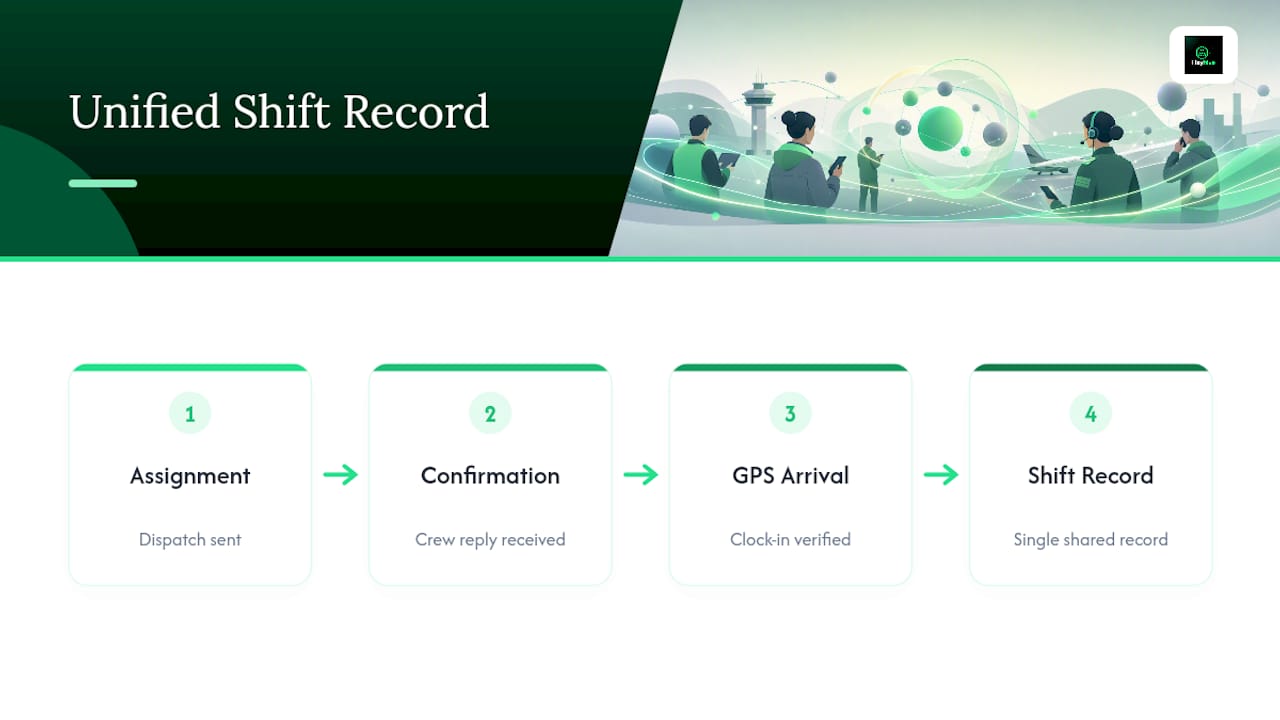
The operations that get the most out of crew dispatch messaging aren't the ones with the most features. They're the ones that tie messaging directly into scheduling and GPS-verified clock-ins, so an assignment, a confirmation, and an arrival all live in the same record instead of three disconnected systems.
The rollout mistakes we see most often aren't technical. Teams skip proper opt-in capture and try to patch it later, or they let dispatchers keep using personal phones alongside the new platform "just for now," which fractures the message history right when you need it whole. Templates that ask open-ended questions instead of forcing a clear reply cause the same confusion at scale, every single shift.
Get those three things right, and the platform mostly runs itself.
— Heyhive
How Does Heyhive Support Crew Dispatch Messaging?
If you've been nodding along at the checklist above, Heyhive was built around exactly that spec. Two-way messaging ties directly into your dispatch and scheduling workflow, so assignments, confirmations, and replies stay attached to the shift they belong to instead of drifting into a separate app. GPS-verified clock-ins back up arrival confirmations with actual location data, closing the gap between "they said they arrived" and proof they did, an approach detailed further on Heyhive's GPS time clock coverage.
Every message and confirmation logs into an auditable history, giving supervisors the event timeline they need for disputes or compliance reviews without digging through text threads. Some platforms include manager approval for schedules and messaging permissions before publication, so automation does not run unchecked.
If your dispatch messaging is currently a mix of group texts and personal numbers, a pilot approach can help assess the difference. Request a Heyhive demo and map your own crew, roles, and integrations against the checklist above before you commit to anything wider.
Where Can You Learn More About Compliance and Safety?
- FCC — TCPA rules and A2P 10DLC guidance
- IIHS — Distracted driving research
- AICPA — SOC reporting guidance for evaluating audit controls on stored messaging records
Sources
- Federal Communications Commission — TCPA rules (PDF)
- IIHS — Distracted driving research
- AICPA — SOC reporting guidance