
For most small US businesses that need automated scheduling and GPS-verified attendance, Heyhive is the strongest choice. If your team works across multiple sites or needs certification tracking and workflow automation, Connecteam is the better fit. Running a single-location restaurant or retail shop where simplicity matters most? Homebase gets the job done with minimal setup.
| Feature | Heyhive | Connecteam | Homebase |
|---|---|---|---|
| Best for | Hourly and field teams needing AI scheduling + GPS | Mobile field teams needing workflow automation | Single-location hourly businesses |
| Pricing model | Tiered SaaS subscription | Per-employee, free up to 10 users | Per-location, free for one location |
| Auto-scheduling | AI-generated, manager-approved | Rule-based automation | Template-based, manual |
| GPS/time tracking | GPS-verified clock-ins, field tracking | GPS clock-in, geofencing | Basic GPS, geolocation issues noted |
| Payroll readiness | Payroll-ready hours export | Export to payroll partners | Built-in payroll add-on available |
| Integrations | Payroll and HR integrations | Wide integration library | QuickBooks, Gusto, ADP |
| Mobile UX | Clean, manager-first mobile app | Feature-rich, slight learning curve | Simple, drag-and-drop friendly |
| Security & compliance | Audit logs, overtime tracking | Audit trails, certification tracking | Basic compliance, overtime alerts |
| Onboarding & support | Guided setup, live support | Strong support (~9.2 on G2) | Self-serve docs, chat support |
Three things drive the verdict:
- Pricing shape: Homebase's per-location model works well for one site but gets expensive fast as you add locations. Connecteam's per-employee model scales better for distributed teams. Heyhive's tiered subscription keeps costs predictable regardless of location count.
- Scheduling automation: Heyhive generates a full week of shifts in seconds using AI, with manager approval before anything goes live. Connecteam uses rule-based automation. Homebase relies on templates and manual drag-and-drop.
- Field and GPS reliability: Heyhive and Connecteam both offer GPS-verified clock-ins. Homebase reviewers on Capterra have flagged geolocation inconsistencies.
Start with Heyhive's free trial if you manage hourly or field teams and want scheduling that runs itself, with you in control of the final call.
Table of Contents
- How do Connecteam and Homebase pricing models compare?
- Pros and cons: Connecteam, Homebase, and Heyhive
- How do the features actually stack up?
- Which platform fits your team's situation?
- What payroll integrations and export options does each platform offer?
- What should you expect from onboarding, support, and security?
- Why Heyhive is our recommended pick for US small businesses
- How we compared these platforms
- Key Takeaways
- Scheduling automation changes the ROI math in ways most feature lists miss
- See what Heyhive does in your first week
- Sources and further reading
How do Connecteam and Homebase pricing models compare?
Pricing structure matters more than the headline number, especially once your team grows past a handful of employees.
Homebase uses a per-location billing model. The free tier covers one location with basic scheduling and time tracking. Paid plans add features like advanced reporting, PTO management, and payroll integrations, but each additional location adds to your monthly bill. For a single-location café or boutique, that's a great deal. For a business with three or four sites, costs climb quickly. Homebase also offers a payroll add-on with its own base fee and per-employee charges, which can change total cost significantly for small employers running payroll in-house.
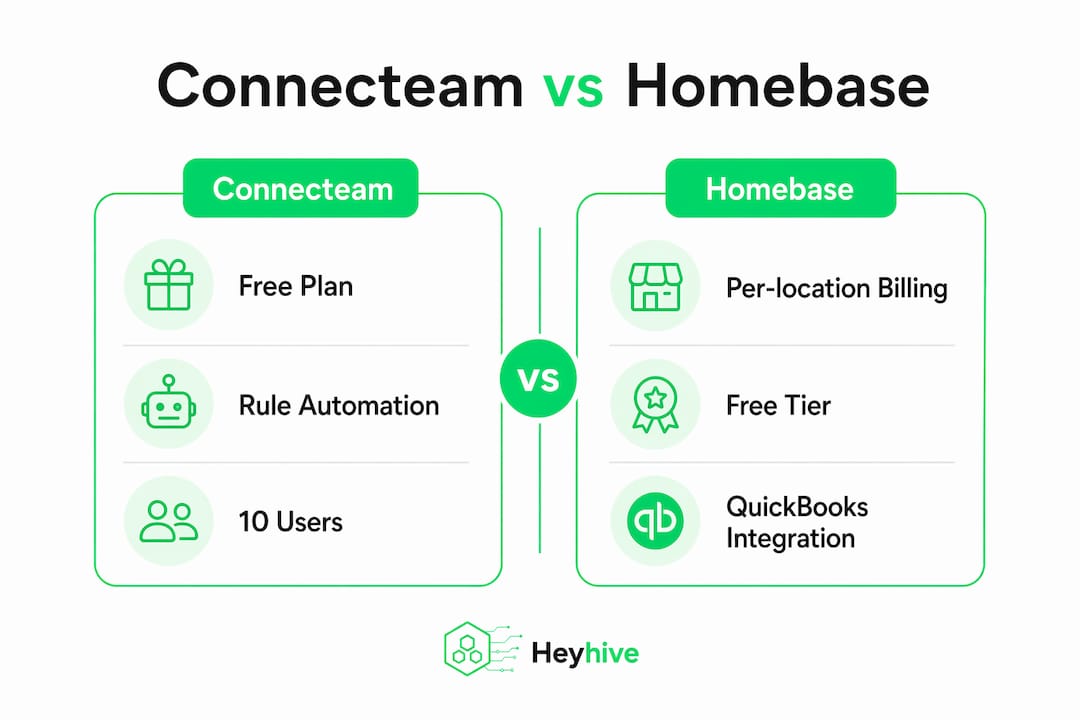
Connecteam offers a free plan for up to 10 users, covering its core Operations, Communications, and HR hubs. Beyond that, paid plans are priced per employee, which tends to favor small teams with mixed schedules rather than multi-location businesses with large headcounts. The per-employee model means your bill scales directly with your roster size.
Heyhive uses a tiered SaaS subscription. You pay for the plan tier that matches your team size and feature needs, not per location. That structure is predictable and works well for businesses managing multiple sites or seasonal fluctuations in headcount.
A practical rule of thumb:
- One location, under 20 employees: Homebase's free or entry-level plan is hard to beat on price.
- 10 or fewer employees, complex workflows: Connecteam's free tier covers a lot.
- Multiple locations or field teams: Heyhive's flat subscription model keeps costs from spiraling as you scale.
Pros and cons: Connecteam, Homebase, and Heyhive
Heyhive
Pros:
- AI generates a full week of shifts in seconds, respecting availability, certifications, and overtime limits
- GPS-verified clock-ins with field arrival and departure tracking
- Manager approval gates keep you in control before schedules publish
- Payroll-ready hours export reduces manual data entry at pay period close
Cons:
- Newer platform with a smaller public review base than Connecteam or Homebase
- Advanced features require a paid plan
- Best value realized by teams with 10+ employees across multiple sites or field operations
Best for teams that need scheduling speed and GPS reliability: Heyhive.
Connecteam
Pros:
- Strong workflow automation and field service management features
- Certification and compliance tracking for regulated industries
- Connecteam's support quality score is approximately 9.2 on G2, reflecting its strong investment in onboarding assistance for complex deployments.
- Free plan covers up to 10 users with access to core hubs
Cons:
- Feature depth creates a steeper learning curve for non-technical managers
- Per-employee pricing adds up for larger hourly teams
- Mobile app can feel complex for simple scheduling tasks
Best for mobile field teams and operations needing workflow automation: Connecteam.

Homebase
Pros:
- Drag-and-drop scheduling is genuinely easy to learn and use
- Free tier for one location covers scheduling and time tracking
- Integrates well with payroll tools like QuickBooks, Gusto, and ADP
- Strong adoption among local hourly businesses
Cons:
- Geolocation and GPS reliability issues flagged by multiple reviewers
- Per-location pricing gets expensive for multi-site operations
- Payroll add-on carries separate base fees that raise total cost
Best for single-location restaurants, cafes, and local retail: Homebase.
Pro Tip: Before committing to any platform, run a two-week trial focused on your single biggest pain point: scheduling time, GPS accuracy, or payroll export. That one test tells you more than any feature list.

How do the features actually stack up?
| Dimension | Heyhive | Connecteam | Homebase |
|---|---|---|---|
| Auto-scheduling | AI-generated, manager-approved | Rule-based automation | Template-based, manual |
| Shift swapping | Employee-initiated, manager-approved | Self-service with approval | Self-service with approval |
| GPS clock-in | GPS-verified, field arrival/departure | GPS + geofencing | Basic GPS, inconsistencies reported |
| Offline clocking | Supported | Supported | Limited |
| Payroll export | Payroll-ready hours export | Export to payroll partners | Built-in payroll add-on |
| Integrations | Payroll and HR integrations | Wide library, paid plans for API | QuickBooks, Gusto, ADP |
| Mobile UX | Manager-first, clean interface | Feature-rich, moderate complexity | Simple, drag-and-drop |
| Overtime tracking | Automated alerts | Automated alerts | Basic alerts |
| Audit logs | Yes | Yes | Basic |
| Onboarding support | Guided setup, live support | Strong support quality | Self-serve docs, chat |
Scheduling and automation
Heyhive's AI scheduling is the clearest differentiator in this comparison. You set the constraints: employee availability, certifications, overtime limits. The AI builds the schedule. You review and approve before it publishes. That approval gate is what separates it from fully automated systems that can create compliance problems when rules aren't perfectly configured.
Connecteam uses rule-based automation, which works well for teams with consistent shift patterns and defined roles. G2 reviewers give Connecteam high marks for workflow automation (approximately 8.7), reflecting its strength in coordinating complex field operations. Homebase scores high on scheduling ease on G2 because its drag-and-drop interface is genuinely fast for simple, repeating schedules. The trade-off is that "easy" here means manual, not automated.
Time tracking and GPS
GPS-verified clock-ins reduce time fraud exposure and create clean audit trails for payroll. Heyhive tracks GPS arrival and departure for field employees, which matters for service crews and contractors who move between sites. Connecteam offers GPS clock-in and geofencing, making it a solid option for field teams as well. Homebase's GPS functionality exists but has drawn consistent criticism from reviewers for geolocation inconsistencies, particularly on mobile devices.
For any team where employees clock in from the field rather than a fixed terminal, GPS reliability is a non-negotiable. Test it during your trial with real devices at real job sites.
Payroll readiness
Heyhive exports payroll-ready hours directly, reducing the manual reconciliation step between your time-tracking data and your payroll run. Connecteam exports to payroll partners. Homebase offers a built-in payroll add-on, which is convenient for single-location businesses already using its scheduling, but the add-on carries separate fees. All three platforms connect to major US payroll providers, covered in detail in the next section.
Which platform fits your team's situation?
The right tool depends less on feature count and more on how your business actually operates day to day.
-
Single-location restaurant or retail shop: Homebase is the natural fit. Its free tier covers scheduling and time tracking, the drag-and-drop interface is fast to learn, and payroll integration with QuickBooks or Gusto is straightforward. A 10-person café can be fully operational in an afternoon.
-
Multi-location franchise or regional chain: Heyhive's flat subscription model keeps costs predictable as you add sites. AI scheduling handles the complexity of coordinating staff across locations without requiring a manager to manually rebuild the schedule each week.
-
Mobile or field service crew (HVAC, cleaning, maintenance): Both Heyhive and Connecteam serve this profile well. Heyhive's GPS-verified clock-ins and payroll-ready exports suit teams where accurate field attendance is the priority. Connecteam's certification tracking and workflow automation are worth the added complexity if your team needs compliance documentation or task checklists in the field.
-
Contractors and maintenance teams with variable schedules: Heyhive's AI scheduling handles variable availability and overtime constraints automatically. Managers spend less time rebuilding schedules from scratch each week.
-
Seasonal or temp-heavy operations: Heyhive's tiered subscription scales with headcount changes without the per-employee billing spikes that Connecteam's model can produce during peak hiring periods.
Three quick decision signals:
- Need AI scheduling and GPS attendance? Heyhive.
- Need certification tracking and deep field workflows? Connecteam.
- Running one location and want the simplest possible setup? Homebase.
What payroll integrations and export options does each platform offer?
All three platforms connect to the major US payroll providers, but the depth of those connections varies.
Homebase integrates directly with QuickBooks Payroll, Gusto, ADP, Paychex, and Square Payroll. For single-location businesses already using one of these providers, the connection is usually plug-and-play. The built-in Homebase Payroll add-on handles payroll entirely within the platform, which simplifies the workflow but adds a base fee plus per-employee charges. Multi-location businesses exporting hours across sites need to verify how Homebase handles location-level payroll separation before committing.
Connecteam exports hours to payroll partners including QuickBooks, Gusto, and others. API access for custom integrations is available on paid plans, which matters for mid-sized operations that use proprietary HR or ERP systems. The integration library is wide, but some connections require the higher-tier plans.
Heyhive exports payroll-ready hours, meaning the data arrives at your payroll provider already reconciled and formatted. That reduces the manual cleanup step that causes most payroll errors. For field teams where GPS-verified hours need to match payroll records, this export accuracy is where time savings show up most clearly. Check the broader workforce management software guide for a full breakdown of integration considerations by platform tier.
Practical notes for managers:
- Verify that your payroll provider is supported on the plan tier you intend to purchase, not just on the premium tier.
- For multi-location businesses, confirm that the export separates hours by location or cost center before your first payroll run.
- API availability matters if you use a custom HR system. Connecteam and Heyhive both offer API access; confirm the plan level required.
- Payroll-ready timecards with GPS verification reduce audit risk under US Department of Labor timekeeping requirements.
What should you expect from onboarding, support, and security?
Onboarding timeline
Most small businesses can get scheduling and time tracking live within one to three days on any of these platforms, assuming you're not migrating complex historical data. Payroll integration setup adds time: connecting to QuickBooks or Gusto typically takes an additional day to verify. API integrations for custom systems can extend setup to one to two weeks.
Pre-built schedule templates accelerate deployment significantly. Homebase's template library is well-suited to common restaurant and retail shift patterns. Connecteam's onboarding is more structured, reflecting its broader feature set. Heyhive's guided setup walks managers through AI scheduling configuration, GPS clock-in activation, and payroll export settings in a logical sequence.
Support quality
SoftwareAdvice records 4.6/5 ratings for both Connecteam and Homebase across large verified review bases, suggesting comparable overall satisfaction. G2 data shows Connecteam's support quality score at approximately 9.2, which is notably strong and reflects its investment in onboarding assistance for complex deployments. Homebase relies more heavily on self-serve documentation and chat support, which works well for simple setups but can slow resolution for edge cases.
Higher support scores correlate with faster initial deployment for non-technical managers. If your team has no dedicated IT support, prioritize platforms with live onboarding assistance.
Security and compliance
- Audit logs: Heyhive and Connecteam both maintain detailed audit trails. Homebase provides basic logging.
- Data encryption: All three platforms use standard encryption for data in transit and at rest.
- Overtime tracking: Automated overtime alerts are available on all three platforms, though configuration depth varies. US employers with employees in states that have daily overtime rules (California, for example) should verify that the platform handles state-specific overtime calculations, not just federal FLSA thresholds.
- GPS accuracy: Validate geofence radius and offline clock behavior during your trial. GPS-verified attendance creates defensible records if a wage dispute arises.
Pro Tip: During your first 30 days, run a parallel payroll export alongside your existing process. Compare the totals before you fully cut over. That single step catches configuration errors before they become payroll problems.
First 30–60 day checklist:
- Configure employee availability and overtime rules before generating the first AI schedule
- Test GPS clock-in accuracy at each job site or location
- Run a payroll export and reconcile against your existing records
- Confirm state overtime rules are correctly set for your employees' work states
- Review the audit log after the first pay period to verify completeness
Why Heyhive is our recommended pick for US small businesses
Heyhive earns the top recommendation for most US hourly and field-service businesses because it solves the two problems that cost managers the most time: building schedules and reconciling attendance for payroll.
The core strengths that matter:
- AI scheduling speed: A full week of shifts generated in seconds, respecting availability, certifications, and overtime limits. You review and approve. Nothing publishes without your sign-off.
- GPS-verified clock-ins: Field employees clock in and out with GPS confirmation. Arrival and departure are logged automatically, creating a clean record for payroll and compliance.
- Payroll-ready exports: Hours arrive at your payroll provider already formatted and reconciled. Fewer manual steps means fewer errors at pay period close.
- Manager-controlled approvals: Automation handles the heavy lifting, but you stay in control of every schedule and every published shift.
Concrete benefits for your operation:
- Reduced admin hours spent building and adjusting schedules each week
- Fewer payroll errors from manual timesheet entry
- Faster coverage of open shifts through employee self-service with manager approval
- Reliable field attendance records that hold up to audit
To evaluate Heyhive quickly, start a free trial and run one full scheduling cycle: generate a week of shifts, validate GPS clock-ins with your field team, and export the hours to your payroll provider. That three-step test covers the features that drive the most value. Explore Connecteam alternatives if you want to see how Heyhive compares to other platforms in the same category before deciding.
How we compared these platforms
This comparison was built on a defined set of criteria applied consistently across all three platforms.
Scoring criteria:
- Feature coverage across scheduling, time tracking, GPS, payroll, and integrations
- Pricing model transparency and total cost at common team sizes (5, 20, and 50 employees)
- Payroll readiness: export quality, supported providers, and multi-location handling
- Mobile and GPS reliability based on verified reviewer data
- Support quality scores from G2 (~9.2 for Connecteam) and SoftwareAdvice (4.6/5 for both Connecteam and Homebase)
- Security and compliance features relevant to US employers
Data sources used:
- G2 product comparison and feature score data (Connecteam vs Homebase)
- SoftwareAdvice verified review ratings and support quality metrics
- Capterra user review summaries for scheduling and mobile UX
- Everhour third-party pricing analysis for Homebase location-based billing
- Heyhive product documentation for GPS, AI scheduling, and payroll export features
This comparison reflects platform capabilities and pricing structures as of 2026. Pricing and feature sets change; verify current plan details directly with each vendor before purchasing. Payroll integration availability may vary by US state or payroll provider version.
Key Takeaways
Heyhive is the strongest choice for most US hourly and field-service businesses that need AI-driven scheduling, GPS-verified attendance, and payroll-ready exports in one platform.
| Point | Details |
|---|---|
| Verdict by use case | Heyhive fits most hourly and field teams; Connecteam suits complex field workflows; Homebase works best for one-location businesses. |
| Pricing model matters | Per-location billing (Homebase) favors single sites; per-employee (Connecteam) scales with roster size; Heyhive's tiered subscription stays predictable across locations. |
| GPS reliability gap | Homebase reviewers flag geolocation inconsistencies; Heyhive and Connecteam both offer verified GPS clock-ins for field teams. |
| Payroll export quality | Heyhive exports payroll-ready hours directly, reducing manual reconciliation and payroll errors at period close. |
| Heyhive recommendation | For managers who want AI scheduling with approval control and GPS attendance, Heyhive delivers the fastest path from schedule creation to payroll. |
Scheduling automation changes the ROI math in ways most feature lists miss
Most comparisons of workforce tools focus on feature parity: does it have GPS? Does it integrate with QuickBooks? Those questions matter, but they miss the more important question: how much manager time does the tool actually save per week?
Manual scheduling for a 20-person hourly team typically takes two to four hours a week when you account for availability checks, conflict resolution, and last-minute coverage. Automation compresses that to minutes. But the ROI only materializes if the automation is configured correctly and paired with human oversight. An AI that generates schedules without an approval gate can publish shifts that violate overtime rules, ignore an employee's approved time-off request, or create coverage gaps that nobody catches until the shift starts.
The approval workflow is not a limitation of AI scheduling. It's what makes it trustworthy. Managers who skip the configuration step and let automation run unchecked tend to end up with more schedule conflicts, not fewer. The platforms that get this right build the approval gate into the default workflow rather than treating it as an optional setting.
Homebase's simplicity is genuinely valuable for the right business. But "simple" means the manager is still doing most of the cognitive work. Connecteam's automation is powerful for field operations, but it requires investment in setup and rule configuration to deliver its full value. Heyhive's approach of AI generation plus mandatory manager approval hits the middle ground that most small-business operators actually need: fast, but not unsupervised.
The ROI question is worth asking directly during any trial: how many hours did you spend on scheduling this week compared to last week? If the answer isn't meaningfully lower after two weeks, the configuration needs adjustment, not the platform.
See what Heyhive does in your first week
Skip the spreadsheet and the Sunday-night schedule rebuild. Heyhive generates your full week of shifts in seconds, you approve what looks right, and your team gets notified automatically.

During a free trial, run three tests that reveal the platform's real value for your operation:
- Generate a week of shifts using your actual team's availability and role requirements. Watch how the AI handles overtime limits and time-off requests without manual intervention.
- Validate GPS clock-ins with two or three field employees at real job sites. Confirm that arrival and departure are logged accurately and that offline clocking works when connectivity is limited.
- Export payroll hours at the end of the trial week and compare the totals against your current process. That comparison shows exactly how much manual reconciliation Heyhive eliminates.
Start your free trial at Heyhive or schedule a live demo to see AI scheduling, GPS time clocks, and payroll export in action with your own team data. Sales is available to walk you through the setup and answer questions about payroll integration with your current provider.
Sources and further reading
-
Connecteam vs Homebase on G2: Product scores, feature ratings, and market-segment data used throughout this comparison for user satisfaction and feature-level claims.
-
Connecteam pricing on G2: Source for Connecteam's free plan limits (up to 10 users) and paid plan structure.
-
Connecteam vs Homebase on SoftwareAdvice: Verified review ratings (4.6/5 for both platforms) and support quality metrics used in the onboarding and methodology sections.
-
When I Work vs Homebase on Capterra: User review summaries on scheduling UX, mobile app reliability, and GPS issues; used for Homebase geolocation claims.
-
Homebase vs When I Work on Everhour: Third-party pricing analysis covering Homebase's location-based billing and payroll add-on fees.
-
GPS Time Clock Software guide on Heyhive: Heyhive product documentation on GPS-verified clock-ins, audit trails, and payroll-ready timekeeping.
-
Best Workforce Management Software guide: Broader platform comparison covering integration considerations and cost models by team size.
-
Connecteam alternatives guide: Analysis of scheduling platforms and how Heyhive compares to Connecteam and other alternatives in the same category.