
What are the top QuickBooks Time alternatives right now?
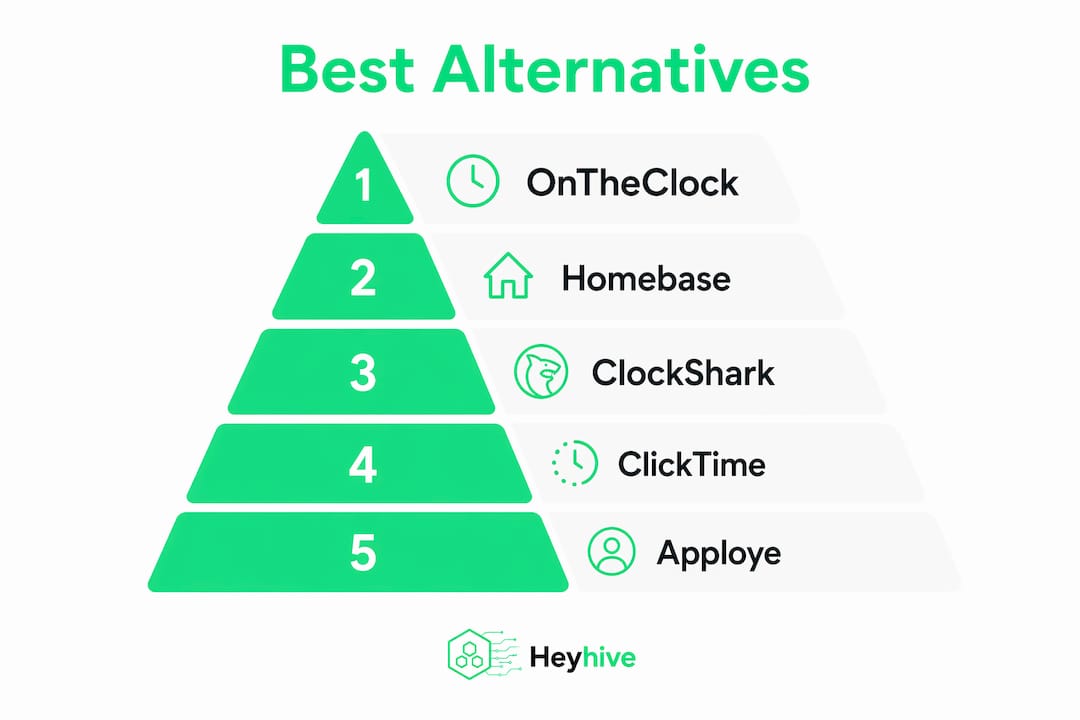
The strongest QuickBooks Time alternatives for US small businesses in 2026 are OnTheClock, Homebase, ClockShark, ClickTime, Apploye Inc., and Buddy Punch. Each solves a different problem: payroll accuracy, field team tracking, remote monitoring, or all-in-one HR. The right pick depends on your team type and budget, not on which tool has the most features.
| Tool | Best For | Key Features | Pricing | Integrations | User Rating |
|---|---|---|---|---|---|
| OnTheClock | Small businesses needing payroll accuracy | GPS clock-in, payroll export, scheduling | Paid plans | Payroll services | 4.8★ (423 reviews) |
| Homebase | Teams wanting HR + scheduling + time tracking | Scheduling, payroll, hiring, time clock | Free plan available | HR and payroll tools | 3.4★ (60 reviews) |
| ClockShark | Field service and construction teams | Job costing, offline mode, GPS tracking | Free trial, no card required | Payroll integrations | 4.0★ (20 reviews) |
| ClickTime | Professional services and nonprofits | AI time capture, audit reporting, 50+ integrations | Demo on request | 50+ platforms | 3.8★ (9 reviews) |
| Apploye Inc. | Remote and hybrid teams | Screenshot monitoring, GDPR/HIPAA compliance, video monitoring | Free trial | Payroll and invoicing | 4.0★ (3 reviews) |
| Buddy Punch | Businesses needing flexible approval workflows | Multi-step approvals, scheduling, attendance | Paid plans | Payroll integrations | — |
QuickBooks Time costs $10/month plus $8 per user, and that price only makes sense if you are already running payroll through Intuit. Teams outside that ecosystem consistently find better value elsewhere.

How to choose the best QuickBooks Time alternative for your business
The biggest mistake small business owners make is picking a tool based on feature count rather than workflow fit. A construction crew needs GPS verification and offline capability. A remote agency needs productivity monitoring and compliance. Those are different categories of software, and confusing them wastes money.
Run through these criteria before you commit:
- Team type: Hourly field workers need GPS clock-in and job costing. Remote knowledge workers need activity tracking and compliance certifications like GDPR or HIPAA.
- Payroll integration: Check whether the tool exports directly to your payroll provider or requires a manual CSV step. Native sync saves hours every pay period.
- Mobile app quality: Your team clocks in from their phones. A clunky mobile experience means missed punches and payroll errors.
- Scalability: A free plan that caps at five users will force a painful migration the moment you hire your sixth employee.
- Trial availability: ClockShark and Apploye both offer free trials with no credit card required. Test before you buy.
- Customer support: Phone and live chat matter more than a help center when payroll is due tomorrow.
- Industry fit: Construction, healthcare, and nonprofits each have specific compliance or reporting requirements that generic tools often miss.
Pro Tip: Before signing up for any plan, clock in and out on the mobile app yourself. If it takes more than three taps, your field team will find workarounds that break your payroll data.
Detailed reviews of the best QuickBooks Time alternatives
OnTheClock
OnTheClock is the most straightforward swap for businesses that left QuickBooks Time primarily over cost. It covers GPS clock-in, break tracking, PTO management, and direct payroll exports without bundling features you will never use. Small teams with straightforward payroll needs get exactly what they need here, and the learning curve is minimal.
Pros:
- GPS-verified clock-ins with geofencing
- Clean payroll export to major providers
- Simple interface that requires almost no training
Cons:
- Limited project or job costing features
- Less suited for complex multi-department workflows
Homebase
Homebase serves over 150,000 hourly teams and offers the broadest feature set at the lowest entry price, including a free plan. Scheduling, time tracking, payroll, and hiring all live in one platform. That breadth is its biggest advantage and its biggest risk: businesses that only need time tracking pay for features they ignore.
Pros:
- Free plan available for small teams
- Built-in hiring, onboarding, and HR tools
- Strong scheduling with employee availability management
Cons:
- Can feel like overkill for teams with simple needs
- Payroll is an add-on, not included in the free tier
ClockShark
Field service and construction businesses have specific needs that most time tracking apps ignore. ClockShark is built specifically for those teams, with job costing, paperless job management, and offline capability for crews working in low-signal areas. It is trusted by over 100,000 professionals across field service and construction, and a free trial requires no credit card.
Pros:
- Job costing tied directly to time entries
- Offline clock-in works without cell service
- GPS breadcrumb tracking for mobile crews
Cons:
- Overkill for office-based or remote teams
- Interface is industry-specific, less flexible for other use cases
ClickTime
ClickTime targets professional services firms and nonprofits that need financial accuracy above all else. Its AI-powered tracking captures over 40 million hours annually and connects to more than 50 integrations, including finance and accounting platforms. The 99% customer satisfaction rate reflects how well it serves teams where every billable hour has a dollar value attached.
Pros:
- AI captures time automatically, reducing manual entry
- Audit-ready reporting for compliance-heavy industries
- Deep finance and accounting integrations
Cons:
- Pricing is not publicly listed; requires a demo request
- Less suited for field or hourly wage teams
Apploye Inc.
Remote and hybrid teams need more than a clock-in button. Apploye Inc. adds screenshot monitoring, video monitoring, productivity ranking, and activity tracking on top of standard time logging. Its GDPR and HIPAA compliance certifications make it one of the few tools appropriate for healthcare-adjacent businesses managing distributed staff. A free trial is available.
Pros:
- GDPR and HIPAA compliant out of the box
- Screenshot and video monitoring for accountability
- Payroll and invoicing built in
Cons:
- Monitoring features may feel intrusive in trust-based cultures
- More complexity than most small teams need
Buddy Punch
Buddy Punch stands out for its approval workflow flexibility. You can build multi-step approval chains, assign specific managers as approvers per department, and configure notification rules so approvers get alerted automatically. For businesses managing multiple teams with different approval requirements, that level of control is genuinely hard to find in most QuickBooks Time substitutes.
Pros:
- Configurable multi-step approval workflows
- Scheduling and attendance in one platform
- User-friendly interface with low onboarding friction
Cons:
- Fewer advanced monitoring or compliance features
- Best suited for mid-size teams, not enterprise scale
Comparison table and summary of features and pricing
One canonical view of where each tool fits, based on verified product data:
| Tool | Best For | Unique Selling Point | Free Entry Point | Mobile App |
|---|---|---|---|---|
| OnTheClock | Payroll-focused small businesses | GPS accuracy + simple payroll export | No | Yes |
| Homebase | All-in-one HR and scheduling | Free plan, 150,000+ teams | Yes | Yes |
| ClockShark | Field service and construction | Job costing + offline mode | Free trial | Yes |
| ClickTime | Professional services, nonprofits | AI capture, 50+ integrations | Demo only | Yes |
| Apploye Inc. | Remote and hybrid teams | GDPR/HIPAA compliance, video monitoring | Free trial | Yes |
| Buddy Punch | Multi-team approval workflows | Configurable approval chains | No | Yes |
AI-driven tracking is gaining ground fast. TimeCamp's AI Agent, for example, fills timesheets automatically in the background with zero manual input, a direction ClickTime is also pursuing. If reducing admin time is your primary goal, AI-powered options deserve a close look.
How we evaluated these QuickBooks Time alternatives
Every tool on this list was assessed against a consistent set of criteria, not just star ratings.
- Feature verification: Each product's core capabilities were confirmed against official product pages and documented user reviews.
- Pricing transparency: Tools with publicly listed pricing were prioritized; where pricing required a demo, that was noted explicitly.
- User ratings: Ratings reflect verified review data from established platforms and are used as one signal among several, not the primary ranking factor.
- Industry fit: Each tool was matched to the team type it genuinely serves, based on documented specializations and certifications.
- Integration depth: Integration counts and named platforms were drawn from official product documentation.
- Trial availability: Free trial and free plan availability were confirmed directly from each vendor's site.
The goal was a list you can act on, not one padded with tools that sound good but serve a different audience.
Heyhive brings AI scheduling to workforce management
If time tracking is only part of your problem and scheduling is the other half, Heyhive takes a different approach entirely. While the tools above focus on clocking hours, Heyhive generates full weeks of shifts in seconds using AI, then lets you approve before anything goes live. You stay in control; the AI handles the heavy lifting.

GPS-verified clock-ins confirm attendance for field employees, and payroll-ready hours export cuts the time between shift end and payroll run. Heyhive also covers open shift coverage, overtime limits, and employee availability automatically. For small businesses where the manager is also doing payroll, that kind of AI-driven scheduling removes hours of weekly admin without adding complexity.
Key takeaways
The best QuickBooks Time alternative is the one that matches your team type, not the one with the longest feature list.
| Point | Details |
|---|---|
| Match tool to team type | Field crews need GPS and job costing; remote teams need compliance and monitoring. |
| Cost outside Intuit | QuickBooks Time at $10/month plus $8/user only makes sense inside the Intuit ecosystem. |
| Free trials exist | ClockShark and Apploye offer free trials with no credit card required before you commit. |
| AI tracking is growing | ClickTime tracks over 40 million hours annually with AI; zero-touch capture is now a real option. |
| Heyhive for scheduling | Heyhive adds AI shift generation and GPS clock-ins for teams where scheduling is as critical as tracking. |
What most people get wrong about time tracking software
The conventional wisdom says: find the tool with the best reviews and the most integrations, then roll it out. That approach fails more often than it should.
The real issue is category mismatch. A business managing field technicians and a freelance design agency both search for "time tracking software," but they need fundamentally different products. Geofencing, offline capability, and job costing matter for one. Billable hour reporting and client invoicing matter for the other. Buying the wrong category means you will spend months working around limitations that were never going to be fixed, because the tool was never designed for your use case.
The second mistake is underweighting mobile experience. Managers evaluate software on a desktop browser. Employees use it on a phone, often outside, often in a hurry. If the clock-in flow is awkward on mobile, compliance drops and your payroll data gets messy fast.
Pick the category first. Then pick the tool within that category that fits your budget and integrations. That order matters.