
For most managers comparing workforce apps in 2026, Heyhive is the strongest Connecteam alternative — it generates full weekly schedules in seconds using AI, verifies field attendance with GPS clock-ins, and exports payroll-ready hours without manual cleanup. If you run field teams, multi-site operations, or any hourly workforce where scheduling errors cost real money, Heyhive is where to start your trial.
That said, the right pick depends on your top operational bottleneck. Here's a quick shortlist by priority:
- AI scheduling + GPS field ops: Heyhive
- Restaurant and foodservice scheduling: 7shifts
- Free plan for small teams: Clockify or Jibble
- Full HR/payroll suite: BambooHR
- Simple frontline scheduling on a budget: Homebase or Deputy
| Best For | Standout Capability | Pricing Shape |
|---|---|---|
| AI scheduling + field ops | AI-generated schedules, GPS clock-ins | Paid tiers, per-user |
| Restaurant/retail | Tip management, labor cost controls | Free plan + paid tiers |
| Free/unlimited users | Time tracking, basic scheduling | Free core, paid add-ons |
| HR/payroll integration | HRIS, ADP/Gusto connectors | Per-employee/month |
| Frontline ops + compliance | Shift management, award rules | Per-user/month |
Pro Tip: During any trial, test three things on day one: export a payroll file in your current format, clock in via the mobile app from a field location, and publish a full week's schedule. If any of those three steps takes more than 15 minutes, that's a signal the tool isn't ready for your workflow.
Table of Contents
- Which Connecteam alternatives match your use case?
- At-a-glance comparison: features, pricing, and fit by company size
- Detailed reviews: who each tool fits and what to test
- How to choose the right Connecteam alternative
- How these alternatives were evaluated
- What Connecteam does and why teams look for alternatives
- Key Takeaways
- When switching platforms is worth the effort
- Heyhive solves what most alternatives leave unfinished
- Useful sources and further reading
Which Connecteam alternatives match your use case?
Aggregated roundup reviews consistently organize apps like Connecteam into use-case buckets rather than a single ranked list, because the right tool depends almost entirely on your industry and your biggest operational pain point. Here's how the field breaks down.
| Tool | Best For | Pricing Shape |
|---|---|---|
| Heyhive | AI scheduling, GPS field ops, payroll export | Paid tiers, per-user |
| 7shifts | Restaurant and foodservice teams | Free plan + paid tiers |
| Homebase | Small retail and service businesses | Free core plan available |
| BambooHR | HR-heavy companies needing HRIS + payroll | Per-employee/month |
| Deputy | Compliance-focused frontline scheduling | Per-user/month |
| Buddy Punch | Simple time tracking + PTO management | Per-user/month |
| Clockify | Free time tracking for distributed teams | Free core, paid add-ons |
| Jibble | Free GPS attendance for field workers | Free core, paid add-ons |
| OnTheClock | Small business time tracking + payroll export | Per-user/month |
| TimeTrex | Open-source HR + payroll suite | Free open-source + paid cloud |
| Agendrix | Shift scheduling + employee communication | Per-user/month |
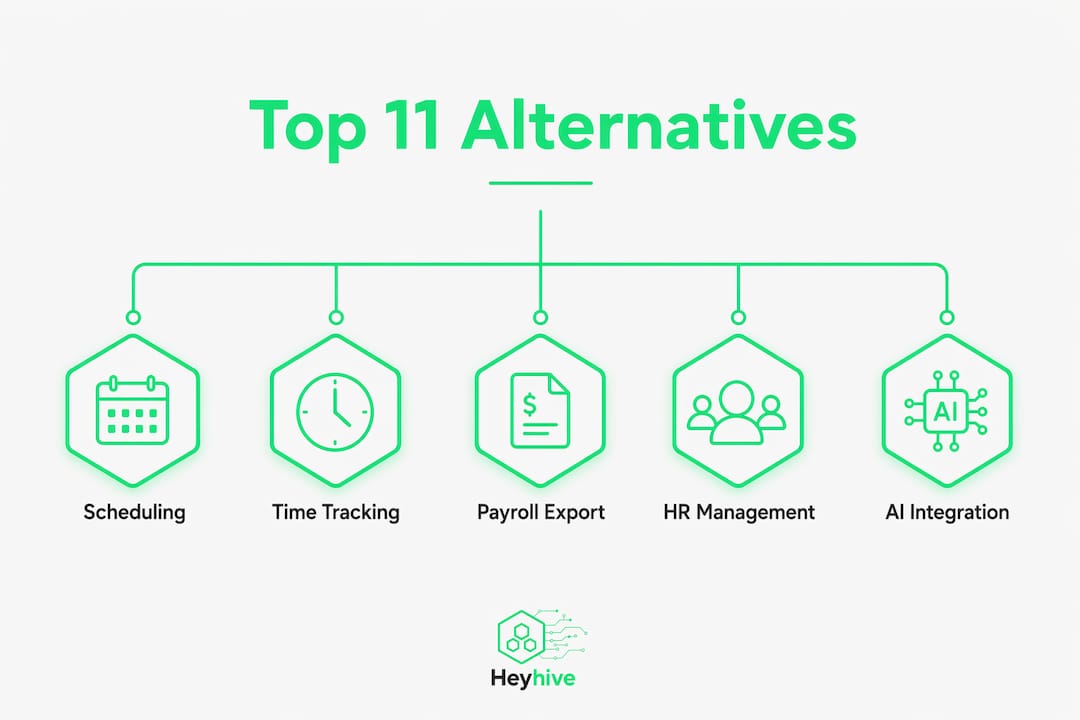
Each of these solves a different version of the same problem. Restaurants need tip management and labor cost controls built into the scheduling layer. Field service companies need GPS verification that holds up for payroll audits. HR-heavy organizations need an HRIS that connects directly to ADP or Gusto. Knowing which category you're in cuts your evaluation time in half.
At-a-glance comparison: features, pricing, and fit by company size
The table below maps each tool to its core capabilities so you can rule out options quickly. Gartner Peer Insights notes that buyers most commonly evaluate workforce apps across scheduling, time and attendance, employee communications, and HRIS integrations — those four dimensions anchor the columns here.
| Tool | Core Features | Free Plan? | Key Integrations | Mobile Quality | Best Company Size |
|---|---|---|---|---|---|
| Heyhive | AI scheduling, GPS clock-in, payroll export, shift fills, attendance tracking | No | Payroll-ready export, HR systems | High — field-first mobile app | 10–100 employees |
| 7shifts | Restaurant scheduling, tip management, labor forecasting | Yes (up to 1 location) | QuickBooks, ADP, Square, Toast | High | 1+ (foodservice) |
| Homebase | Scheduling, time clock, team messaging | Yes (1 location) | QuickBooks, Gusto, Square | High | 1–100 employees |
| BambooHR | HRIS, onboarding, performance, payroll | No (free trial) | ADP, Gusto, NetSuite, Slack | Medium | 25–1,000 employees |
| Deputy | Scheduling, time tracking, compliance, payroll | No (free trial) | QuickBooks, ADP, Xero, Square | High | 10–100 employees |
| Buddy Punch | Time tracking, GPS, PTO, scheduling | No (free trial) | QuickBooks, ADP, Paychex | Medium-High | 5–250 employees |
| Clockify | Time tracking, project hours, reporting | Yes (unlimited users) | QuickBooks, Asana, Jira, Trello | Medium | Any size |
| Jibble | GPS attendance, face recognition clock-in | Yes (unlimited users) | Slack, QuickBooks, Xero | Medium-High | 5–250 employees |
| OnTheClock | Time tracking, scheduling, payroll export | No (free trial) | QuickBooks, ADP, Paychex | Medium | 1–100 employees |
| TimeTrex | Time tracking, HR, payroll, open-source | Yes (open-source) | QuickBooks, ADP, custom | Medium | Any size |
| Agendrix | Scheduling, communication, availability | No (free trial) | Payroll integrations vary | Medium-High | 10–300 employees |
Pricing triggers to watch: Directory data shows that costs typically jump when you add payroll modules, certified hours exports, or advanced labor forecasting. Most tools advertise a low per-user base rate, then charge separately for those features.
| Feature Add-On | Typical Pricing Trigger |
|---|---|
| Payroll module or export | Separate tier or add-on fee |
| Advanced labor forecasting | Premium plan only |
| GPS verification for field teams | Mid-tier or higher |
| Certified/union hours tracking | Enterprise pricing |
Detailed reviews: who each tool fits and what to test
Heyhive
Best for: Multi-site businesses, field service teams, and any hourly workforce where scheduling accuracy and payroll readiness are non-negotiable.

Heyhive's core differentiator is its AI scheduling engine. You set the parameters — employee availability, certifications, overtime limits — and it generates a full week of shifts in seconds. You review and approve before anything goes live, so you keep control without doing the manual work. GPS-verified clock-in accuracy means your payroll export reflects actual field attendance, not self-reported punches.
Features to test in trial:
- Week generation speed (from blank to published schedule)
- GPS clock-in from a real field location
- Payroll export format compatibility with your current provider
- Shift fill workflow when a gap opens last-minute
- Manager approval flow before schedule publication
Pros:
- AI-generated schedules respect availability and overtime rules automatically
- GPS-verified attendance supports payroll audits
- Payroll-ready export reduces reconciliation time
Cons:
- No free plan; paid tiers required
- Best value at 10+ employees
Integrations to verify: Payroll export format, HR system compatibility, field ops tools.
7shifts
Best for: Restaurants, bars, cafes, and any foodservice operation managing tips, labor costs, and variable shift patterns.
Restaurant scheduling tools like 7shifts stand out because they embed tip management and labor cost controls directly into the scheduling layer — something general-purpose workforce apps rarely do well. The free plan covers one location, which makes it accessible for single-unit operators.
Features to test in trial:
- Tip pooling and labor cost percentage tracking
- Integration with your POS (Square, Toast)
- Shift trade and availability request workflows
- Payroll export to QuickBooks or ADP
Pros:
- Industry-specific labor rules built in
- Strong POS integrations (Toast, Square)
- Free plan available for single locations
Cons:
- Less useful outside foodservice
- Advanced forecasting requires higher-tier plans
Pricing: Free plan (1 location), paid tiers per location/month.
Homebase
Best for: Small retail, service, and hospitality businesses with fewer than 100 employees that need scheduling, time clocks, and basic HR in one place.
Homebase's free plan covers one location with unlimited employees, which is genuinely useful for small operators. The mobile app is well-regarded for ease of setup, and it connects to QuickBooks and Gusto for payroll.
Features to test in trial:
- Schedule publishing speed
- Time clock accuracy and break tracking
- QuickBooks or Gusto payroll export
Pros:
- Generous free plan for single-location businesses
- Fast mobile setup
- Solid payroll integrations
Cons:
- Multi-location management requires paid plans
- HR features are basic compared to HRIS-focused tools
Pricing: Free (1 location), paid tiers for multi-location and advanced HR.
BambooHR
Best for: Growing companies (25–1,000 employees) that need a full HRIS: onboarding, performance management, benefits tracking, and payroll alongside scheduling.
BambooHR sits in a different category from most tools on this list. It's an HRIS first, with scheduling as a secondary feature. Integration with ADP, Gusto, and NetSuite makes it the natural pick for HR teams that need workforce data to flow directly into payroll and benefits systems.
Features to test in trial:
- ADP or Gusto payroll sync
- Onboarding workflow and document management
- Reporting and headcount analytics
Pros:
- Deep HRIS capabilities (onboarding, performance, benefits)
- Strong payroll integrations
- Well-reviewed by HR teams on G2 and Capterra
Cons:
- Scheduling is not its primary strength
- Per-employee pricing scales up quickly for larger teams
Pricing: Per-employee/month; no permanent free plan.
Deputy
Best for: Frontline businesses in hospitality, healthcare, and retail that need compliance-aware scheduling and payroll integration.

Deputy handles award rules and compliance requirements that generic schedulers ignore. It connects to QuickBooks, ADP, Xero, and Square, and its mobile app is consistently rated well for ease of use. Automatic scheduling and forecasting reduce the manual workload for managers running complex shift patterns.
Features to test in trial:
- Compliance rule configuration for your industry
- Payroll export to your provider
- Mobile clock-in reliability
Pros:
- Strong compliance and award rule support
- Wide payroll integration library
- Good mobile app ratings
Cons:
- Pricing rises with advanced compliance modules
- Setup can take longer for complex rule configurations
Pricing: Per-user/month; free trial available.
Buddy Punch
Best for: Small to mid-sized businesses (5–250 employees) that need reliable time tracking, GPS punch-in, and PTO management without a complex setup.
Buddy Punch is straightforward: employees clock in, managers review, and the data exports to QuickBooks, ADP, or Paychex. GPS and facial recognition options add verification for field teams. It won't replace a full scheduling platform, but for businesses whose main pain point is time theft and payroll accuracy, it covers the essentials cleanly.
Pros:
- Simple setup and low learning curve
- GPS and facial recognition clock-in options
- Reliable payroll exports
Cons:
- Scheduling features are basic
- Limited communication tools
Pricing: Per-user/month; free trial available.
Clockify
Best for: Distributed or project-based teams that need free, unlimited time tracking across any number of users.
Clockify's free tier is genuinely unlimited — no user cap, no location limit. It tracks hours by project, client, or task, and exports reports for billing or payroll. GPS and kiosk clock-in features are available on paid plans. For teams whose primary need is time tracking rather than shift scheduling, it's hard to beat on cost.
Pros:
- Truly free for unlimited users
- Strong project and task time tracking
- Wide integration library (QuickBooks, Asana, Jira)
Cons:
- Shift scheduling is limited on the free plan
- GPS features require paid upgrade
Pricing: Free core plan; paid plans for GPS, scheduling, and advanced reporting.
Jibble
Best for: Field teams and distributed workforces that need free GPS attendance tracking with face recognition clock-in.
Jibble's free plan includes GPS location tracking and face recognition, which is unusual at no cost. It's a strong fit for businesses that need to verify field attendance without paying for a full workforce management suite.
Pros:
- Free GPS and face recognition clock-in
- Unlimited users on free plan
- Simple mobile setup
Cons:
- Scheduling features are limited
- Advanced reporting requires paid plans
Pricing: Free core plan; paid tiers for advanced features.
OnTheClock
Best for: Small businesses (1–100 employees) that need straightforward time tracking, basic scheduling, and payroll export at a low per-user cost.
OnTheClock keeps things simple. Employees clock in via web, mobile, or kiosk; managers review and export to QuickBooks, ADP, or Paychex. It's not built for complex scheduling or field ops, but for small teams that just need accurate hours and a clean payroll export, it does the job without unnecessary complexity.
Pros:
- Low per-user cost
- Clean payroll export to major providers
- Easy setup for small teams
Cons:
- Limited scheduling and communication features
- Not suited for multi-site or field-heavy operations
Pricing: Per-user/month; free trial available.
TimeTrex
Best for: Cost-conscious businesses or IT-capable teams that want an open-source HR and payroll platform they can self-host or run in the cloud.
TimeTrex is the only tool on this list with a genuine open-source option. Self-hosted deployment gives you full data control and no per-user fees, but it requires technical setup. The cloud version is more accessible and includes time tracking, scheduling, HR, and payroll modules.
Pros:
- Open-source option with no per-user fees
- Full HR and payroll suite
- Flexible deployment (self-hosted or cloud)
Cons:
- Self-hosted setup requires technical resources
- UI is less polished than SaaS-first competitors
Pricing: Free open-source; paid cloud plans available.
Agendrix
Best for: Service businesses and healthcare teams (10–300 employees) that need shift scheduling, availability management, and team communication in one place.
Agendrix focuses on the scheduling and communication layer. Managers publish schedules, employees submit availability and swap requests, and the platform handles notifications. It's a solid mid-market option for businesses that find general-purpose tools too complex and restaurant-specific tools too narrow.
Pros:
- Clean scheduling and availability management
- Built-in team communication
- Good mobile app for shift workers
Cons:
- Payroll integration options vary by region
- Less suited for GPS-heavy field operations
Pricing: Per-user/month; free trial available.
How to choose the right Connecteam alternative
Start with your top three operational bottlenecks, not a feature checklist. Reviewers consistently find that the teams who switch successfully are the ones who identify their biggest pain point first — scheduling accuracy, payroll readiness, or field attendance — and match a vendor to that priority before evaluating anything else.
Seven-step trial checklist:
- Import your data. Upload your employee roster, availability rules, and any existing schedule templates. If this takes more than a day, flag it as a setup risk.
- Run a mobile clock-in from a field location. Test GPS accuracy and offline functionality. A missed punch in the field is a payroll problem.
- Export a payroll file. Generate a test export in your current format (QuickBooks, ADP, Gusto, Paychex). Verify the column structure matches what your payroll team expects.
- Test integrations. Connect your payroll provider and any POS or HRIS systems. Confirm data flows in both directions.
- Run a manager override. Adjust a published schedule, swap a shift, and approve a change request. This tests the approval workflow under real conditions.
- Contact support. Submit a non-urgent question and a time-sensitive one. Note response time and quality for both.
- Project your cost. Calculate the monthly cost at your actual headcount, including any add-ons for payroll export, GPS, or advanced scheduling. Many tools advertise a base rate that doesn't reflect real usage.
Red flags to watch during demos:
- Payroll export requires manual column mapping every time
- GPS clock-in fails or lags in areas with weak signal
- Mobile app requires desktop setup before field employees can use it
- Setup timeline exceeds two weeks for a team under 100 employees
- Support response time for urgent issues is measured in days, not hours
Pro Tip: Structure your trial as a 14-day proof-of-concept. Week one: data import, mobile setup, and one full schedule published. Week two: payroll export, integration test, and one real shift swap. Track four KPIs: time-to-publish a weekly schedule, missed punches per week, payroll reconciliation time, and open shift fill time. Those four numbers tell you whether the platform is actually reducing your admin load.
How these alternatives were evaluated
The tools in this article were assessed against criteria that reflect real operational outcomes, not marketing claims. Buyer evaluation frameworks on platforms like Gartner Peer Insights and Capterra consistently surface the same dimensions: scheduling capability, time and attendance accuracy, mobile app quality, payroll export readiness, and integration depth.
Evaluation criteria used:
- Scheduling and automation: Can the tool generate schedules automatically? Does it respect availability, certifications, and overtime rules?
- Time tracking and GPS clock-in: Is GPS verification reliable for field teams? Does it work offline?
- Payroll export readiness: Does the export format match common payroll providers (QuickBooks, ADP, Gusto, Paychex) without manual reformatting?
- Mobile app quality: Can field employees set up and use the app independently within minutes?
- Integrations: Does the tool connect to your payroll, HRIS, and POS systems natively?
- Pricing transparency: Is the per-user cost clear, and are add-on fees disclosed upfront?
- Support and onboarding: Is live support available during your business hours? Is there structured onboarding for new accounts?
Sources consulted include product documentation, third-party review aggregators, and buyer-oriented roundup articles. The selection prioritizes tools available in the United States with documented integrations for US payroll providers.
What Connecteam does and why teams look for alternatives
Connecteam is an all-in-one frontline workforce platform covering scheduling, time tracking, task management, team communication, and training modules. It's designed for deskless and hourly workers, and it bundles a wide feature set into a single app.
Teams start looking for alternatives for a few consistent reasons:
- Pricing mismatch: The bundled model charges for features you don't use, or the per-user cost rises faster than expected as headcount grows.
- Outgrowing the feature set: Businesses that need stronger payroll exports, union-rule compliance, or industry-specific functions (restaurant tip management, healthcare certification tracking) often find Connecteam's general-purpose design insufficient.
- GPS verification gaps: Field-heavy operations sometimes report inconsistencies in GPS clock-in accuracy that create payroll reconciliation problems.
- Integration limits: Companies that need deep, bidirectional sync with ADP, Gusto, or an existing HRIS may find Connecteam's integration layer limiting.
- Industry-specific needs: Intelligence data shows buyers split between communication-first platforms and HRIS-first systems, depending on whether their primary need is operational scheduling or HR data management.
Pro Tip: If your team spends more than two hours per payroll cycle reconciling attendance data, or if GPS punch records regularly don't match manager-reported hours, those are the clearest signals that your current platform isn't keeping up. That's the moment to run a structured trial of an alternative.
Key Takeaways
The strongest Connecteam alternatives solve a specific operational bottleneck first — AI scheduling, GPS attendance, payroll integration, or industry-specific rules — rather than trying to match every feature.
| Point | Details |
|---|---|
| Match tool to your top bottleneck | Identify whether your biggest pain is scheduling accuracy, payroll readiness, or field attendance before evaluating features. |
| Run a focused 14-day trial | Test schedule publishing, GPS clock-in, and payroll export in week one; integrations and shift swaps in week two. |
| Validate payroll export early | Export a test file on day one to confirm format compatibility with QuickBooks, ADP, Gusto, or Paychex. |
| Watch for pricing triggers | Payroll modules, GPS verification, and advanced forecasting often add cost beyond the advertised base rate. |
| Heyhive for AI scheduling + field ops | Heyhive is the recommended pick for teams that need AI-generated schedules, GPS-verified clock-ins, and payroll-ready exports. |
When switching platforms is worth the effort
The conventional wisdom in workforce software is that switching is always painful and should be avoided unless something is badly broken. That framing undersells how much operational drag a mismatched platform creates over time.
The real question isn't whether switching is hard. It's whether the friction of staying is costing you more than the friction of moving. Persistent payroll reconciliation errors, high no-show rates, and manual schedule rebuilds every week are not minor inconveniences. They compound. A manager spending three hours per week on schedule corrections is losing 150+ hours per year to a tool problem, not a people problem.
That said, not every team should switch immediately. If you have fewer than 10 employees and your current manual process takes under 30 minutes per week, the migration cost probably doesn't justify the payoff yet. The calculus changes fast as headcount grows or as field operations expand.
When you do switch, expect a realistic timeline: two to four weeks for data cleanup and import, one week for staff mobile onboarding, and one full payroll cycle to validate the export. The teams that struggle are the ones who try to run both systems in parallel indefinitely. Set a hard cutover date, run a phased rollout by department or location, and have managers sign off on the first AI-generated schedule before it goes live. Short training videos for field employees cut onboarding time significantly — five minutes of video beats a 20-page manual every time.
Heyhive solves what most alternatives leave unfinished
Most workforce apps give you scheduling or time tracking. Heyhive gives you both, connected by an AI engine that does the heavy lifting before you ever open the schedule view. You set the rules — availability, certifications, overtime limits — and Heyhive generates a full week of shifts in seconds. You approve. It publishes. Field employees clock in with GPS verification, and the hours flow directly into a payroll-ready export.

That's the gap most Connecteam alternatives don't close: the distance between a published schedule and a clean payroll file. Heyhive closes it by design. GPS-verified attendance means your export reflects what actually happened in the field, not what was scheduled. Open shifts fill faster because the system flags gaps and routes them to available employees automatically.
If you're evaluating alternatives, start your Heyhive trial by testing week generation speed, GPS clock-in from a real field location, and payroll export format on day one. Those three checks will tell you everything you need to know. Visit useheyhive.com to start your trial or book a demo.
Useful sources and further reading
Use these resources to go deeper on pricing research, integration checks, and industry-specific feature comparisons.
For pricing research and shortlist building:
- Gartner Peer Insights: Connecteam alternatives — peer ratings and feature comparisons across scheduling, time and attendance, and HRIS categories
- People Managing People: Best Connecteam alternatives — use-case-organized roundup with pros, cons, and pricing notes
- SaaSHub: Connecteam alternatives — directory with free-plan filters and pricing page links
For integration and feature checks:
- Capterra: BambooHR vs Connecteam — side-by-side integration and payroll feature comparison
- CB Insights: Connecteam competitors — market positioning and competitor landscape
- ExpressBook: Cloud scheduling software overview — automation and scheduling feature comparisons across platforms
For trial guidance and KPI frameworks:
- The Digital Project Manager: Connecteam alternatives reviewed — trial checklists and operational KPI guidance
- Shifton: Connecteam vs Homebase — scheduling vs payroll feature comparison for mid-market buyers
Heyhive resources for trial and onboarding:
- AI employee scheduling: how Heyhive builds the week — how the AI scheduling engine works and what to test first
- GPS time clock software: attendance and payroll — GPS verification capabilities and payroll export readiness
- Employee attendance tracking guide — implementation tips for hourly teams running a pilot