
What are the best workforce management software options in 2026?
The top workforce management platforms for US businesses in 2026 are Connecteam, Dayforce, Workforce.com, WorkForce Software, TCP (TimeClock Plus), and When I Work. Each solves a different operational problem, so the right pick depends on your workforce type, industry, and how much AI automation you need.
| Platform | Best For | Key Features | AI Integration | Trial/Pricing | Rating |
|---|---|---|---|---|---|
| Connecteam | Deskless teams: construction, retail, healthcare | Scheduling, time tracking, HR, communications | Moderate | 14-day free trial | 4.8★ (41,000+) |
| Dayforce Canada Ltd | Enterprise cloud HCM | HR, payroll, talent, analytics | Advanced AI tools | Contact for pricing | 4.3★ (78) |
| When I Work | Hourly workers: restaurants, call centers | Scheduling, attendance, team messaging | Basic | Free trial available | 3.3★ (53) |
| TCP (TimeClock Plus) | Time and attendance at scale | Timekeeping, attendance, operational efficiency | Moderate | Contact for pricing | 3.3★ (32) |
| WorkForce Software | Enterprise compliance and labor analytics | Scheduling, labor analytics, compliance | Advanced analytics | Contact for pricing | 4.5★ (23) |
| Workforce.com | Hospitality, retail, care with hourly staff | Scheduling, payroll, HRIS, labor forecasting | Labor forecasting AI | Contact for pricing | 5★ (3) |
Connecteam stands out for deskless and field teams. Its all-in-one app covers scheduling, time tracking, HR, and internal communications, with App Store ratings of 4.8 stars from over 41,000 reviews and a 14-day free trial that lets you test the full platform before committing.

Dayforce is the enterprise choice. It earned recognition as a Gartner Magic Quadrant Leader in Cloud HCM Suites for six consecutive years, and a Forrester Total Economic Impact study found 176% ROI from platform adoption. If you run a large organization and need unified HR, payroll, and talent management with serious AI depth, Dayforce is the benchmark.
Workforce.com covers the broadest functional range for hourly workforces, combining scheduling, payroll, HRIS, task management, and labor forecasting in one system. It targets hospitality, retail, and care industries specifically, which shows in how its forecasting tools handle variable shift demand.
WorkForce Software focuses on enterprise-grade compliance and labor cost control. Its analytics layer is built for organizations where regulatory exposure is a real operational risk, not just a checkbox.

TCP (TimeClock Plus) is the reliable choice when time and attendance accuracy is the primary need. It scales well and integrates with existing payroll systems without requiring a full platform overhaul.
When I Work keeps things simple. It is a mobile-first app built exclusively for hourly workers, covering scheduling, attendance, and team messaging. Restaurants and call centers use it because the interface is fast to learn and the free trial removes the barrier to getting started.
What is workforce management software and why does it matter in 2026?
Workforce management software (WFM) is the category of tools that handles employee scheduling, time and attendance tracking, payroll data export, compliance automation, and team communication. It sits between your HR system and your day-to-day operations, turning labor data into decisions.
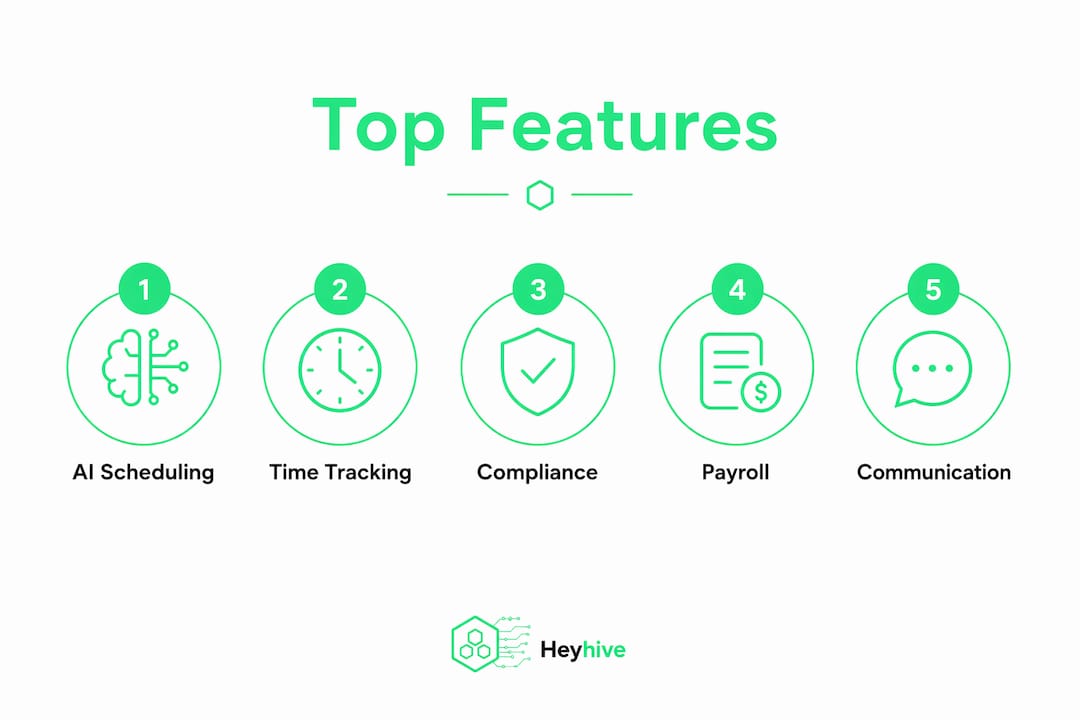
Three forces are pushing WFM adoption hard in 2026. First, AI automation is moving from a differentiator to a baseline expectation, particularly for scheduling and labor forecasting. Second, mobile-first self-service has become non-negotiable for frontline and field workers who never sit at a desk. Third, businesses are consolidating away from fragmented point solutions toward unified platforms that share a single data source, because data silos are the leading cause of inefficiency in workforce systems.
The industries driving the most demand are those with hourly, deskless, or shift-based workforces: healthcare, retail, hospitality, construction, and field services. Gartner reviews consistently flag that office-based software fails these workers because it was never designed for shift swapping, variable overtime, or multi-site scheduling.
What benefits does workforce management software deliver?
The operational gains from a well-implemented WFM platform are concrete and measurable across four areas:
- Scheduling accuracy: Automated scheduling respects employee availability, certifications, and overtime limits, cutting the manual back-and-forth that consumes manager hours every week.
- Payroll accuracy: Time data flows directly into payroll exports, removing the manual entry errors that cause wage disputes and compliance exposure.
- Compliance management: Automated alerts flag overtime thresholds, break violations, and labor law requirements before they become fines.
- Employee engagement: Self-service shift swapping, mobile clock-ins, and direct messaging give frontline workers more control over their schedules, which reduces turnover.
- Labor cost visibility: Real-time dashboards and labor forecasting let managers match staffing levels to actual demand rather than guessing.
For care and home-based workers, GPS-verified time tracking adds a layer of accountability that manual timesheets cannot provide. Platforms like Caretracker demonstrate how mobile time tracking built for home care workers can close the gap between scheduled hours and verified attendance.
How do you choose the right workforce management software?
Start with your workforce type. A platform built for salaried office employees will frustrate a manager running 50 hourly shift workers across three locations. Buying criteria in 2026 consistently rank payroll integration, mobile self-service, and automated compliance as the top three requirements for hourly workforce buyers.
Work through these criteria in order:
- Core feature coverage: Does the platform handle scheduling, time and attendance, payroll integration, compliance alerts, and team communication natively, or does it require third-party add-ons?
- Unified data architecture: Platforms built from acquired modules create data silos. A single unified data source means your scheduling, payroll, and HR data stay in sync automatically.
- AI capabilities: Look for AI-driven scheduling that generates shift plans based on demand forecasts, not just templates. Labor forecasting that learns from historical patterns saves hours every week.
- Mobile experience: Frontline workers need an app that works fast on a phone. Test the employee-facing interface, not just the manager dashboard.
- Scalability and pricing: Match the pricing model to your company size. Connecteam's free trial and When I Work's accessible pricing suit growing teams; Dayforce and WorkForce Software are built for enterprise scale.
- Implementation and support: Ask vendors for realistic go-live timelines and what onboarding support is included. Security certifications and compliance documentation matter here too.
Pro Tip: Bring stakeholders from HR, finance, and operations into the evaluation. Each group uses different features, and a platform that works for scheduling managers but frustrates payroll teams will underdeliver on its ROI promise.
What workforce management trends are shaping 2026?
AI-powered scheduling is the clearest differentiator separating leading platforms from legacy tools in 2026. The best systems generate full shift schedules in seconds, factoring in employee availability, certification requirements, and overtime rules automatically. That capability alone eliminates hours of manual planning per week for most scheduling managers.
The second major shift is the move away from standalone time-tracking tools toward unified platforms. Industry evaluations show that buyers are prioritizing platforms where scheduling, attendance, payroll, and compliance share the same data layer rather than syncing across separate systems. The operational cost of maintaining integrations between disconnected modules is pushing organizations toward consolidation.
Key figure: Dayforce's Forrester Total Economic Impact study found 176% ROI from platform adoption, a benchmark that reflects what unified AI-powered platforms can deliver when they replace fragmented legacy systems.
Compliance automation is also moving up the priority list, particularly for organizations with multi-state operations or complex labor law exposure. Platforms like WorkForce Software and Workforce.com have built their compliance tooling specifically for industries where a missed break violation or an overtime miscalculation carries real financial risk. For organizations where workplace safety intersects with scheduling, OSHA compliance automation is becoming part of the WFM evaluation checklist as well.
Heyhive gives you AI scheduling without the enterprise price tag
The platforms above are proven. But most of them were built for organizations that already have dedicated HR teams, implementation budgets, and months to spend on rollout. If you manage hourly or field employees and need AI-powered scheduling running this week, not next quarter, Heyhive is worth a direct look.

Heyhive generates a full week of shifts in seconds, respecting employee availability, certifications, and overtime limits automatically. You review and approve before anything goes live. GPS-verified clock-ins confirm field employees are where they need to be, and payroll-ready hours export when the week closes. No manual data entry, no spreadsheet reconciliation.
The platform also handles shift swapping, real-time attendance tracking, team messaging, and AI resume screening for hiring, all in one place. Pricing is tiered by company size, so you pay for what you actually use. Start with a demo and see how fast a full schedule comes together.
Key Takeaways
The best workforce management software in 2026 combines AI-driven scheduling, unified data architecture, and mobile-first self-service to cut labor costs and reduce compliance risk.
| Point | Details |
|---|---|
| Match platform to workforce type | Hourly and deskless teams need software built specifically for shift complexity, not adapted office tools. |
| Prioritize unified data | Platforms built on a single data source eliminate the sync errors and silos that fragmented modules create. |
| AI scheduling is now standard | Leading platforms generate shift plans automatically; manual scheduling tools are falling behind on efficiency. |
| Dayforce ROI benchmark | A Forrester study found 176% ROI from Dayforce adoption, setting the bar for enterprise platform value. |
| Heyhive for fast AI scheduling | Heyhive generates full weekly schedules in seconds with GPS clock-ins and payroll-ready exports, built for hourly and field teams. |