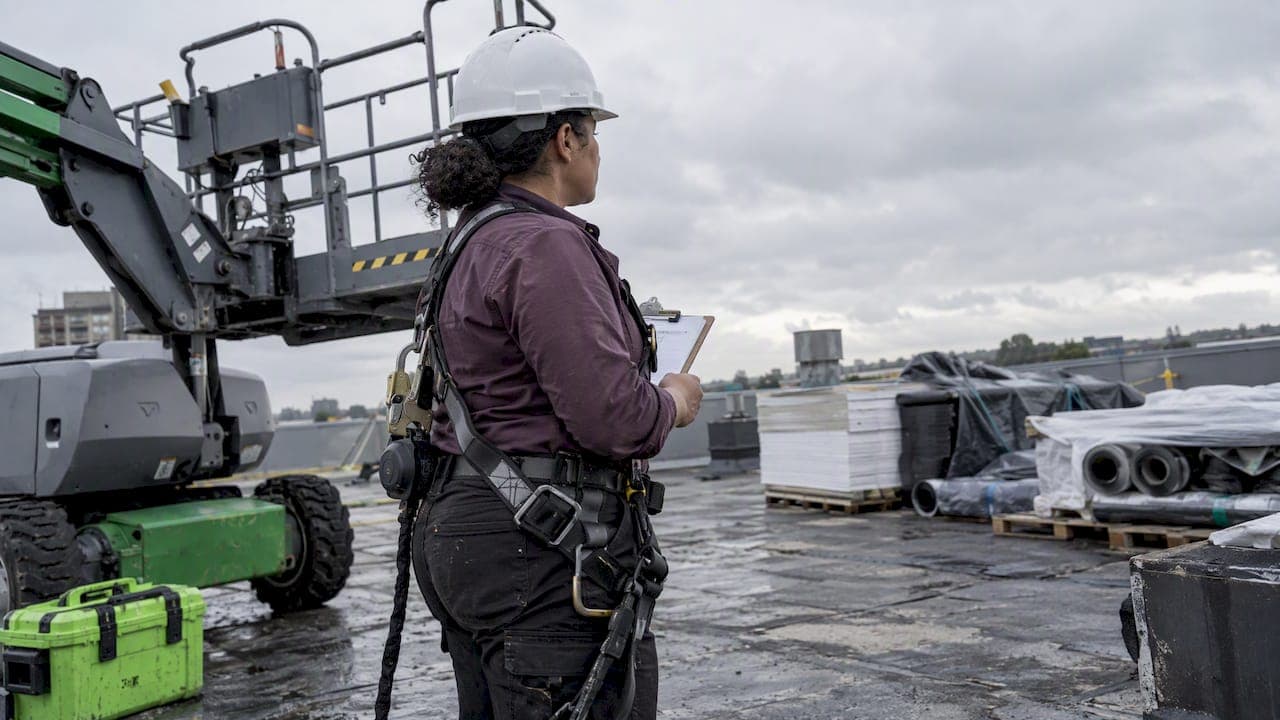
Weather affects scheduling in two ways: it changes whether people can safely do the work, and it changes how much work there is to do. The managers who handle it well decide the rules before the storm, not during it. They set measurable triggers, check forecasts before the workday starts, and keep a short list of people who can cover or swap. This guide shows you how to build that system for crews, restaurants, retail stores and field teams.
TL;DR
- Define action triggers in advance (heat index, wind speed, lightning distance) so every supervisor makes the same call.
- Check the forecast before each shift and again during it. Move heavy work to cooler hours, and pause or stop when a trigger is hit.
- Weather also moves demand. Patio traffic, foot traffic and delivery volume swing with it, so staff to the forecast, not just the calendar.
- Keep swaps, open-shift offers and team messaging ready so you can re-cover a schedule in minutes.
- Use a scheduling tool that lets you approve changes before they publish, so speed never costs you control.
Table of Contents
- How weather disrupts a schedule
- Set weather triggers before you need them
- Check forecasts before the shift, then during it
- Reschedule the work, not just the people
- Protect new and returning workers
- Weather changes demand, too
- Mind the notice rules when you change a posted schedule
- Re-cover the schedule fast
- Where Heyhive fits
- Our perspective
- A simple weather plan you can set up this week
- FAQ
- Sources
How weather disrupts a schedule
Weather rarely cancels a day outright. It bends it. A few common patterns:
- Safety stoppages. Lightning, high wind at height, and dangerous heat can force work to pause or stop.
- Shifted hours. Outdoor work moves to early morning or evening to avoid peak heat.
- Reduced capacity. A crew working with longer rest breaks gets less done per hour, so a job needs more labor hours.
- Absences and late arrivals. Snow, flooding and road closures keep people from getting to work.
- Demand swings. A rainy Saturday can empty a patio and fill a delivery queue.
The stakes for outdoor teams are real. OSHA reports that environmental heat exposure led to 37 work-related deaths and 2,830 nonfatal injuries and illnesses involving days away from work in 2015. Scheduling is one of the cheapest controls available, because it costs nothing to put hard work in the cool part of the day.
Set weather triggers before you need them
The most common scheduling failure in bad weather is not a lack of information. It is a lack of agreement on what the information means. One supervisor sends the crew home at the first thunder, another waits for rain.
The fix is a written trigger for each hazard. Guidance for HR and operations teams recommends defining measurable thresholds such as heat index values, wind speeds or lightning risk, then applying human judgment to fit them to your kind of work. Here is a simple structure.
| Hazard | What to measure | Example action to define |
|---|---|---|
| Heat | Heat index at the worksite | Move hard tasks earlier, add rest breaks, stop early at a set level |
| Lightning | Time since last thunder | Shelter, then wait before resuming |
| Wind | Sustained speed and gusts | Stop lifting or work at height at the equipment limit |
| Snow, ice, flooding | Road and site conditions | Delay start, shorten shifts, switch to remote tasks |
| Cold | Temperature and wind chill | Shorter outdoor rotations, warm-up breaks |
For each row, write down three things: the number that triggers the action, who makes the call, and how the team hears about it. Then put it in the same place your schedule lives.
Heat: use the heat index, but not alone
The National Weather Service sorts heat into four categories, as summarized by OSHA: Caution at 80°F to 90°F heat index, Extreme Caution at 91°F to 103°F, Danger at 103°F to 124°F, and Extreme Danger at 126°F or higher. Those bands are a good starting point for your triggers.

Do not treat them as the whole answer. NIOSH says the heat index is a useful screen but should not be relied on exclusively, because work intensity and acclimatization also drive risk. A crew carrying shingles up a ladder at 88°F is under more strain than a crew sorting boxes in the shade at the same reading.
The OSHA-NIOSH Heat Safety Tool app can show the forecasted and current heat index near a location and indicate hazard levels, which makes it easy to check before you publish the day's assignments.
Lightning: build in the wait time
Lightning rules are where schedules most often break. OSHA and NOAA advise that workers stay in a safe shelter for at least 30 minutes after the last sound of thunder. That means one rumble at 10:15 can take the crew out of action until at least 10:45, and a second rumble resets the clock.
The same guidance calls for a written emergency action plan that identifies safe shelters, warning procedures and the time workers need to reach shelter. Put that travel time into your trigger. If your farthest worker is five minutes from shelter, you stop work at the first warning, not at the first strike.
Wind: know your equipment limits
For lifts and work at height, confirm the manufacturer's wind limits for your equipment and set your own stop-work criteria on top of them, as site safety toolbox guidance recommends. Schedule the crane or lift for the calmer part of the day when the forecast allows, and keep a ground-level task list ready for the hours it cannot run.
Check forecasts before the shift, then during it
A good weather routine has two checkpoints: the day before, and the morning of.
The day before. Look at the next 7 days. The National Weather Service's Weather Activity Planner lets you define the conditions your work needs and query forecast grids against them for the next week. That is a quick way to see which days are likely to clear your thresholds and which are not.
The morning of. OSHA and NOAA recommend that employers check NOAA weather reports at weather.gov and radio forecasts for all hazards before any outdoor work begins. Make this a fixed step for the person who publishes or confirms the day's plan.
During the shift. For heat, California's Division of Occupational Safety and Health advises employers to monitor predicted temperatures in advance and take site-specific readings every 60 minutes, then adjust by adding shade, stopping early, rescheduling tasks or increasing water and rest breaks. California's rules are state-specific, but hourly checks are a sensible habit anywhere.

Use history to plan the season
Forecasts cover next week. For next quarter, use history. NOAA's National Centers for Environmental Information publishes 30-year Climate Normals, currently 1991 to 2020, which you can use as a benchmark for what a typical July or January looks like in your area. If your records show that your region's afternoons usually hit your heat trigger from late June through August, build your summer template with early starts from the beginning, instead of rescheduling every week.
Reschedule the work, not just the people
Before you cancel anything, ask what can move. Several options keep people productive and safe.
- Shift to cooler hours. NIOSH says that, if possible, jobs with high heat exposure should be rescheduled to cooler times of day.
- Split the shift. Work the cool morning, break through the peak, and return in the evening if your staffing rules allow it.
- Swap the task. Move indoor or sheltered work, such as inventory, equipment checks, training or paperwork, into the bad hours.
- Shorten rotations. In cold or heat, shorter exposure periods with more recovery keep crews sharp.
- Change the location. For extreme precipitation such as snowstorms or hurricanes, New York State Department of Labor guidance suggests employers consider adjusting work schedules or locations and provide suitable protective gear.
The point is to make the weather plan a menu, not a cancellation switch.
Protect new and returning workers
Weather scheduling has a hidden trap: the first hot week. NIOSH recommends giving new and unacclimatized workers lighter workloads and longer, more frequent rest periods while they adapt. That affects who you put on the roof on the first 90°F day, and who you pair with whom. Tag new hires and anyone back from leave in your schedule so the plan reflects it.
Rest also matters because exertion produces heat. NIOSH notes that the body's internal heat production during physical work is much higher than at rest, so rest breaks in shade or air conditioning are central to managing core temperature, not a perk to trim when you are behind.
Under OSHA's heat enforcement program, host employers are expected to have a heat illness and injury program covering training, cool water, shaded rest areas and acclimatization, according to OSHA's heat guidance. The same document says OSHA officers inspect targeted high-hazard industries on days when the NWS issues a heat warning or advisory. A weather plan you can show on paper is part of being ready for that.
If an employee has a medical condition or you are unsure whether a worker can safely do a task in the heat, ask them to speak with their doctor, and consult your safety officer or a qualified occupational health professional before you set the rule.
Weather changes demand, too
Not every weather problem is about safety. For restaurants and retail, weather changes how many people walk in.
- A cold, rainy lunch hour can drop dine-in traffic and raise delivery orders.
- A hot weekend can fill a patio and strain a kitchen that was staffed for an average Saturday.
- Storm warnings can send shoppers to stock up the day before, then keep them home the day of.
The approach is the same as for field crews: use data. Record weather alongside sales, orders and labor hours for a few months, and patterns appear. Our guides on data-driven scheduling, retail labor forecasting by hour and demand-based scheduling walk through how to turn those numbers into shifts. The weather forecast becomes one more input, like a promotion or a holiday.
If you manage hourly retail teams, our retail scheduling guide covers how to balance coverage and cost when demand moves.
Mind the notice rules when you change a posted schedule
Last-minute weather changes can collide with scheduling law. Some US cities and states have predictive scheduling or fair workweek rules. Oregon's Bureau of Labor and Industries, for example, says covered employers in retail, hospitality and food services with at least 500 employees worldwide must give employees a written schedule at least 14 calendar days in advance. Rules differ by jurisdiction, and many include exceptions or premium pay for changes after posting. Check your city and state labor agency, or ask an employment attorney, before you decide how to handle weather cancellations and early releases. Write your answer into your policy now, so a storm day does not become a compliance question.
Re-cover the schedule fast
Once a trigger fires, the clock is short. You need to know who is affected, who can cover, and how to tell everyone at once. A practical sequence:
- Confirm the trigger. Check the forecast or reading, and note the time and the call.
- Decide the change. Delay, shorten, move, or cancel the shift or task.
- List the gaps. Which shifts are uncovered, and which skills or certifications do they need?
- Offer open shifts. Send them to qualified people first, and respect availability and overtime limits.
- Message the team once. One channel, one message, with the new time and the reason.
- Log what happened. Who was on site, when work stopped and when it resumed.
The same discipline applies in other scheduling-heavy fields. This piece on preventing double bookings with shared controls shows how a few clear rules keep a changing timetable from colliding with itself, and the logic carries over to shifts.
The operational side deserves training as well. If you coordinate multiple sites, a course on integrated workplace management systems can help your team connect weather information with staffing and site-specific monitoring.
Where Heyhive fits
Weather changes are exactly when manual scheduling breaks: the group text floods, the spreadsheet is out of date, and someone ends up on the wrong site. Heyhive is built for that moment.
- AI Scheduling generates a full week of shifts in seconds, respecting availability, certifications and overtime limits.
- You approve every shift before it is published, so you stay in control.
- Shift swapping and Team Messaging let you re-cover a schedule and reach everyone in one place.
- GPS Time Clock and Field Ops Check-In show verified arrivals and departures at mobile and multi-site jobs, so you know who is where when conditions change.
- Payroll-Ready Hours export what was actually worked, including shortened and split shifts.
You can start with Heyhive and see how a weather-driven change looks when it takes minutes instead of an hour of calls.
Our perspective
We see weather as a scheduling input, not an emergency. The rule is simple: decide the thresholds when the sky is clear, and let the schedule do the work when it is not.
Three things matter most to us.
- Rules first, judgment second. Triggers make decisions consistent, but a supervisor who knows the site should be able to be more cautious than the rule.
- Speed with approval. AI can build or rebuild a week quickly. A manager should still review it before anyone sees it, because a weather change often involves exceptions only you know about.
- Verified, not assumed. When conditions shift, you want proof of who arrived, who left and when. That protects people and makes payroll cleaner.
The goal is a team that knows what happens at a given heat index, a given wind speed or a given rumble of thunder, without a dozen phone calls.
— Heyhive
A simple weather plan you can set up this week
- Pick your hazards. Heat, lightning, wind, snow, flooding. Choose the ones your region and work actually face.
- Write one trigger per hazard. A number, an owner, a message.
- Choose your checkpoints. The evening before and an hour before the shift.
- Prepare alternatives. A list of indoor or sheltered tasks, plus alternate shift windows.
- Tag your people. Mark new hires, certifications and who is willing to take open shifts.
- Review after each event. Note what worked and adjust the triggers.
For teams that run around the clock, our 24/7 shift schedule templates are a useful starting layout, and our guide to AI employee scheduling software explains how an AI-built week works in practice.
FAQ
How far ahead should I check the weather for scheduling?
Look at the 7-day outlook when you plan the week, then check again the evening before and just before the shift. The National Weather Service's Weather Activity Planner covers the next 7 days. Keep the final call close to start time, since forecasts shift.
What heat level should make me change a schedule?
There is no single number for every job. The National Weather Service heat index categories start at Caution from 80°F and rise to Extreme Danger at 126°F or higher, and NIOSH says work intensity and acclimatization also matter. Set your own triggers by job type and review them with your safety lead.
How long should workers wait after lightning?
OSHA and NOAA advise staying in a safe shelter for at least 30 minutes after the last sound of thunder. Reset the timer if thunder is heard again. Write this into your emergency action plan along with where the shelters are.
Can I change a posted schedule because of weather?
Often yes, but the rules depend on where you operate. Cities and states with predictive scheduling laws may require notice, premium pay or have weather exceptions. Check with your local labor agency or an employment attorney before you set the policy.
How can software help with weather changes?
It shortens the time between the decision and a covered schedule. With Heyhive, you can rebuild shifts, offer open shifts, message the team and review everything before it publishes. You still make the call.
Sources
- OSHA Regional Emphasis Program for Heat Illnesses
- OSHA: Exposure to Outdoor and Indoor Heat-Related Hazards
- OSHA: Lightning Safety When Working Outdoors
- NIOSH: Heat Index, when humidity makes it feel hotter
- NIOSH: Keeping Workers Hydrated and Cool Despite the Heat
- CDC NIOSH: Heat Stress Workplace Recommendations
- National Weather Service: Weather Activity Planner
- NWS: 1991-2020 Climate Normals
- California DOSH: Heat Illness Prevention, Monitor Weather Conditions
- New York State Department of Labor: Protecting Outdoor Workers from Extreme Precipitation
- Oregon BOLI: Predictive Scheduling
- Weather-Aware Workplaces: How HR Teams Can Plan Safer Schedules
- Lightning and Severe Weather Toolbox Talk