
Scheduling to a labor budget means converting your dollar target into available hours using a fully burdened hourly rate, then allocating those hours across days and dayparts to match demand before you build a single shift. Confirm your budget period, burden rate, and overtime contingency first. Set two controls before you touch the schedule: a daily labor percent target and a pre-publish budget check.
TL;DR:
- Setting aside 5 to 10 percent of the labor budget as overtime contingency before scheduling helps avoid reacting to demand spikes late in the week.
- Using a burdened hourly rate that includes a 1.35 to 1.50 multiplier ensures accurate conversion of dollars into available labor hours.
- Live labor-cost previews and Overtime warnings in scheduling tools reduce the risk of overspending and help enforce the budget in real time.
- Daily comparison of scheduled hours against actual timecards and impact analysis on variance factors are critical for mid-week adjustments.
- Automated scheduling platforms that generate schedules respecting availability and limits can save hours and prevent budget overruns through real-time feedback.
Table of Contents
- How Do You Convert a Labor Budget Into a Weekly Schedule?
- What Formulas Turn Dollars Into Labor Hours?
- Which Scheduling Tool Features Actually Enforce the Budget?
- How Do You Track Scheduled vs. Actual Hours Mid-Week?
- Why This Workflow Holds Up Under Real Scheduling Pressure
- What Should Managers Focus On First?
- Try Scheduling That Enforces Your Budget Automatically
- Sources
How Do You Convert a Labor Budget Into a Weekly Schedule?
Turning a dollar figure into a working schedule is a sequence, not a guess. Skip a step and you'll either overspend by Thursday or understaff your Saturday rush.
- Confirm the scope and period. Know whether you're budgeting weekly or monthly, and whether the number covers one location or several dayparts separately.
- Calculate your fully burdened hourly cost. Base wage alone understates true cost by a wide margin, so apply a burden multiplier before you do anything else.
- Reserve an overtime contingency. Set aside 5 to 10 percent of the total budget for unplanned overtime or a demand spike, before allocating the rest.
- Convert dollars into available hours. Divide your remaining budget by the burdened hourly rate to get a total hours pool for the period.
- Allocate hours by day and daypart. Use sales per labor hour or historical demand patterns to decide how many of those hours go to Friday dinner versus Tuesday lunch.
- Draft shifts within those allocations. Build shifts that respect employee availability, required certifications, and overtime caps, staying inside each daypart's hour ceiling.
- Run a pre-publish check. Confirm total scheduled dollars against budget one more time, and route the draft through manager approval before it goes live.
Direct labor budgeting works this way in most operational settings: forecasted volume gets multiplied by standard hours per unit, then by the fully burdened rate, to land on total labor dollars needed. Scheduling to a budget just runs that math in reverse, starting from the dollar figure you were handed.
Pro Tip: Build your overtime contingency into the budget before you allocate a single hour. If you wait to think about overtime until Thursday, you're reacting instead of planning.
What Formulas Turn Dollars Into Labor Hours?
The core formula is simple once you have the right rate. Available hours equal your labor budget divided by the burdened hourly rate, and getting that rate wrong throws off everything downstream.
- Burdened hourly rate = base wage × a multiplier of roughly ×1.35 to ×1.50, covering employer costs on top of pay.
- Burden components typically include FICA (7.65%), workers' comp (5 to 15%), unemployment insurance (2 to 6%), health insurance, and retirement match.
- Available hours = budget dollars ÷ burdened hourly rate.
- Overtime cost = overtime hours × (base wage × 1.5 × burden multiplier), which climbs fast once you cross the 40-hour threshold.
A $20 base wage with a 30% burden multiplier produces a $26 burdened hourly rate. A $5,000 weekly budget divided by $26 yields roughly 192 available hours, before setting aside any overtime contingency.
If your labor budget comes from a project estimate that bundles material and labor pricing, strip the material cost out first, or you'll overstate your available hours.
Which Scheduling Tool Features Actually Enforce the Budget?
A budget number does nothing if your scheduling tool can't hold you to it while you're building shifts. The right feature set catches overspend before you publish, not after payroll runs.
- Live labor-cost preview that updates dollar totals as you add or remove shifts.
- Daily labor percent target displayed against actual scheduled percentage, day by day.
- Forecast sync that pulls sales or volume projections into daypart-level staffing suggestions.
- Overtime warnings that flag any employee approaching 40 hours before you finalize the week.
- Approval workflow that routes a draft schedule to a manager before it publishes.
- Payroll-ready export that hands off actual hours without manual reformatting.
Vendor tools that show live labor-cost updates while you edit consistently cut down on schedules that publish over budget, simply because managers see the number moving in real time instead of finding out later.
Pro Tip: Run your pre-publish check as a habit, not an afterthought. Compare total scheduled dollars to budget one final time before you hit publish, every single week, even when the schedule looks fine.
Before publishing any week, confirm your forecast sync is current, your daily labor percent targets are set, and overtime warnings are switched on for every location.
How Do You Track Scheduled vs. Actual Hours Mid-Week?
Building a budget-aligned schedule is only half the job. Tracking how it performs against reality is where most managers lose control.
- Compare scheduled hours and dollars to actual timecards daily, not just at week's end.
- Track labor percent, overtime percent, and sales per labor hour as your core variance indicators.
- Check root causes quickly when a variance shows up: a volume increase, a wave of no-shows, a miscalculated burden rate, or overlapping shifts that double-staff a slow window.
- Take a corrective action that matches the cause, such as reassigning a shift, trimming overlap, opening a short shift, or tightening overtime approval for the rest of the week.
Dashboards that combine budget, schedule, and actuals in one view make this diagnosis fast. One review process traced most of an overage to a 20% volume increase, with the remainder explained by overtime and missing time entries. Feed corrections back into next week's daypart allocations so the same gap doesn't repeat.
Why This Workflow Holds Up Under Real Scheduling Pressure
This dollars-to-hours-to-shifts sequence works because it forces the budget conversation to happen before the schedule exists, not after payroll flags an overage. AI-generated schedules that respect availability, certifications, and overtime limits automatically, and shows live labor-cost feedback while you edit, so the math from this article runs in the background as you work.
- Labor forecasting models for allocating hours by daypart and volume
- Labor cost percentage benchmarks for setting daily targets
- GPS-verified time clocks for reconciling scheduled hours against actual clock-ins
What Should Managers Focus On First?
Protect peak coverage before you chase savings anywhere else. Cutting hours from your busiest windows to hit a number on paper costs more in lost service than it saves in payroll.
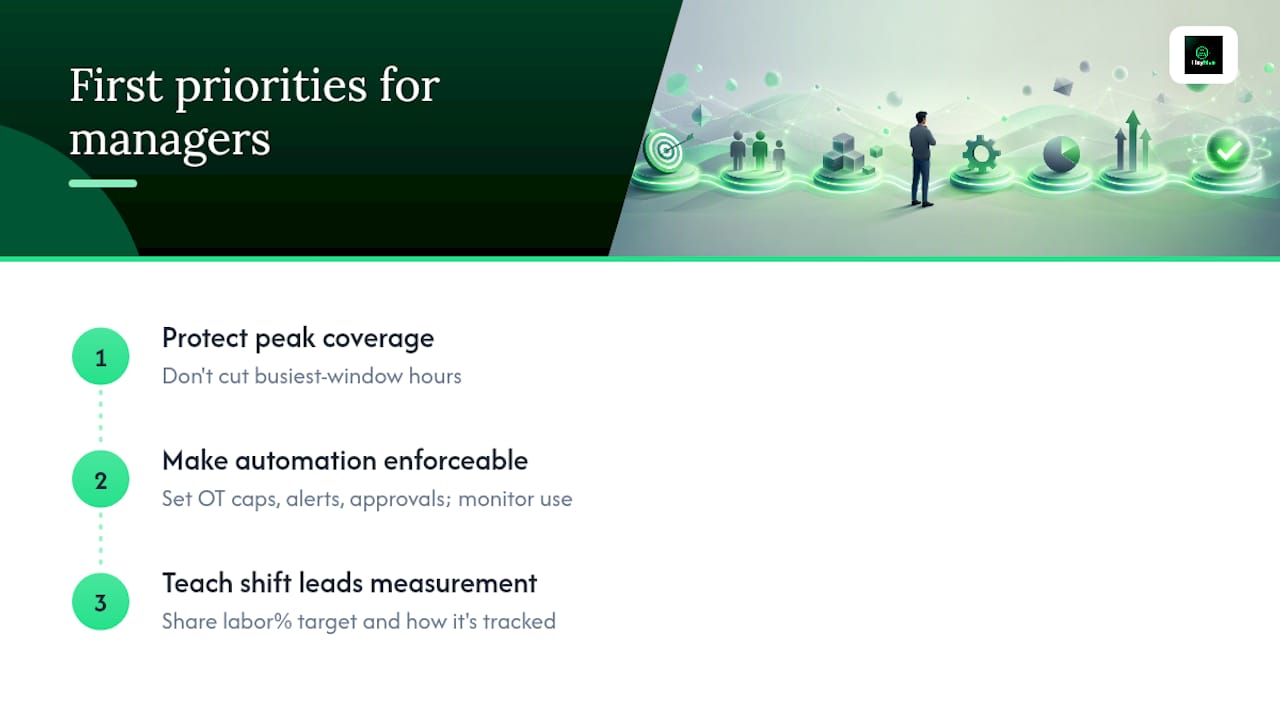
Automation only works if the rules are enforceable: set overtime caps, budget alerts, and approval steps, then watch whether shift leads actually use them. A dashboard nobody checks is worse than no dashboard at all.
Targets stick when shift leads understand the measurement, not just the goal. Tell them the labor percent target and how it's tracked, and behavior changes faster than any policy memo will produce.
— Heyhive
Try Scheduling That Enforces Your Budget Automatically
This platform is built for managers who don't want to run these calculations by hand every week. It generates full weekly schedules in seconds, respecting availability, certifications, and overtime limits automatically, while showing a live labor-cost preview so you catch overspend before you publish, not after.

Managers approve every shift before it goes live, and GPS punch clock and geofencing solutions reconcile scheduled hours against actual hours worked. Payroll-ready exports remove manual reformatting steps. If the calculator work in this article sounds like something you'd rather automate, start a free trial of Heyhive and generate your next budget-aligned schedule in minutes instead of hours.
Sources
- Free Construction Labor Cost Calculator - EstimationPro AI
- 9 Steps for Accurate Labor Budgeting & Forecasting | Easy Metrics
- Use the Labor Budget Tool to plan labor costs — 7shifts Knowledge Base