
Heyhive is the editor's pick for hourly and field teams, combining AI scheduling, GPS-verified clock-ins, and payroll-ready exports in a single platform. For the majority of small businesses managing shift workers or field crews, it covers the full workflow from schedule generation to payroll export without stitching together separate tools.
If your needs differ, here is the short shortlist:
- Heyhive — Best overall for hourly teams and multi-site field operations
- Jibble — Best free option with biometric and GPS features included
- DeskTime — Best for remote or desk-based teams needing automatic activity logging
- Factorial — Best for organizations that want attendance inside a full HR suite
- Top Hat — Best for higher-education instructors tracking classroom attendance
- Vacation Tracker — Best for teams focused on simple leave and absence management
The Fair Labor Standards Act requires employers to keep accurate records of hours worked, which means your attendance tracking software must produce audit-ready, payroll-compatible exports, not just a dashboard. That single requirement eliminates a surprising number of otherwise capable apps. Start your Heyhive free trial, request a demo, or activate Jibble's free-forever plan to get moving today.
Table of Contents
- How do the best attendance tracking apps compare?
- Why Heyhive is the editor's pick for hourly and field teams
- Why Jibble is the best free attendance tracking option
- DeskTime tracks what your team actually does at their computers
- Factorial puts attendance inside your HR workflows
- Top Hat and Vacation Tracker: picks for education and simple leave tracking
- How do you choose the right attendance app for your team?
- Key Takeaways
- What most managers get wrong about attendance tracking
- See what Heyhive does in your first week of trial
- Selected sources and further reading
How do the best attendance tracking apps compare?
The table below covers all 16 apps across the dimensions that matter most for purchasing decisions. Heyhive leads as the editor's pick; the remaining rows follow by use-case fit.
| App | Best For | Pricing | Key Attendance Features | Platforms | Integrations | Ease of Setup | Reporting & Payroll Export | Offline / Field Ops |
|---|---|---|---|---|---|---|---|---|
| Heyhive ⭐ Editor's Pick | Hourly teams, multi-site field ops | Free trial; subscription tiers | GPS clock-in, geofence, kiosk, AI scheduling, shift swap | iOS, Android, Web | Payroll, HRIS | Fast, manager-led | Payroll-ready export | GPS arrival/departure, offline sync |
| Jibble | Small teams needing free verified clock-ins | Free forever (unlimited users); paid tiers | Face recognition, GPS, geofence, kiosk, offline | iOS, Android, Web | Payroll, HRIS | Very fast | Reports, export | Offline sync |
| DeskTime | Remote/desk-based teams needing activity analytics | Free plan (1 user); paid from ~$7/user/mo | Auto time tracking, app/URL monitoring, absence mgmt | Windows, Mac, Linux, iOS, Android | Project tools, payroll | Moderate | Productivity + attendance reports | Limited |
| Factorial | HR-led orgs wanting integrated attendance | Paid tiers; free trial | Time off, shift scheduling, clock-in, reporting | iOS, Android, Web | HRIS, payroll | Moderate | HR + payroll export | Limited |
| Vacation Tracker | Teams focused on leave management | Free trial; paid from ~$1/user/mo | Leave/absence tracking, calendar sync | Web, Slack, Teams | Google Calendar, Outlook, Slack | Very fast | Leave reports | No |
| Top Hat | Higher-ed instructors, campus courses | Paid; institutional pricing | Auto attendance, LMS sync, gradebook integration | iOS, Android, Web | Blackboard, Canvas, D2L, Moodle, Sakai | Moderate | Attendance + grade reports | Limited |
| LeaveBoard | Companies needing simple leave tracking | Free for small teams; paid tiers | Leave workflows, approval routing | Web | HRIS, calendar | Fast | Leave reports | No |
| Pause | Small teams wanting lightweight time tracking | Paid; pricing not publicly listed | Basic time tracking, leave | Web, Slack | Slack | Very fast | Basic reports | No |
| AttendanceBot | Slack/Teams-heavy teams | Paid; per-user pricing | Chat-native check-ins, time-off workflows | Slack, Teams, Web | Slack, Teams, HRIS | Fast | Time-off reports | No |
| Justworks | Small businesses needing payroll + HR bundle | Paid; per-employee pricing | Time tracking via integrations, HR + payroll | Web, iOS, Android | Payroll, benefits | Moderate | Payroll-integrated reports | No |
| Insightful | Managers wanting detailed productivity analytics | Paid; per-seat pricing | Activity monitoring, time tracking, attendance | Windows, Mac, Web | HRIS, project tools | Moderate | Deep analytics export | Limited |
| Monitask | Remote teams needing visual activity verification | Paid; per-user pricing | Screenshots, activity tracking, time logs | Windows, Mac, Linux, Web | Project tools | Fast | Activity + time reports | No |
| Homebase | Small hourly businesses | Free plan; paid tiers | Scheduling, time clock, GPS | iOS, Android, Web | Payroll (local), POS | Fast | Payroll export | Limited |
| Connecteam | Operational teams wanting one app | Free for small teams; paid tiers | Time tracking, scheduling, tasks, GPS | iOS, Android, Web | Payroll, HRIS | Fast | Payroll-ready export | Offline support |
| Workable HR | HR/recruiting-led orgs | Paid; per-job or per-seat | Attendance via integrations, recruiting focus | Web, iOS, Android | HRIS, payroll, ATS | Moderate | HR reports | No |
| Deltek Replicon Time | Enterprise orgs with complex compliance needs | Enterprise pricing | Compliance rules, time tracking, audit trails | Web, iOS, Android | ERP, payroll, HRIS | Complex | Enterprise-grade compliance reports | Limited |
Free-plan highlights: Jibble offers unlimited users on its free tier. Homebase and Connecteam both offer free plans for small teams. DeskTime's free plan covers one user. LeaveBoard is free for teams up to nine employees.
Why Heyhive is the editor's pick for hourly and field teams
Heyhive earns the top spot because it solves the two problems that cost hourly managers the most time: building the schedule and verifying who actually showed up. Most attendance apps handle one or the other. Heyhive handles both in a single platform, then hands you a payroll-ready export.
Key features:
- AI scheduling — generates a full week of shifts in seconds, respecting employee availability, certifications, and overtime limits
- GPS-verified time clock — employees clock in and out with GPS confirmation; managers see arrival and departure locations in real time
- Geofencing — restricts clock-ins to approved job sites, eliminating buddy punching and off-site fraud
- Kiosk mode — shared-device clock-in for locations where employees don't carry personal phones
- Shift swapping — employees request swaps; managers approve before the change goes live
- Offline support — field crews can clock in without a signal; data syncs when connectivity returns
- Payroll-ready exports — hours export in formats compatible with common payroll systems, reducing manual data entry
- Manager approval layer — every schedule and shift change requires manager sign-off before it publishes
Pricing: Heyhive runs on a subscription model with tiered plans based on team size and feature usage. Exact pricing is on the Heyhive landing page; a free trial lets you test GPS clock-ins, scheduling automation, and payroll export before committing.
Who it's best for: Restaurants, retail locations, service crews, contractors, and any multi-site operation where managers need verified attendance tied directly to payroll. If you manage hourly workers across more than one location, Heyhive's GPS tracking and AI scheduling combination is difficult to match with standalone tools.
Pros:
- AI-generated schedules cut scheduling time from hours to seconds
- GPS verification removes buddy punching without extra hardware
- Payroll export eliminates manual hour tallying
- Manager approval layer keeps you in control at every step
- Offline sync works for field crews in low-connectivity areas
Cons:
- Pricing is subscription-based; not a free-forever option
- Best value for teams with recurring shift patterns; lighter-use orgs may not need the full feature set
For a deeper look at how GPS verification protects payroll accuracy, the GPS time clock guide on the Heyhive blog covers the mechanics in detail.
Why Jibble is the best free attendance tracking option
Jibble's core advantage is straightforward: it offers a free-forever plan with unlimited users that includes features most competitors lock behind paid tiers. Face recognition, GPS tracking, geofencing, kiosk mode, offline sync, and reporting are all available at no cost. For a small team that needs verified clock-ins but can't justify a monthly subscription, that combination is genuinely rare in this category.
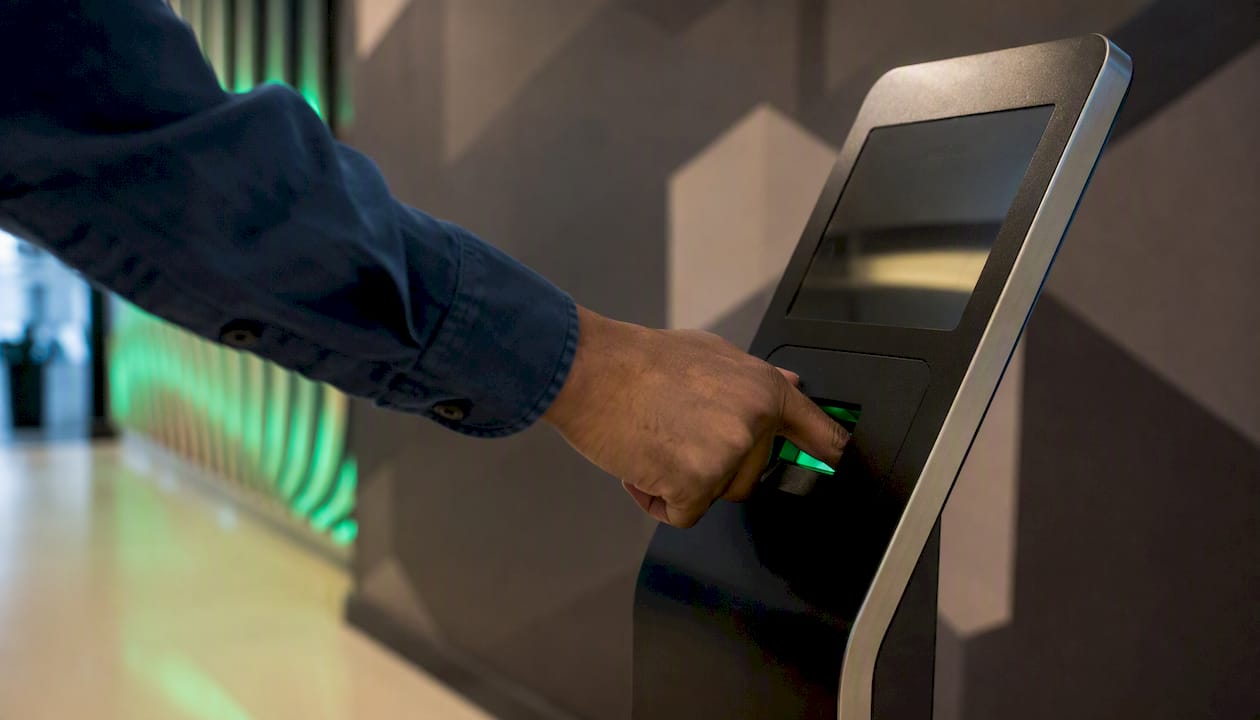
The Android app confirms mobile feature parity: biometric verification, GPS/geofencing, kiosk modes, and offline functionality all carry over to the mobile experience, which matters for teams that clock in from phones rather than desktops.
Jibble's paid tiers add features like advanced reporting, integrations, and admin controls. The free plan, though, covers the basics well enough that many small teams never need to upgrade.
Who it's best for: Small teams of 5–30 people that want verified clock-ins without a budget commitment. It's also a practical starting point for a business testing attendance software before investing in a paid platform.
Where Jibble falls short compared with a platform like Heyhive: it doesn't generate schedules automatically, and its payroll export options are more limited on the free tier. Teams that need scheduling automation alongside attendance tracking will outgrow the free plan quickly.
DeskTime tracks what your team actually does at their computers
DeskTime's differentiator is automatic logging. The moment an employee opens their computer, DeskTime starts recording which apps and URLs they use, how long they spend on each, and when they arrive and leave. No manual clock-in required.
Pros:
- Automatic time tracking with zero employee action needed
- App and URL monitoring gives managers a clear productivity picture
- Absence and time-off management built in
- Detailed reports exportable for payroll and project billing
Cons:
- Limited value for field or mobile teams who aren't at a desk
- Activity monitoring can create trust concerns if not communicated clearly to employees
- Free plan covers only one user; teams need a paid tier for meaningful use
DeskTime offers a free trial and a free single-user plan. Paid plans start at approximately $7 per user per month, making it affordable for small remote teams. It runs on Windows, Mac, Linux, iOS, and Android, so it covers most desktop environments.
Who it's best for: Remote teams, freelancers, and desk-based operations where managers want automatic activity analytics alongside attendance. It's not the right tool for restaurants, construction crews, or any team that works away from a computer.
Factorial puts attendance inside your HR workflows
Factorial approaches attendance differently from standalone trackers. Attendance features, including shift scheduling, time-off management, clock-in tracking, and reporting, live inside a broader HRIS suite. You're not buying an attendance app; you're buying an HR platform that includes attendance.
That distinction matters for how you evaluate it. If your organization already manages HR processes in spreadsheets or separate tools and wants to consolidate, Factorial's integrated approach saves you from managing multiple vendor relationships. Attendance data flows directly into HR records, time-off balances, and payroll-prep workflows without manual exports between systems.
The tradeoff is complexity. Factorial takes longer to set up than a standalone attendance app, and the pricing reflects the broader feature set. A free trial is available, but the full value only shows up once you've connected HR records, attendance, and payroll workflows together.
Who it's best for: Mid-sized companies with a dedicated HR function that wants attendance embedded in people operations, not bolted on as a separate tool. If you're a 10-person team that just needs clock-ins, Factorial is more platform than you need.
Top Hat and Vacation Tracker: picks for education and simple leave tracking
Top Hat for classroom attendance
Top Hat is built specifically for higher education. Its automated attendance integrates directly with Blackboard, Canvas, D2L, Moodle, and Sakai, so attendance scores appear in the gradebook alongside assignment and test grades. Instructors don't manually reconcile two systems.
The platform also uses attendance data to flag at-risk students, giving instructors an early signal when chronic absence patterns emerge. That's a capability general attendance apps don't offer because they're not built around student outcomes. For campus courses with large enrollments, Top Hat's geolocation-based check-in and QR options handle the logistics of verifying in-person attendance at scale.
Pricing is institutional; individual instructors typically access Top Hat through a campus license. The LMS integrations are the primary reason to choose it over a general attendance tracker for classroom use.
Vacation Tracker for simple leave management
Vacation Tracker does one thing well: it makes leave and absence tracking easy for teams that live in Slack, Microsoft Teams, or Google Calendar. Employees request time off inside the tools they already use; managers approve or deny from the same interface. There's no separate app to learn.
It's not a time clock or a scheduling tool. If you need GPS-verified clock-ins or shift scheduling, Vacation Tracker won't cover those needs. But for a 15-person team that just wants a clean absence calendar and approval workflow, it's faster to set up than any HRIS suite.
When to pick an education tool vs. a general attendance app: Choose Top Hat if LMS gradebook integration and student-outcome analytics are requirements. Choose a general tracker like Heyhive or Jibble if you need clock-in verification, payroll export, or multi-location support, even in an educational setting.
How do you choose the right attendance app for your team?
Use this checklist in priority order before you sign up for any trial.
- Define your primary use case. Clock-in verification for hourly workers, leave management, classroom attendance, and remote activity monitoring are four different problems. Pick the tool built for your specific use case.
- Identify your clock-in method. GPS, geofence, facial recognition, QR code, kiosk, and manual entry each suit different environments. Field crews need GPS. Large classrooms need QR or kiosk. Desk workers may need nothing beyond a login.
- Check offline support. If your team works in warehouses, construction sites, or rural areas, offline clock-in with automatic sync is non-negotiable. Many apps drop this feature or bury it in premium tiers.
- Confirm payroll export formats. Ask vendors exactly which payroll systems they export to and in what file format. A CSV export that requires manual reformatting before upload is not a real integration.
- Map your integrations. List the payroll, HRIS, and LMS tools you already use. An attendance app that doesn't connect to your payroll system creates a manual data-transfer step every pay period.
- Review data privacy and retention policies. GPS and biometric data are sensitive. Confirm where data is stored, how long it's retained, and whether the vendor is compliant with applicable state privacy laws.
- Evaluate customer support. Check whether live support is available during your business hours. A scheduling emergency at 6 AM on a Monday is not the time to discover that support is email-only with a 48-hour response window.
- Test scalability. If you plan to grow from 20 to 100 employees in two years, confirm that per-seat pricing doesn't make the tool unaffordable at scale.
- Scrutinize pricing transparency. Ask specifically about add-on fees for GPS, biometrics, API access, and additional locations. Many vendors advertise a low base price and charge separately for the features you actually need.
Vendor questions to ask during a trial or demo:
- How does the system handle multiple time zones for distributed teams?
- How are overtime calculations configured, and can rules be customized by state?
- What payroll export formats are supported, and which payroll platforms have native integrations?
- What is the data retention period, and can we export all historical data if we leave?
- Is API access included, or is it a paid add-on?
Red flags to watch for:
- Hidden fees for GPS or biometric features not disclosed upfront
- No offline mode for a tool marketed to field teams
- Mobile app reviews below 3.5 stars on Google Play or the App Store
- Export limited to proprietary formats that don't open in standard payroll software
- No clear data deletion policy
Pricing tips: Annual billing typically saves 15–20% over monthly. Clarify how "users" are defined — some vendors count all employees, others count only active users in a billing period. GPS and biometric features are common upsells; get them included in writing before signing.
Pro Tip: During your trial, run a two-day GPS clock-in test with five employees across your actual job sites. Check whether the geofence triggers correctly at each location and whether offline punches sync accurately when connectivity returns. That 48-hour test will surface reliability issues that no demo will show you.
Tools like AI team analytics can complement attendance data by surfacing absence patterns and participation trends across teams, which is particularly useful for managers running larger operations.
For a practical walkthrough of attendance tracking for hourly teams specifically, the employee attendance tracking guide on the Heyhive blog covers setup, compliance, and payroll export in detail.
Key Takeaways
The best attendance tracking app for most hourly and field teams is Heyhive, because it combines AI scheduling, GPS-verified clock-ins, and payroll-ready exports in one platform, eliminating the need to connect separate tools.
| Point | Details |
|---|---|
| Match the tool to your use case | Clock-in verification, leave management, classroom attendance, and activity monitoring each require a different type of app. |
| Payroll export is non-negotiable | Your attendance software must produce audit-ready, payroll-compatible exports to satisfy FLSA recordkeeping requirements. |
| Free plans have real limits | Jibble's free-forever plan is the strongest free option, but it lacks scheduling automation and advanced payroll integrations. |
| GPS and offline support matter for field teams | Field crews need offline clock-in with automatic sync; many apps omit this or charge extra for it. |
| Heyhive for hourly and field teams | Heyhive's AI scheduling plus GPS-verified clock-ins and payroll export covers the full hourly workflow in a single platform. |
What most managers get wrong about attendance tracking
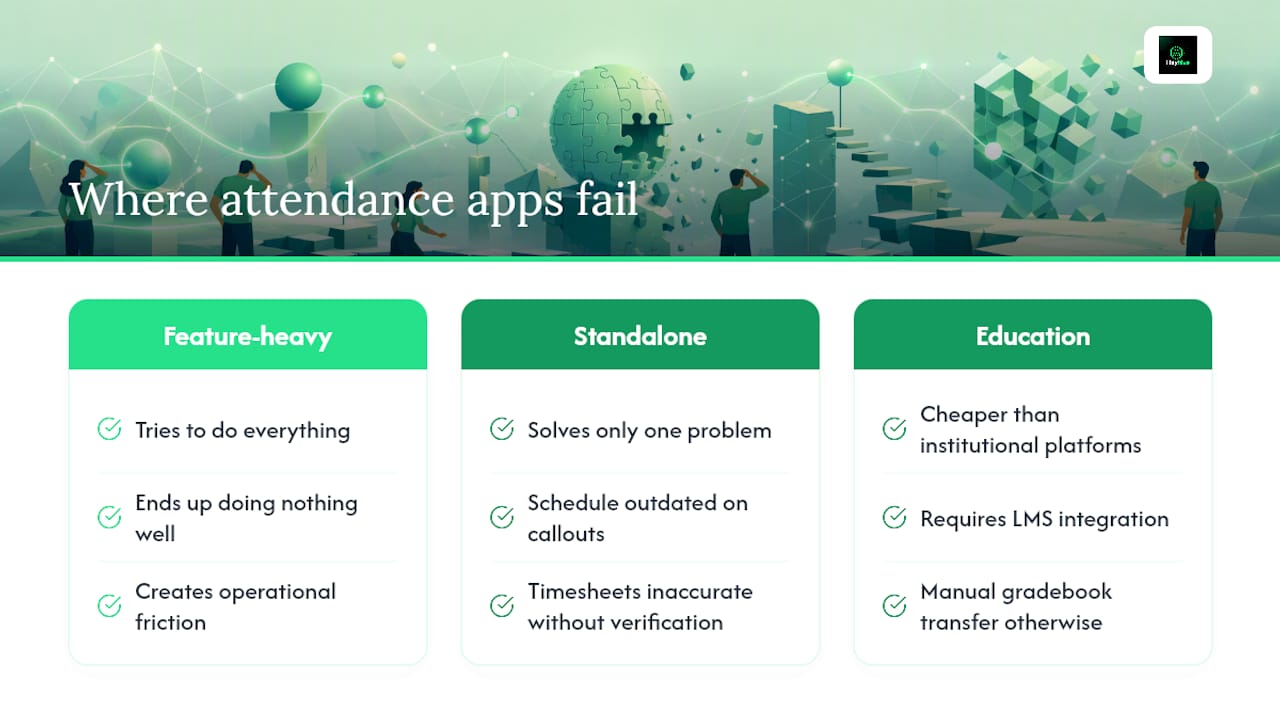
The conventional wisdom says to pick the app with the most features. That's the wrong frame entirely. The apps that create the most friction in real operations are usually the ones that tried to do everything and ended up doing nothing particularly well.
The more useful question is: where does your current process break down? For most hourly managers, the answer is one of two places. Either the schedule takes too long to build and is outdated the moment someone calls out sick, or the timesheet data that reaches payroll is inaccurate because clock-ins weren't verified. Those are two distinct problems, and most standalone attendance apps solve only one.
The category that gets underestimated most consistently is offline support. A GPS clock-in app that requires a data connection is useless on a construction site, in a warehouse with poor signal, or at a rural job location. Managers discover this during the first week of deployment, not during the demo. Testing offline behavior during your trial, not just GPS accuracy in a connected environment, is the single most important thing you can do before committing to a platform.
Education is a separate case worth naming. General attendance apps are tempting for campus use because they're cheaper than institutional platforms. But without LMS integration, instructors end up manually transferring attendance data into the gradebook, which defeats the purpose. Top Hat's gradebook sync with Canvas, Blackboard, and Moodle is not a nice-to-have for a 200-student lecture; it's the feature that makes automated attendance actually save time.
See what Heyhive does in your first week of trial
Heyhive gives hourly and field managers something most attendance apps don't: a complete workflow from schedule to paycheck. You build the schedule in seconds with AI, employees clock in with GPS verification, and you export payroll-ready hours at the end of the week. No manual timesheets. No buddy punching. No spreadsheet reconciliation.

During your free trial, run this quick test to get immediate value. On day one, set up GPS clock-in for one location and have five employees clock in and out over two shifts. On day two, run the payroll export and check whether the hours match what you expected. That two-day test will tell you everything you need to know about whether Heyhive fits your operation.
If you manage multiple sites, test geofencing at two locations simultaneously. If you have field crews, test offline clock-in by turning off data on one device and syncing it when you return to the office.
Start your free trial or book a demo at useheyhive.com to see AI scheduling, GPS time tracking, and payroll export working together in your actual environment.
Selected sources and further reading
- Class Attendance & Attendance Tracking Software | Top Hat
- FREE Attendance Tracker for Employees | Jibble
- Jibble - Attendance Tracker - Apps on Google Play
- Attendance Tracker App — Real-Time Check-In | Attenditai
- OneTap: Simple Attendance Tracking & Check-In App
- apps.apple.com