
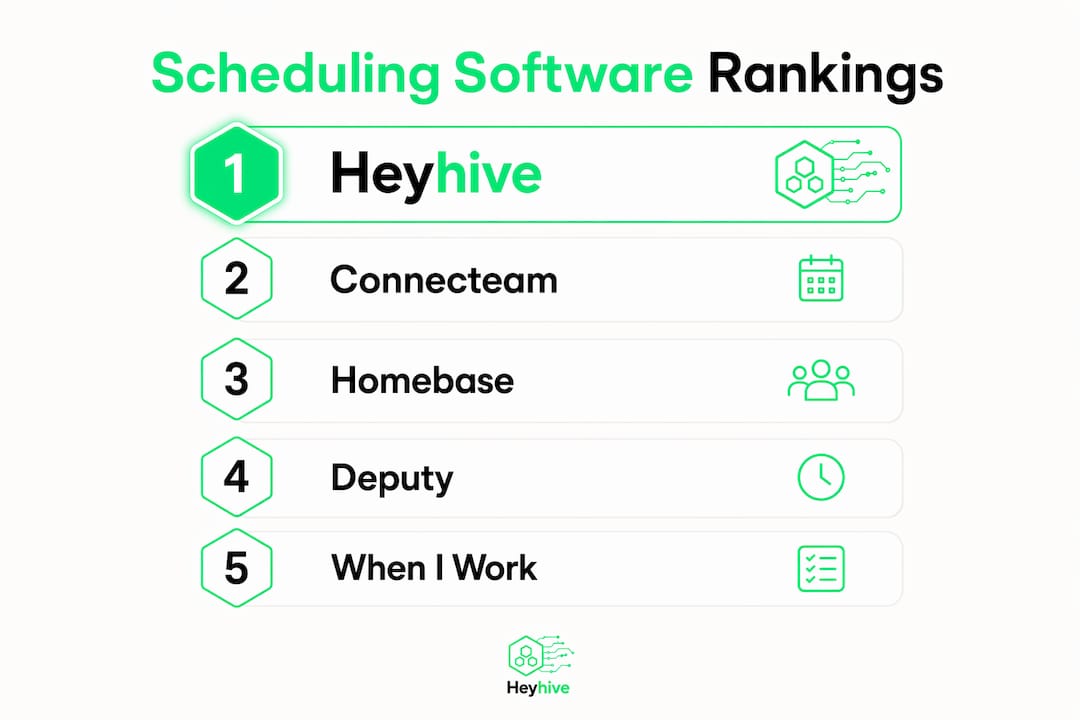
The best scheduling software for most U.S. small businesses combines AI-assisted shift generation, GPS time clocks, and self-service appointment booking in one platform. If you manage hourly or field teams, Heyhive is the editor's pick: it builds a full week of shifts in seconds, verifies clock-ins by GPS, and exports payroll-ready hours without manual entry.
Here are the top picks at a glance:
- Editor's pick (shift-first teams): Heyhive — AI-generated schedules, GPS clock-ins, manager approval before publish, payroll exports. Best for hourly and field operations.
- Best for appointment businesses: Tools like Calendly, Acuity Scheduling, and Square Appointments lead here. They prioritize booking pages, calendar sync, intake forms, and payment capture.
- Best free / low-cost option: Setmore and Square Appointments both offer free tiers suitable for solo operators or very small teams taking their first bookings.
| Tool | Best For | Free Tier | Core Differentiator | Platform |
|---|---|---|---|---|
| Heyhive ⭐ Editor's Pick | Shift-first & field teams | No | AI shift generation + GPS clock-in | Web, iOS, Android |
| Connecteam | Hourly & mobile frontline | Yes (small teams) | Frontline task + shift management | Web, iOS, Android |
| Homebase | Simple SMB scheduling | Yes | Easy timecards + payroll integration | Web, iOS, Android |
| Deputy | Multi-location compliance | No | Compliance-focused forecasting | Web, iOS, Android |
| When I Work | Small hourly teams | No | Simple shifts + team messaging | Web, iOS, Android |
| 7shifts | Restaurants & foodservice | Yes | Labor cost controls, FOH features | Web, iOS, Android |
| Calendly | Appointment-heavy businesses | Yes | Booking links + calendar routing | Web, iOS, Android |
| Square Appointments | Solo pros + service businesses | Yes | POS + payments built in | Web, iOS, Android |
| Acuity Scheduling | Branded booking + intake | No | Custom intake + deposit options | Web, iOS, Android |
| Setmore | Budget appointment booking | Yes | Free plan for solo operators | Web, iOS, Android |
| SimplyBook.me | Customizable bookings | Yes | White-label + add-on marketplace | Web, iOS, Android |
| Appointy | Bookings + marketing | Yes | Marketing + booking combined | Web, iOS, Android |
| Book Like A Boss | Solo professionals | No | Personalized booking pages | Web, iOS, Android |
| Deel HR | Global payroll + compliance | No | Global contractor payroll | Web, iOS, Android |
| Agendrix | Retail + manufacturing shifts | No | Shift optimization + labor reports | Web, iOS, Android |
| Buddy Punch | Field GPS time tracking | No | GPS time clock + timesheets | Web, iOS, Android |
| Ubeya | Gig + field-service teams | No | Mobile-first dispatch | Web, iOS, Android |
| ClockShark | Construction + field service | No | Job-costing + field time tracking | Web, iOS, Android |
| Sage HR | HR + scheduling suite | No | Integrated HR features | Web, iOS, Android |
| ezClocker | Very small teams | No | Simple time clock, low cost | Web, iOS, Android |
| eResource Scheduler | Resource-level scheduling | No | Resource allocation + shift planning | Web |
| Zoho Bookings | Zoho-ecosystem SMBs | Yes | White-label + deep Zoho integration | Web, iOS, Android |
Pro Tip: Before committing to any platform, sync one team's calendar and run a single-week auto-schedule trial. You'll surface integration gaps and coverage blind spots in days, not months.
Table of Contents
- How we evaluated and picked these tools
- Full comparison: all 22 tools side by side
- Mini-reviews: what each tool actually does well
- What scheduling features actually move the needle for small businesses
- How to choose the right scheduling software for your small business
- Pricing and plans: what to expect and how to budget
- Integrations and workflows: connecting scheduling to payroll, POS, and calendars
- What AI scheduling can do today — and how you stay in control
- Key Takeaways
- Why AI scheduling is the most underrated lever for small business operators
- Heyhive is built for exactly this kind of team
- Useful sources and next reads
How we evaluated and picked these tools
Every tool on this list was assessed against a consistent set of criteria designed for small business operators, not enterprise IT teams. The evaluation covered five core dimensions:
- Fit for use case: Does the tool serve hourly shift teams, appointment businesses, or both? Tools that blur the line between shift scheduling and appointment booking scored higher for mixed-use operations.
- AI-assisted scheduling: Can the platform generate schedules automatically, respecting availability, certifications, and overtime limits? Manual-only tools were noted accordingly.
- Time tracking and payroll integration: Does the tool export hours directly to common payroll systems (QuickBooks, ADP, Gusto, Paylocity)? This is a hard requirement for most small businesses.
- Platform support and ease of setup: Web, iOS, and Android coverage matters. So does how quickly a manager can go from signup to a published schedule.
- Customer support quality: Response time, onboarding help, and documentation depth were factored in, especially for tools targeting first-time buyers.
Data sources included vendor documentation, product trial checks, third-party review platforms, and published editorial research. Pricing was verified against current public plan pages. Tools were also assessed against automated scheduling research showing that businesses moving off spreadsheets see immediate gains in reduced admin time and improved accountability.
Evaluation note: Each tool was assessed across at least four scenarios: a solo appointment business, a 10-person shift team, a multi-location retail operation, and a field-service crew needing GPS clock-ins. Tools that performed well across three or more scenarios ranked highest.
Full comparison: all 22 tools side by side
The table in the opening section covers all 22 tools. Below are the key decision dimensions expanded for the tools most relevant to small business buyers.
| Tool | Best For | Starting Price | Payroll/Time Export | Advanced Features |
|---|---|---|---|---|
| Heyhive ⭐ | Shift-first & field teams | Paid tiers (contact) | Yes — payroll-ready export | AI scheduling, GPS clock-in, manager approval |
| Connecteam | Hourly frontline teams | Free (small teams); paid plans available | Yes | Shift + task management |
| Homebase | Simple SMB scheduling | Free; paid plans available | Yes (QuickBooks, Gusto) | Timecards, labor cost tracking |
| Deputy | Multi-location compliance | Paid plans available | Yes | Compliance rules, demand forecasting |
| When I Work | Small hourly teams | Paid plans available | Yes | Shift templates, team messaging |
| 7shifts | Restaurants | Free (1 location); paid plans available | Yes | Labor forecasting, tip pooling |
| Calendly | Appointment booking | Free; paid from ~$10/seat/mo | Limited | Routing, round-robin, calendar sync |
| Square Appointments | Solo + service businesses | Free (solo); paid plans available | Via Square Payroll | POS + payment capture |
| Acuity Scheduling | Branded booking + intake | Paid plans available | Limited | Deposits, intake forms, reminders |
| Setmore | Budget booking | Free; paid from ~$5/user/mo | Limited | Basic reminders, calendar sync |
| SimplyBook.me | Custom bookings | Free; paid plans available | Limited | White-label, add-on marketplace |
| Appointy | Bookings + marketing | Free; paid plans available | Limited | Marketing integrations |
| Book Like A Boss | Solo professionals | From ~$9/mo | Limited | Personalized booking pages |
| Deel HR | Global payroll | Paid plans available | Yes — global payroll | Global contractor compliance |
| Agendrix | Retail + manufacturing | Paid plans available | Yes | Shift optimization, labor reports |
| Buddy Punch | Field GPS tracking | Paid plans available | Yes | GPS time clock, timesheets |
| Ubeya | Gig + field teams | Contact for pricing | Yes | Mobile dispatch, gig management |
| ClockShark | Construction + field | Paid plans available | Yes | Job costing, GPS field tracking |
| Sage HR | HR + scheduling | Paid plans available | Yes (via Sage Payroll) | Integrated HR modules |
| ezClocker | Very small teams | From ~$10/mo (team) | Yes | Simple GPS clock-in |
| eResource Scheduler | Resource scheduling | Contact for pricing | Limited | Resource allocation, Gantt-style planning |
| Zoho Bookings | Zoho-ecosystem SMBs | Free; paid plans available | Via Zoho ecosystem | White-label, Zoho CRM sync |
Pricing reflects publicly listed rates at time of publication and may vary by plan tier or team size.
Mini-reviews: what each tool actually does well
Heyhive — editor's pick for shift-first and field teams

Heyhive is built for the manager who spends Sunday nights manually filling a spreadsheet. Its AI scheduling engine generates a full week of shifts in seconds, respecting each employee's availability, certifications, and overtime limits. You review and approve before anything goes live. That human-in-the-loop step is what separates it from tools that auto-publish and create problems.
Best for: Hourly teams, field operations, multi-site businesses.
- AI-generated weekly schedules with constraint awareness
- GPS-verified clock-ins for field and mobile employees
- Manager approval workflow before schedule publication
- Payroll-ready hours export (no manual reconciliation)
- Real-time attendance tracking and team messaging
- Shift swap and open-shift fill tools
Pros: Fastest path from zero to a published schedule; GPS verification reduces time theft; payroll export cuts admin hours. Cons: Pricing requires direct contact; less suited to pure appointment-booking businesses.
Connecteam
Connecteam targets frontline and mobile teams in retail, hospitality, and field services. Its strength is combining shift management with task checklists and team communication in one app. The free plan covers small teams, making it accessible for businesses just starting to formalize scheduling.
- Shift building, task management, and team chat in one platform
- Time clock with GPS and geofencing
- Free plan for teams under 10
Pros: All-in-one frontline tool; strong mobile experience; free entry point. Cons: Advanced features require higher-tier plans; less payroll-native than some competitors.
Homebase
Homebase is one of the most approachable tools on this list. Its free plan covers basic scheduling and time tracking for a single location, and it integrates directly with QuickBooks and Gusto for payroll. Small retail shops and cafés use it as a first step off spreadsheets.
- Free scheduling and time tracking for one location
- Direct payroll integrations (QuickBooks, Gusto, ADP)
- Hiring and onboarding tools in paid tiers
Pros: Genuinely easy to set up; strong payroll integrations; good free tier. Cons: Per-location pricing adds up for multi-site businesses; AI scheduling not a core feature.
Deputy
Deputy earns its place for businesses with complex labor rules: multi-location retail, healthcare-adjacent services, or any team where overtime compliance is a real risk. Its demand-based scheduling uses sales or foot-traffic data to suggest staffing levels.
- Compliance-focused scheduling with overtime and break rules
- Demand forecasting tied to POS or sales data
- Strong integrations with major payroll systems
Pros: Best compliance toolset on this list; solid forecasting. Cons: Higher per-user cost; steeper learning curve for small teams.
When I Work
When I Work keeps things simple. Shift templates, team messaging, and a clean mobile app cover the basics for small hourly teams without overwhelming them with features they won't use. It's a solid choice for businesses with straightforward scheduling needs and no multi-location complexity.

Pros: Fast setup; clean UX; good team communication. Cons: Limited AI features; payroll export requires integration setup.
7shifts
Purpose-built for restaurants and foodservice, 7shifts handles the specific pain points of FOH scheduling: tip pooling, labor cost targets, and manager logbooks. Its free plan covers a single location, and its labor forecasting tools help operators hit labor cost percentages. For restaurant scheduling specifically, it's the most feature-complete option on this list.
Pros: Restaurant-specific features; strong labor cost controls; free single-location plan. Cons: Less useful outside foodservice; limited GPS time tracking.
Calendly
Calendly is the go-to for appointment-heavy businesses and professionals who need a clean booking link. It handles calendar routing, round-robin assignments, and buffer times without requiring a full workforce management suite. Its free tier covers individual booking pages with Google Calendar sync.
- Booking pages with configurable meeting types and buffer times
- Round-robin and collective scheduling for teams
- Integrations with Zoom, Salesforce, HubSpot, and more
Pros: Easiest booking link setup; strong calendar integrations; generous free tier. Cons: Not built for shift scheduling; limited payroll or time-tracking features.
Square Appointments
Square Appointments is the natural choice for solo service providers who also need to take payments. Its free plan covers a single user with online booking, staff availability management, and payment capture. The POS integration means a booking and a sale live in the same system, which simplifies revenue tracking considerably.
Pros: Free solo plan; built-in POS and payments; unified revenue dashboard. Cons: Per-location pricing for teams; less suited to shift-based hourly teams.
Acuity Scheduling
Acuity Scheduling gives service providers branded booking pages with intake forms, deposits, and automated reminders. Businesses that use deposits and reminders through Acuity report meaningful reductions in no-shows. It's the strongest appointment tool for providers who need to collect information before a session.
Pros: Custom intake forms; deposit and payment options; strong no-show reduction tools. Cons: No shift scheduling; limited payroll integration.
Setmore
Setmore's free plan is one of the most complete on the market for solo operators: unlimited appointments, a booking page, and basic calendar sync at no cost. Paid tiers add SMS reminders and payment processing. It's the right starting point for a solo practitioner who needs a booking page today.
Pros: Genuinely useful free tier; fast setup; SMS reminders on paid plans. Cons: Limited customization; not built for teams beyond a handful of staff.
SimplyBook.me
SimplyBook.me stands out for its add-on marketplace. You can layer on features like membership management, gift cards, and intake forms without switching platforms. White-labeling makes it viable for businesses that want the booking experience to feel fully branded.
Pros: Extensive customization; white-label option; rich add-on library. Cons: Add-ons increase cost quickly; interface can feel complex for new users.
Appointy
Appointy pairs appointment scheduling with marketing integrations, including Google Reserve and Facebook booking. For service businesses that want bookings to flow in from social and search, that combination reduces friction in the customer journey.
Pros: Marketing channel integrations; solid free tier; easy setup. Cons: Less depth on the workforce management side.
Book Like A Boss
Book Like A Boss is built for individual professionals and consultants who want a polished booking page without a complex setup. It functions more like a personal landing page with scheduling built in than a full workforce tool.
Pros: Clean, personalized booking pages; simple for solo use. Cons: Limited team features; not suitable for shift-based operations.
Deel HR
Deel HR is not a scheduling tool in the traditional sense. It pairs with scheduling platforms to handle global payroll and contractor compliance. If your small business works with international contractors or remote workers, Deel HR handles the compliance layer that most scheduling tools don't touch.
Pros: Best global payroll and contractor compliance on this list. Cons: Not a standalone scheduler; requires pairing with a scheduling platform.
Agendrix
Agendrix focuses on shift optimization and labor reporting for retail and manufacturing teams. Its scheduling engine handles complex availability rules and generates labor reports that help managers hit cost targets. It's a strong choice for businesses that need more reporting depth than Homebase provides.
Pros: Strong labor reporting; shift optimization tools; good for retail and manufacturing. Cons: Less name recognition in the U.S. market; limited appointment booking features.
Buddy Punch
Buddy Punch does one thing well: GPS-verified time tracking with clean timesheets. For field teams that don't need full workforce management but do need to verify where employees clock in, it's a straightforward and affordable option.
Pros: Simple GPS clock-in; clean timesheets; easy payroll export. Cons: Limited shift scheduling depth; no AI features.
Ubeya
Ubeya targets gig-economy and field-service operators with a mobile-first dispatch model. It handles worker pools, shift assignments, and task management for teams that aren't traditional employees. Staffing agencies and event operators find it particularly useful.
Pros: Mobile-first; strong for gig and temporary workforce management. Cons: Pricing not publicly listed; less suited to traditional employee scheduling.
ClockShark
ClockShark is purpose-built for construction and field service businesses. Its job-costing features let managers track time against specific projects or job sites, which feeds directly into project billing and payroll. GPS tracking is core, not an add-on.
Pros: Job costing + GPS tracking; strong for construction; payroll export. Cons: Less useful outside field service and construction.
Sage HR
Sage HR bundles scheduling into a broader HR platform covering leave management, performance reviews, and onboarding. For businesses that want HR and scheduling in one system and already use Sage for accounting, the integration is a genuine time-saver.
Pros: Full HR suite; Sage Payroll integration; leave management. Cons: Scheduling is not its primary strength; higher cost for small teams.
ezClocker
ezClocker is the simplest tool on this list. It offers a GPS time clock and basic scheduling for very small teams at a low monthly cost. If you have fewer than 15 employees and need a reliable clock-in system without complexity, it delivers.
Pros: Very easy to use; low cost; GPS clock-in included. Cons: Limited features beyond time tracking; no AI scheduling.
eResource Scheduler
eResource Scheduler takes a resource-allocation approach rather than a shift-scheduling one. It's better suited to project-based teams that need to assign people to tasks and track utilization across a week or month. Less relevant for hourly shift teams.
Pros: Strong resource allocation and Gantt-style planning. Cons: Not built for hourly shift teams; no mobile clock-in.
Zoho Bookings
Zoho Bookings is the natural choice for SMBs already running on Zoho CRM, Zoho Calendar, or Zoho Desk. Its white-label booking pages and AI-powered workflow options tie meetings directly to CRM records and follow-up tasks, reducing context switching for operator-founders. The free tier covers basic booking for a single user.
Pros: Deep Zoho ecosystem integration; white-label pages; free entry tier. Cons: Limited value outside the Zoho stack; less suited to shift-based teams.
What scheduling features actually move the needle for small businesses
Not every feature in a scheduling tool earns its price. These are the ones that materially affect operations and labor costs:
- Calendar sync (Google/Outlook): Prevents double-booking and keeps staff informed without manual updates. A public booking page that syncs with Google Calendar is now a baseline expectation, not a premium feature.
- Two-way availability: Staff submit availability; the system respects it when building schedules. This alone cuts the back-and-forth that consumes manager time.
- Self-service booking: Customers book directly without calling. Reduces front-desk load and captures bookings outside business hours.
- Shift building and templates: Save recurring shift patterns so you're not rebuilding the same schedule every week.
- Automated shift fills: When a shift goes uncovered, the system notifies eligible staff and fills the gap fast. Heyhive's open-shift fill tools handle this automatically.
- Reminders and confirmations: Automated SMS or email reminders reduce no-shows for appointment businesses. Acuity's deposit-plus-reminder approach is one of the most effective no-show reduction patterns available.
- Deposits and payments: Collecting a deposit at booking time filters out low-commitment customers and reduces last-minute cancellations.
- Overtime rules and labor cost controls: Set weekly hour limits per employee. The system flags violations before they become payroll problems.
- AI-assisted schedule generation: The system builds a compliant schedule in seconds. You review and approve. This is where the biggest time savings live for shift-based businesses.
- GPS time clock and mobile clock-ins: Verifies that employees are where they're supposed to be when they clock in. Reduces time theft and buddy punching without confrontation.
- Payroll export and integrations: Hours flow directly to your payroll system. No manual entry, no transcription errors.
Pro Tip: Automation is only as good as the oversight behind it. Require manager approval before any AI-generated schedule publishes. That one step catches errors before they reach your staff.
How to choose the right scheduling software for your small business
Work through this checklist before you book a demo or start a trial:
- Map your use case. Are you scheduling appointments, hourly shifts, or both? Appointment-first tools (Calendly, Acuity, Square Appointments) and shift-first platforms (Heyhive, Deputy, When I Work) are built differently. Picking the wrong category costs you time in setup and workarounds.
- Identify must-have integrations. List your payroll system, POS, and calendar tools. Confirm the scheduling tool connects to them natively, not just through a third-party connector.
- Estimate total cost of ownership. Multiply the per-user or per-location price by your team size and add expected add-ons (SMS reminders, premium support, GPS clock-ins). A $2/user/month tool for 40 staff with add-ons can cost more than a flat-fee platform.
- Run a 2-week pilot with one team. Don't roll out to the whole business on day one. Pilot with a single location or department, measure time saved and coverage gaps, then expand.
- Measure what changed. Track scheduling time per week, shift coverage rate, and payroll processing time before and after. These three numbers tell you whether the tool is earning its cost.
Questions to ask vendors during demos:
- Can you generate a sample schedule for my team size and show me the approval workflow?
- How do time exports connect to QuickBooks, ADP, or Gusto?
- What is your SLA for support, and do you offer onboarding assistance?
- What does the mobile app allow employees to do (clock in, swap shifts, view schedules)?
- Who owns my data if I cancel, and how do I export it?
Red flags to watch for:
- Pricing that requires a sales call to get basic numbers
- No native payroll or time export (Zapier-only integrations break under load)
- No mobile app for employee clock-ins
- Overtime rules that can't be customized for your state's labor requirements
- Onboarding that consists of a PDF and a help center link
Pricing and plans: what to expect and how to budget
Scheduling software pricing falls into four common models:
- Per-staff-per-month: Common for shift-first tools (Deputy, When I Work, Agendrix). Costs scale with headcount, so estimate carefully for seasonal businesses with variable team sizes.
- Per-location pricing: Homebase and 7shifts use this model for their base plans. Works well for single-location businesses; adds up quickly for multi-site operators.
- Flat-seat tiers: Some tools offer fixed monthly prices for up to a certain number of users. Predictable, but you may pay for seats you don't use.
- Freemium: Several tools offer free-forever plans with complete booking features including unlimited events, booking pages, and calendar sync. Useful for trialing before committing to a paid tier.
Typical cost expectations by tier:
- Free/basic: Self-booking, calendar sync, basic reminders. Suitable for solo operators or teams under 5.
- Paid starter ($5–$30/month): Shift templates, time tracking, basic payroll export. Covers most small teams.
- Mid-tier ($30–$100/month): GPS time clocks, AI scheduling, advanced integrations, multi-location support.
- Premium ($100+/month): Full compliance toolsets, demand forecasting, dedicated support, white-labeling.
Three pricing tips worth keeping:
- Negotiate onboarding fees. Many vendors waive them for annual commitments.
- Bundle payroll integration into your contract rather than paying per-export.
- Use the trial month to run one full pay cycle end-to-end before committing. If the payroll export breaks, you want to know before you're locked in.
Integrations and workflows: connecting scheduling to payroll, POS, and calendars
The real value of a scheduling tool shows up in how well it connects to the rest of your stack. A schedule that doesn't talk to payroll means manual entry. A booking that doesn't sync to your calendar means double-booking.
Common integration patterns for small businesses:
- Calendar sync: Google Calendar and Outlook are standard. Confirm two-way sync, not just one-way push.
- Payroll exports: QuickBooks, ADP, Gusto, and Paylocity are the most common targets. API-based direct integrations are more reliable than Zapier connectors, which can fail silently.
- POS link: Square Appointments connects bookings directly to payment capture and revenue reporting. That unified dashboard simplifies reconciliation considerably.
- HR system sync: Tools like Sage HR and Deel HR connect scheduling to leave balances, onboarding records, and contractor compliance.
A typical end-to-end workflow looks like this:
- Customer books online → confirmation email + calendar event created automatically
- Staff shift assigned based on availability and certifications
- Employee clocks in via mobile GPS → location verified
- Hours accumulate in real time → exported to payroll at period end
- Payroll runs with no manual hour entry
Scheduling tools that integrate with CRM and task managers reduce context switching for operator-founders, tying meetings to follow-up tasks rather than leaving them isolated in a calendar. That's especially relevant for service businesses where a booking triggers a workflow, not just a calendar event.
Implementation tip: Test the full export with one pay period before rolling out to your entire team. A single test run surfaces format mismatches, missing employee IDs, and overtime calculation errors before they affect real paychecks.
What AI scheduling can do today — and how you stay in control
Modern AI scheduling handles more than most managers expect. It can generate constraint-aware shift schedules across dozens of employees in seconds, coordinate multi-party meeting availability, and suggest shift fills when coverage gaps appear. AI-concierge tools can now manage complex, multi-party scheduling and act on behalf of the owner in email threads for investor or partner meetings.
That said, AI scheduling has real limits. Availability data must be current and accurate for the output to be useful. Certification and skill requirements need to be correctly tagged in the system, or the AI will assign the wrong person to a role. Fairness concerns are real too: automated systems can inadvertently favor certain employees for desirable shifts if the underlying rules aren't set correctly.
The practical governance pattern that works: Require manager approval before any AI-generated schedule publishes. Audit automated assignments weekly for overtime triggers. Run a parallel pilot for the first two weeks so you can compare the AI output against what you would have built manually. That comparison tells you exactly where the system needs tuning.
Businesses that move from manual spreadsheets to automated scheduling consistently report reductions in administrative time and improved accountability. The productivity gain is real, but it compounds only when the human oversight layer stays in place.
Pro Tip: For AI scheduling to work well, your employee profiles need clean data: accurate availability windows, up-to-date certifications, and correct overtime settings. Spend 30 minutes auditing those records before your first AI-generated schedule run.
Key Takeaways
The best scheduling software for small businesses combines AI-assisted shift generation, GPS time clocks, and payroll-ready exports, with Heyhive as the editor's pick for hourly and field teams.
| Point | Details |
|---|---|
| Editor's pick for shift teams | Heyhive generates full weekly schedules in seconds with GPS clock-ins and payroll-ready exports. |
| Best for appointment businesses | Calendly, Acuity Scheduling, and Square Appointments lead for booking-page and payment-capture needs. |
| Best free starting point | Setmore and Square Appointments offer genuinely useful free tiers for solo operators and small teams. |
| Pilot before you commit | Run a 2-week pilot with one team and measure scheduling time, coverage rate, and payroll processing speed. |
| Chief red flag to avoid | No native payroll export means manual entry errors; confirm direct integration before signing a contract. |
Why AI scheduling is the most underrated lever for small business operators
The conversation around scheduling software usually centers on features: does it have GPS? Does it sync with QuickBooks? Those questions matter, but they miss the bigger shift happening right now. The real change is that AI scheduling removes the cognitive load of building a compliant schedule from scratch every week. That's not a minor convenience. For a manager running a 20-person team across two locations, it's the difference between spending Sunday evening on a spreadsheet or spending it on something that actually grows the business.
What most articles don't say clearly enough: the human approval step is not a workaround for imperfect AI. It's the feature. Automation reduces admin burnout; human oversight preserves fairness and catches the edge cases the system can't see. The best implementations treat those two things as partners, not competitors. Prioritize tools that make the approval workflow fast and visible, not tools that bury it or skip it entirely. The payroll savings and time reclaimed are real, but only when the manager stays in the loop.
Heyhive is built for exactly this kind of team
Most U.S. small businesses with hourly or field employees don't need a 50-feature enterprise platform. They need a tool that builds a compliant schedule fast, verifies who showed up and where, and gets hours to payroll without manual entry. That's what Heyhive delivers.

Here's what you get with Heyhive:
- AI schedule generation: Full weekly shifts built in seconds, respecting availability, certifications, and overtime limits
- Manager approval workflow: You review every schedule before it goes live. You're always in control.
- GPS-verified clock-ins: Field and mobile employees clock in with location verification. No buddy punching.
- Payroll-ready exports: Hours flow directly to your payroll system. No spreadsheets, no manual reconciliation.
- Real-time attendance tracking: See who's in, who's late, and who's missing, from any device.
- iOS and Android apps: Your team manages availability, swaps, and clock-ins from their phones.
Ready to see it in action? Start your free trial or request a demo to run your first AI-generated schedule today.
Useful sources and next reads
- Heyhive: AI scheduling and GPS time clock — Product landing page covering all core features, pricing tiers, and platform capabilities.
- How Heyhive builds the week in seconds — Deep dive into the AI scheduling engine, constraint handling, and manager approval workflow.
- Fill open shifts fast with Heyhive — Practical guide to eliminating coverage gaps with automated shift-fill tools.
- GPS time clock software: benefits and payroll readiness — Covers GPS clock-in mechanics, time theft prevention, and payroll export setup.
- Employee attendance tracking for hourly teams — Practical guidance on tracking attendance and reducing time theft for field and hourly teams.
- Heyhive blog: scheduling, attendance, and hiring insights — Resource hub for deeper reads on workforce management topics.
- Square Appointments — Official product page covering free and paid plans, POS integration, and payment capture for service businesses.
- Acuity Scheduling — Covers branded booking pages, intake forms, deposit options, and no-show reduction tools.
- Zoho Bookings — Details on white-label booking, Zoho ecosystem integrations, and SMB customization options.
- AI automation for business workflows — Broader primer on AI automation trends relevant to scheduling and workforce management.
- Calendly for small business — Overview of appointment booking features and productivity gains from moving off manual scheduling.